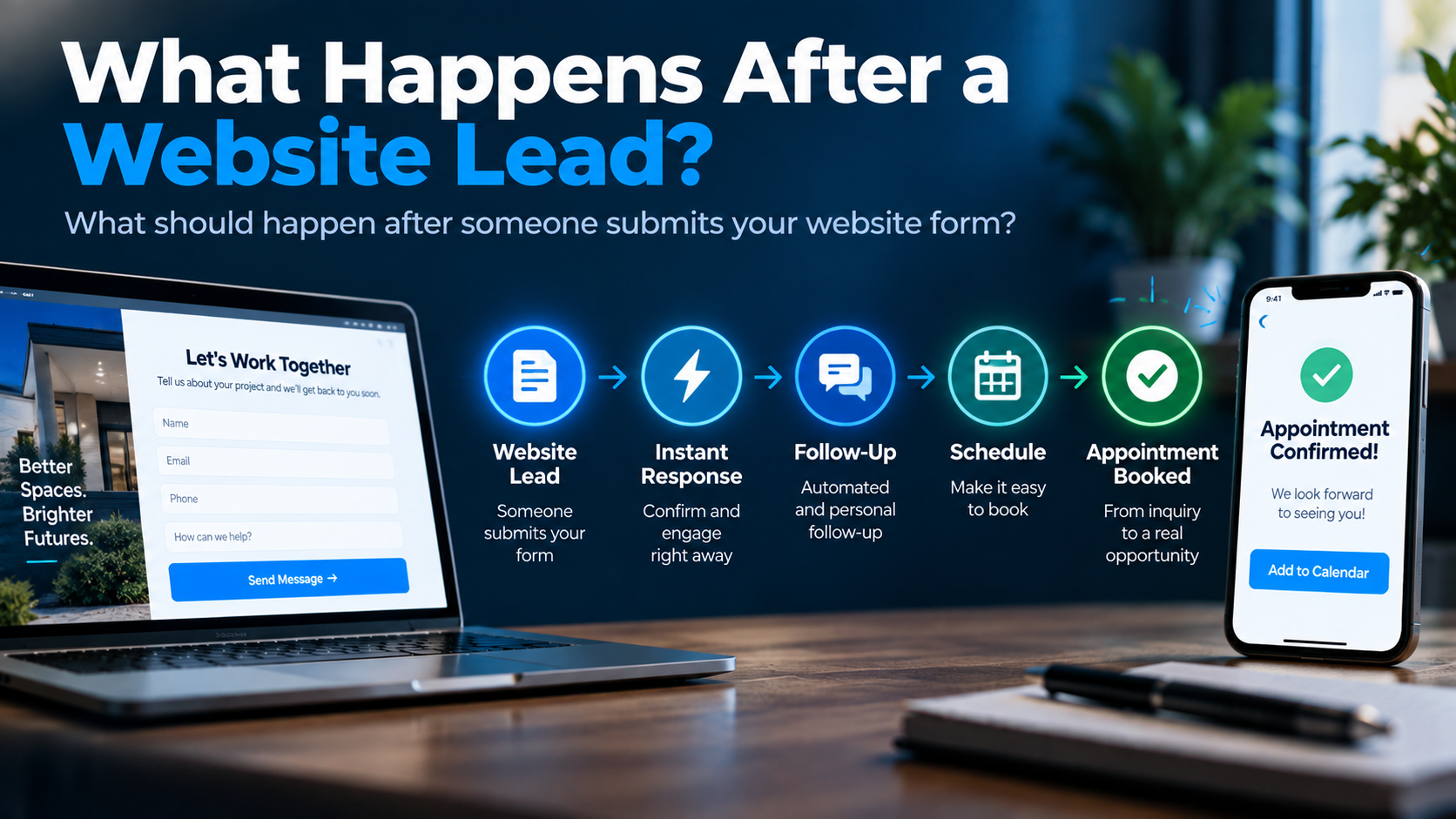
Someone visits your website.
They look through your services. Check a few photos. Maybe read some reviews.
Then they do exactly what you wanted them to do.
They fill out the form.
Conversion!
Everybody high-fives.
Except there's a small problem.
Nothing particularly valuable has happened yet.
You don't have a customer. You may not even have a conversation.
What you have is an opportunity to start one.
That's an important distinction because businesses put enormous effort into everything leading up to the form submission—web design, SEO, Google Ads, Google Business Profile, social media, landing pages—and sometimes surprisingly little thought into what happens immediately afterward.
The form gets submitted.
An email gets sent.
And the website basically says:
My work here is done.
It shouldn't be.
For a service business, the moments after someone reaches out can be one of the most important parts of the entire website conversion process.
So what should actually happen?
First, stop thinking of the form submission as the finish line
Most website analytics naturally encourage this.
Someone completes a form and GA4 records a conversion.
Great.
That measurement is useful.
But operationally, the business is only somewhere around here:
Visitor → Inquiry → ??? → Conversation → Appointment → Sales Process → Customer
That giant question mark is where a lot of marketing performance gets decided.
A traditional website may successfully capture someone's information and send a notification.
An AI-powered website can potentially become connected to what happens next—CRM, communication, follow-up, qualification, scheduling and other parts of the customer journey.
That connected process is what we'd call a lead conversion system.
The important word is connected.
Because even a beautifully designed website can generate opportunities that disappear after someone clicks Submit.
Step 1: Capture the lead reliably
This sounds painfully obvious.
It isn't.
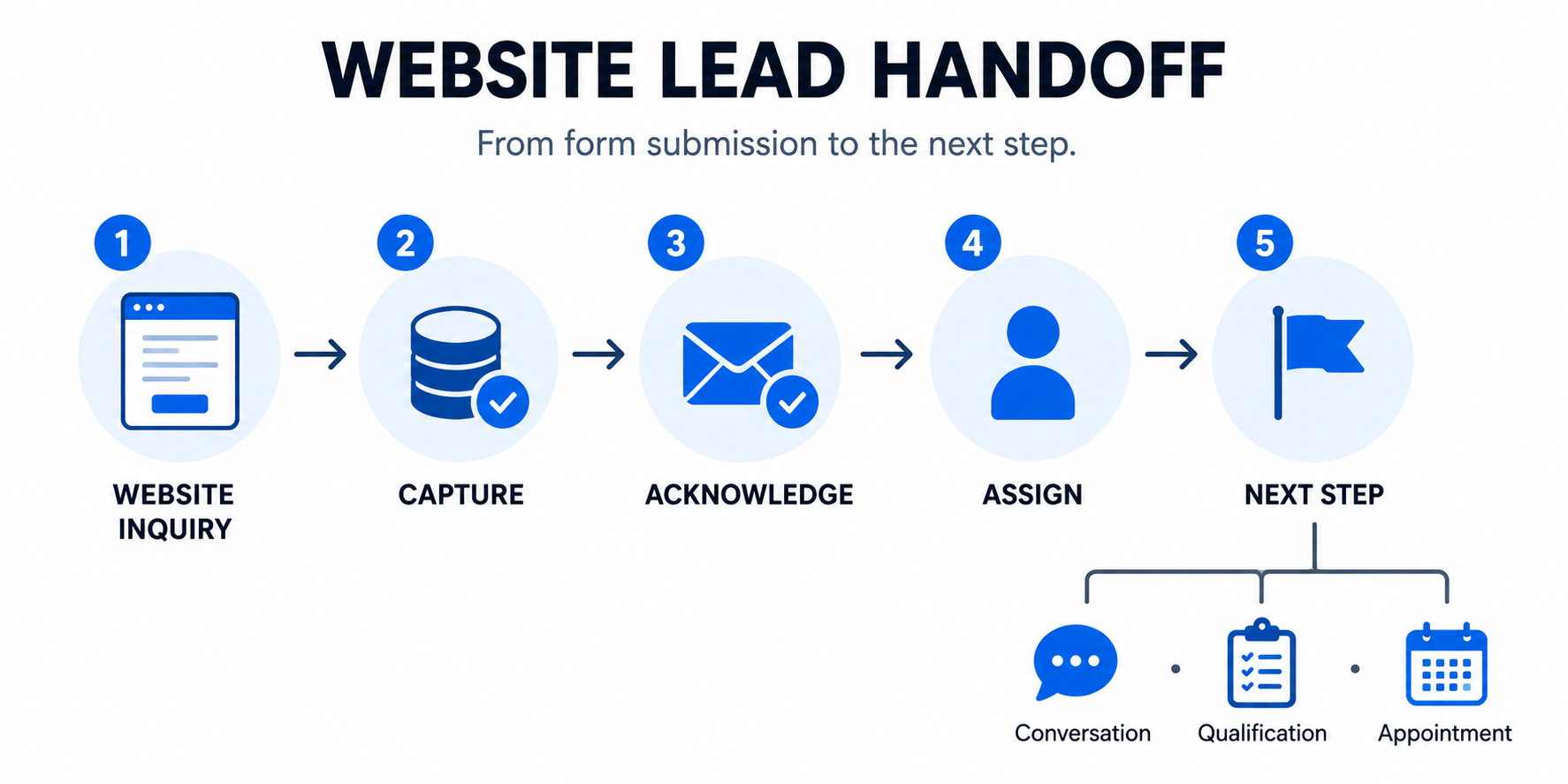
At minimum, when someone submits a legitimate inquiry, the business should reliably capture the information needed to continue the conversation.
Depending on the business, that could include:
- name
- phone number
- service requested
- location
- project details
- preferred contact method
- source
- other qualifying information
But don't turn the form into a mortgage application just because your CRM has 47 available fields.
Every additional field creates another decision for the visitor.
Collect what you genuinely need to begin the next step.
You can gather more information later.
Where should the information go?
This is where many websites still operate like it's 2012.
Form → Email Inbox
That's better than nowhere.
But an email inbox isn't really a lead-management system.
The inquiry should ideally create or update a contact record somewhere the business can actually manage it.
For many service businesses, that's a CRM.
Now the business has a record that can potentially include:
- the original inquiry
- contact information
- lead source
- messages
- calls
- appointments
- notes
- pipeline stage
- follow-up activity
The goal isn't "use a CRM because CRM sounds professional."
The goal is don't let an opportunity exist only as an email somebody can forget about.
Step 2: Acknowledge the inquiry
Imagine walking into a store, asking an employee for help, and having them stare silently at you for six hours.
That's roughly the digital experience some website leads get.
A person submits:
"I'd like an estimate for replacing my driveway."
And receives...
Nothing.
Maybe someone calls tomorrow.
Maybe not.
An immediate acknowledgment can solve a very basic customer-experience problem:
Did this company actually receive my request?
The acknowledgment doesn't need to pretend a salesperson is already reviewing the project if they aren't.
It can simply confirm:
- the inquiry was received
- what will happen next
- when the customer should expect contact
- whether there's something useful they can do now
That last part creates interesting possibilities.
If appropriate, the customer might be able to:
- schedule a consultation
- provide additional project information
- upload photos
- answer a few qualifying questions
- continue a conversation
- call the office
The exact next step depends on the business.
But silence shouldn't be the default workflow.
Step 3: Notify the right person
The customer needs acknowledgment.
The business needs awareness.
Those are two separate things.
Someone internally should know a new opportunity exists.
That might be:
- the owner
- office administrator
- salesperson
- estimator
- dispatcher
- location manager
- another assigned employee
For a very small business, every lead may go to the same person.
For a larger operation, routing might depend on:
- service
- geography
- commercial vs. residential
- department
- lead source
- project type
- availability
This is an area where automation can remove unnecessary manual work.
New inquiry → identify appropriate owner → notify them → create next action
Nothing particularly futuristic about it.
It's just better plumbing.
Step 4: Decide whether the lead needs qualification
Not every business needs qualification before scheduling.
And not every lead needs to be interrogated by a chatbot before a human is allowed to speak with them.
But some businesses genuinely need more information.
Consider a commercial contractor.
"Need construction quote. Call me."
Okay.
For what?
A $20,000 repair?
A national tenant build-out?
A ground-up commercial project?
The next step could be completely different depending on the answer.
Lead qualification can help determine:
- whether the business provides the requested service
- whether the location is within the service area
- which department should handle it
- what kind of appointment is appropriate
- what information the team needs before responding
Some of that can happen through forms.
Some through conversation.
Some through AI-assisted communication.
Some should happen with a human.
The goal isn't maximum automation.
It's getting enough useful information to move the opportunity intelligently.
Step 5: Make the next step obvious
This is where websites often become weirdly passive.
The visitor has already said:
I'm interested.
And the business responds:
Cool. We'll figure something out eventually.
Instead, determine what the next meaningful action should be.
For one business:
Book an estimate.
Another:
Schedule a consultation.
Another:
Speak with a project manager.
Another:
Upload photos so we can evaluate the request.
Another:
Wait for our team to review the project before scheduling.
There isn't one universal conversion path.
That's precisely why the workflow should be designed around the business instead of copied from some generic "AI automation template."
Step 6: Give qualified prospects an easier path to scheduling
If the appropriate next step is an appointment, don't make scheduling harder than necessary.
The classic process:
What day works? Tuesday. Morning or afternoon? Afternoon. How about 1:00? Can't do 1. 3:30? Can we do Wednesday?
We've all participated in this little administrative hostage situation.
Sometimes back-and-forth is necessary.
Often it isn't.
A connected scheduling process can allow an appropriate prospect to view relevant availability and select a time.
Then:
Appointment created → calendar updated → team notified → confirmation sent
The business hasn't removed the human relationship.
It has removed unnecessary calendar ping-pong.
Step 7: Don't abandon the lead because they didn't answer once
This is where the form-to-inbox model really starts breaking down.
A salesperson calls.
No answer.
They leave a voicemail.
Maybe they send a text.
Then the day gets busy.
Three days later, nobody remembers the lead exists.
The prospect didn't explicitly reject the business.
They simply failed to answer one attempt.
People do that.
They're working.
Driving.
In meetings.
Dealing with kids.
Ignoring every unknown number because apparently that's a survival skill now.
A reasonable follow-up process gives the opportunity more than one chance.
That could include a combination of:
- phone
- SMS
- reminders for employees
- automated follow-up
- AI-assisted conversation
The right cadence depends on the business, lead type, consent, communication channel and context.
The objective is not to chase someone until they file a restraining order.
It's to make follow-up consistent instead of accidental.
This is one of the core issues behind the lead conversion gap.
If marketing generates an inquiry and nobody consistently works the opportunity afterward, buying more leads may simply create more neglected opportunities. That's why it's worth fixing your lead-conversion process before spending more on leads.
Step 8: Keep the conversation attached to the customer
Suppose the lead:
- submits a website form
- receives a text
- replies
- gets a phone call
- books an appointment
- sends another question by SMS
Where does that history live?
If the answer is:
Well... some is in email, some is on Steve's phone and I think Susan wrote something down...
We've found another problem.
A connected system should make it easier for the business to understand:
Who is this person?
What did they ask about?
Who has spoken with them?
What happened?
What's supposed to happen next?
That context becomes increasingly important as AI enters business workflows.
As we discussed in how AI is changing service businesses, AI becomes much more useful when it participates inside a properly designed workflow instead of operating as a disconnected novelty.
Context matters.
Step 9: Know where the opportunity stands
You shouldn't need an archaeological expedition through email to figure out what happened to last week's leads.
At minimum, the business should be able to distinguish between stages such as:
New Inquiry
Contacted
Appointment Scheduled
Estimate / Consultation Completed
Follow-Up Needed
Won
Lost
The exact stages depend on the sales process.
A roofing company's pipeline shouldn't necessarily look like an attorney's.
But visibility matters.
Because without it, it's difficult to answer basic questions:
- How many leads are actually being contacted?
- Which ones still need attention?
- How many become appointments?
- Which opportunities are stalled?
- Why are we losing business?
- Are leads from one source progressing better than another?
This is where a CRM stops being a digital Rolodex and starts becoming operational infrastructure.
Step 10: Continue beyond the first appointment
Getting the appointment isn't necessarily the end of the conversion process either.
Appointments get forgotten.
People reschedule.
Prospects request estimates and disappear.
Projects get delayed.
Some customers aren't ready for three months.
Others choose someone else today but may need another service next year.
Depending on the business, the system may need to support:
- appointment reminders
- rescheduling
- estimate follow-up
- longer-term nurturing
- lead reactivation
- post-sale communication
- review requests
- future service reminders
Not every business needs all of that.
But customer acquisition doesn't magically stop because the calendar event was created.
The system should reflect the actual customer journey.
What should be automated?
At this point you may be thinking:
So automate everything?
No.
That would completely miss the point.
A useful website lead-response system might use business automation for predictable actions such as:
Form submitted → Create contact
Form submitted → Send acknowledgment
New lead → Notify employee
Appointment booked → Send confirmation
Appointment approaching → Send reminder
No response → Trigger appropriate follow-up
AI may help where interpretation or flexible conversation is useful.
Humans remain important where judgment, empathy, expertise, negotiation or complex decision-making matters.
The strongest system is usually not:
AI does everything.
It's:
Technology handles the parts technology is good at, so people can focus on the parts people are good at.
What should happen in the first few minutes?
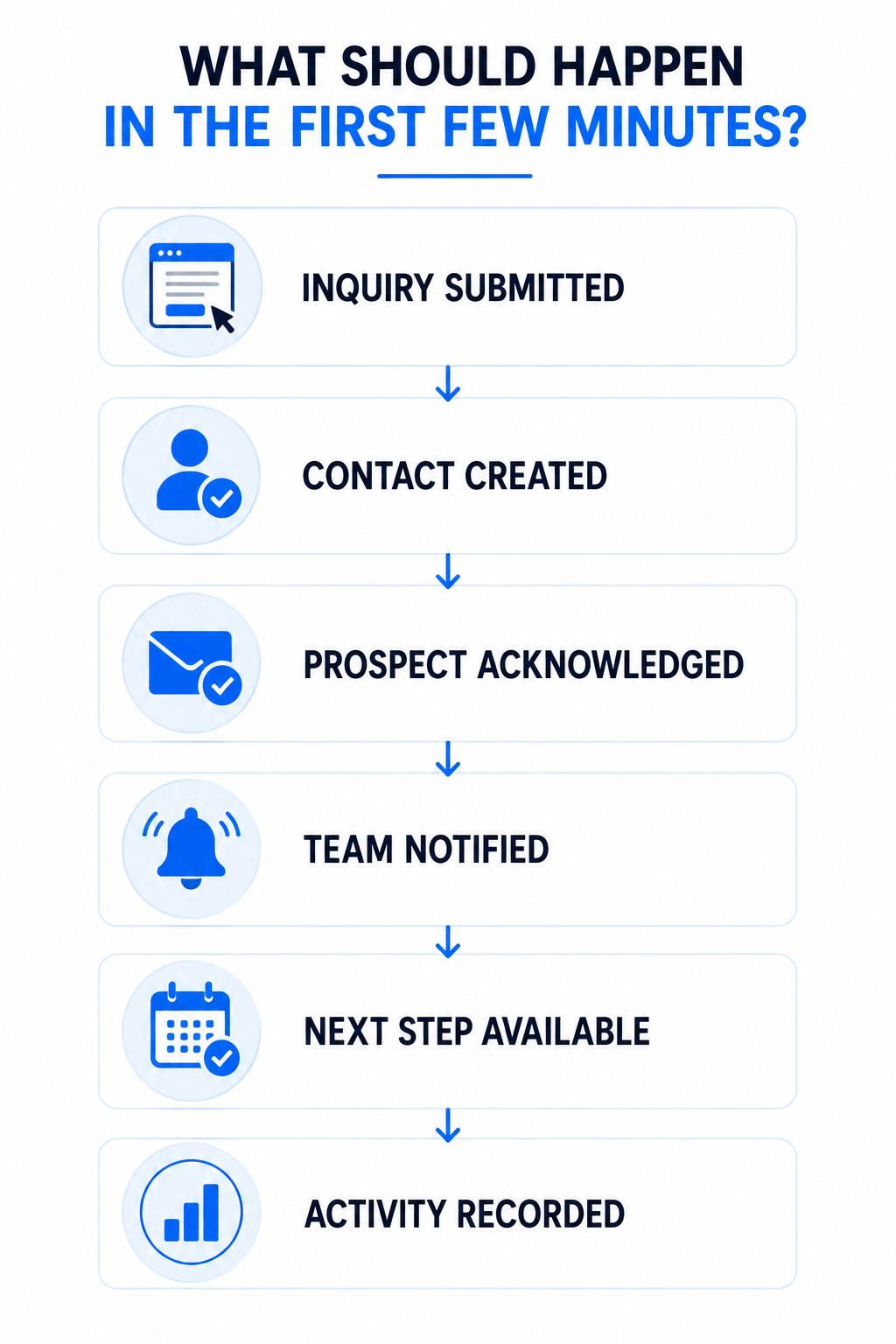
For many service businesses, a good immediate workflow could look something like this:
1. Inquiry submitted
The website captures the information.
2. Contact created or updated
The lead enters the appropriate system.
3. Prospect receives acknowledgment
They know the request was received.
4. Appropriate employee is notified
Someone owns the opportunity.
5. Next step becomes available
Depending on the business, that could be scheduling, additional questions, a conversation or human review.
6. Activity is recorded
The business can see what happened.
Notice what's missing:
A giant autonomous AI robot running the company.
You don't need one.
You need a reliable handoff.
What happens if the lead comes in after hours?
This is where connected systems can become particularly useful.
Someone browsing your website at 10:38 p.m. doesn't necessarily expect your estimator to leap out of bed and FaceTime them.
But the business can still provide a useful experience.
For example:
"Thanks—we received your request. Our team will review it when we're back in the office. In the meantime, you can provide a few additional details here."
Or, when appropriate:
"Thanks for reaching out. If you'd like, you can choose an available consultation time here."
Or an AI-assisted conversation may be able to answer basic approved questions while making clear when a human needs to take over.
The goal isn't pretending the company is staffed 24/7.
It's preventing the customer experience from becoming a black hole simply because the inquiry arrived outside business hours.
Where businesses get this wrong
There are a few common failure modes.
They automate before designing the process
Bad process + automation = faster bad process.
Map what should happen first.
Then automate appropriate parts.
They make the first message sound fake
You know the one.
Hello valued customer! 🎉 We are absolutely THRILLED that you have chosen to embark upon this journey with us!
They asked for a fence estimate, not admission to Hogwarts.
Write like a normal business.
They pretend automation is a human
Don't create unnecessary deception.
If an automated assistant is interacting with someone in a way where disclosure is appropriate, be transparent.
Trust is more valuable than pretending Susan from the office types at 180 words per second at 2:14 a.m.
They collect too much information too soon
Qualification is useful.
Interrogation isn't.
Ask only for information that genuinely helps determine the next step.
They create automation with nowhere to escalate
Every system needs an escape hatch.
Customer confused?
Unusual request?
Sensitive issue?
High-value opportunity?
AI doesn't know?
Get a person involved.
That's not automation failing.
That's good system design.
The website and the follow-up system should be designed together
This is the larger point.
Businesses frequently treat the website as one project and lead management as another.
The website company builds the pages.
The CRM lives somewhere else.
Someone sets up email.
Someone else handles the phones.
Scheduling uses another platform.
Marketing sends traffic.
And the customer is expected to magically move between all of it.
I think that's backwards.
The website is where customer intent often becomes visible.
The lead-response system determines what happens to that intent.
Those two things should know each other.
That's a big part of what we mean at Boost Local Biz when we talk about AI-Powered Websites and the Booked Calendar System™.
Not AI for the sake of AI.
Not automation because automation looks impressive in a demo.
A connected path from:
"I'm interested."
to:
"Let's talk."
A simple website lead-response checklist
If you want to evaluate your current setup, submit a test inquiry through your own website.
Then watch what happens.
Ask:
- Did the inquiry arrive correctly?
- Where was the contact stored?
- Did the prospect receive confirmation?
- How quickly?
- Was someone internally notified?
- Did that person know they owned the lead?
- Was the next step obvious?
- Could an appropriate prospect schedule easily?
- What happens if the prospect doesn't respond?
- Is follow-up tracked?
- Can you see the entire conversation?
- Can you tell where the opportunity stands?
- What happens after the appointment?
- What happens after hours?
Don't evaluate what the system is supposed to do.
Test what it actually does.
You might be surprised.
Your website didn't generate a customer. It generated an opportunity.
That's ultimately the mindset shift.
Getting someone to fill out the form matters.
It means the website did something useful.
But the value of that conversion depends heavily on what happens afterward.
The best website lead-response process isn't necessarily the one with the most AI, automations, workflows or software.
It's the one that reliably moves an interested person toward the appropriate next step while keeping the business organized and the customer informed.
Sometimes that next step is automated.
Sometimes it's AI-assisted.
Sometimes it's a phone call from a real person.
Usually it's a combination.
The technology isn't the strategy.
The customer journey is.
Want to See What Happens to Your Leads After They Click Submit?
Boost Local Biz builds AI-Powered Websites and Booked Calendar System™ infrastructure designed to connect lead capture with response, follow-up, CRM, scheduling and ongoing communication.
The goal isn't to automate every customer interaction.
It's to help create a more reliable path between someone showing interest and your business getting the opportunity to talk to them.
Explore the Booked Calendar System™ or schedule a consultation to identify where your current website-to-appointment process may be breaking down.
