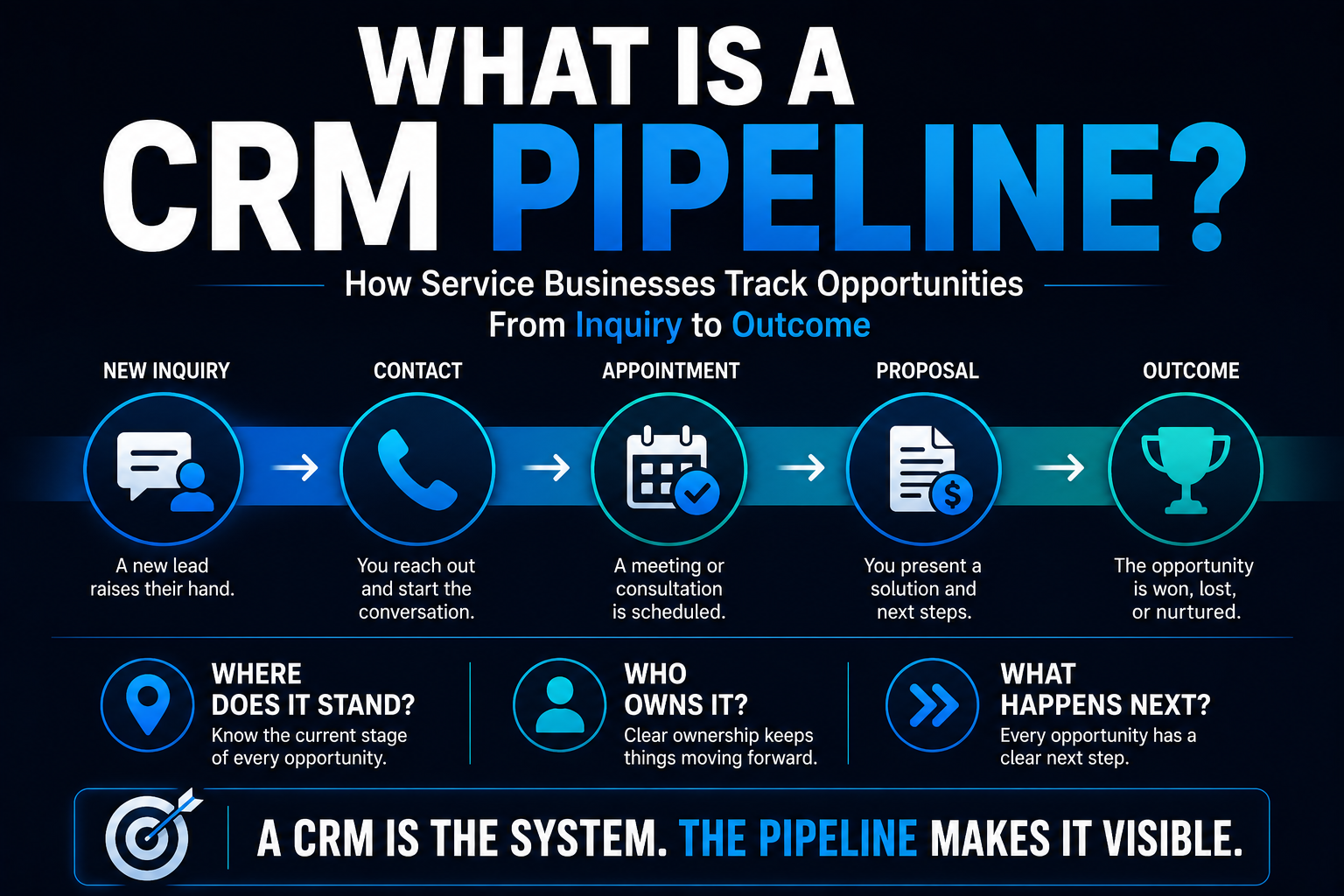
A CRM can contain thousands of contacts and still tell you almost nothing about what's happening with your actual sales opportunities.
That's the problem a pipeline is supposed to solve.
A service business gets a new inquiry. Someone responds. Maybe they have a conversation. An appointment gets scheduled. An estimate goes out. The customer says they need to think about it.
Then what?
If the answer is:
"I think somebody was supposed to follow up with them."
you don't really have a pipeline.
You have a database with good intentions.
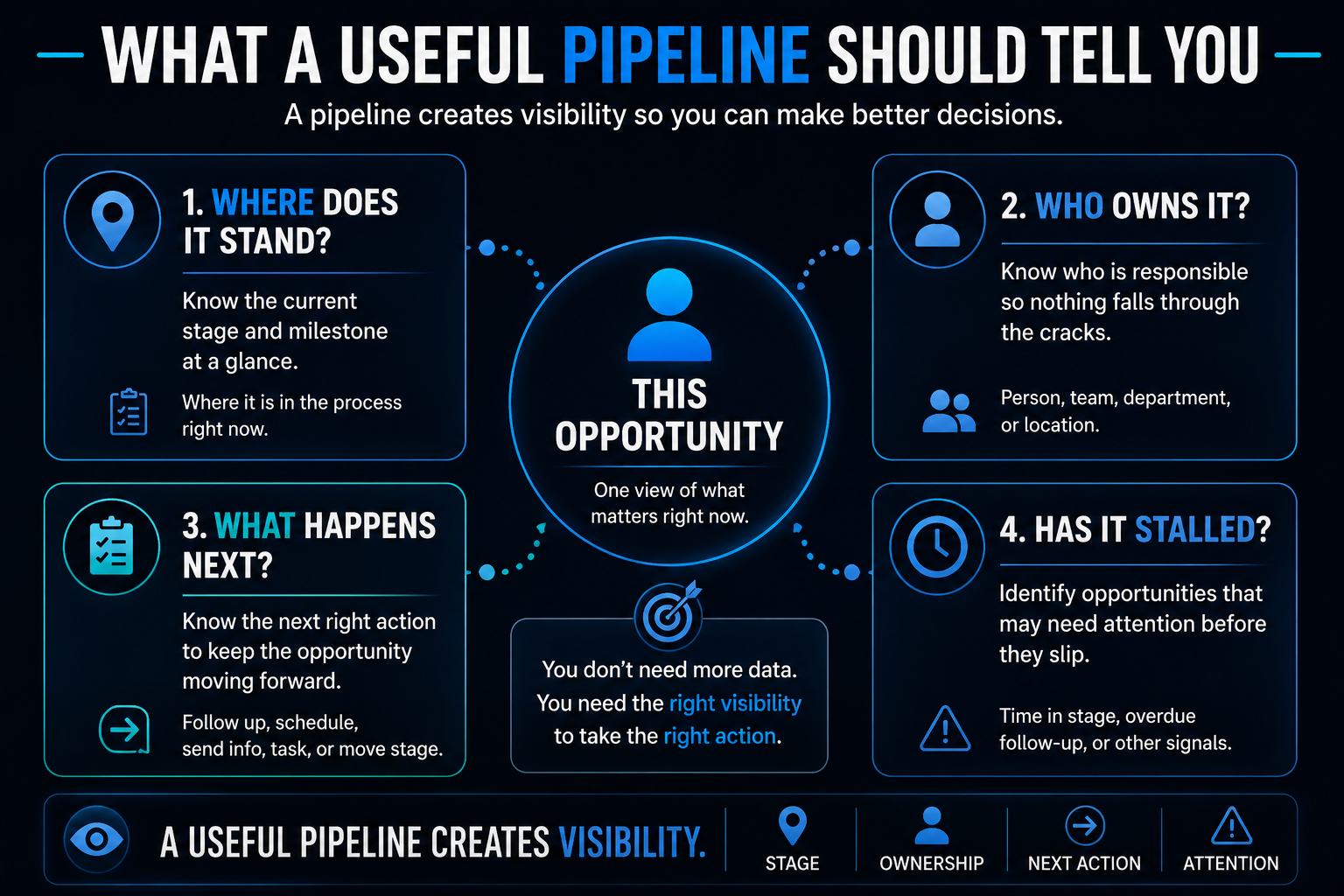
A useful CRM pipeline gives the business a clear view of where an opportunity stands, who is responsible for it, and what should happen next.
And for many service businesses, that visibility is just as important as getting the lead in the first place.
What Is a CRM Pipeline?
A CRM pipeline is a structured way to track active sales opportunities as they move through meaningful stages of your sales process.
Picture a board with columns.
An opportunity begins in one stage and moves as something meaningful changes.
For example:
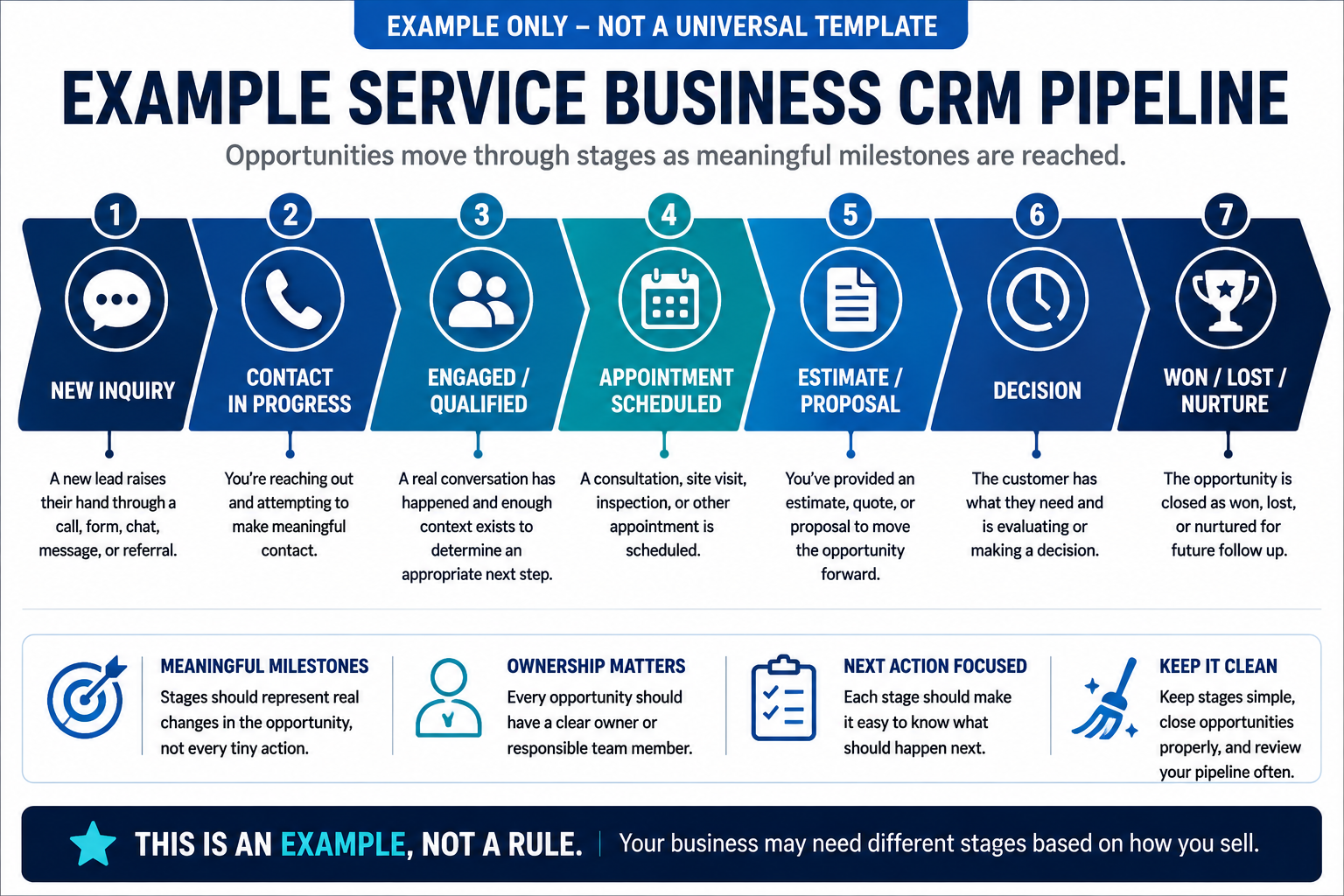
New Inquiry → Contact In Progress → Engaged / Qualified → Appointment Scheduled → Estimate / Proposal → Decision → Won
That's only an example.
Your actual pipeline should reflect how your business actually sells.
A residential plumber probably doesn't need the same stages as a commercial general contractor. A dentist may have a different process from a luxury remodeler.
The point isn't to copy somebody else's pipeline.
The point is to make the invisible sales process visible.
CRM vs. Pipeline: What's the Difference?
The terms get mixed together, but they're not identical.
A CRM is the broader system used to manage customer and prospect information, interactions, opportunities, communication, tasks, and other relationship data.
A pipeline is the structured view of opportunities moving through stages of a sales process.
In other words:
The CRM is the system.
The pipeline is one way you organize and understand the opportunities inside that system.
You can have a CRM without a useful pipeline.
Plenty of businesses do.
That's how CRMs become expensive digital filing cabinets.
Contact vs. Opportunity vs. Pipeline Stage
This distinction causes a surprising amount of CRM confusion.
The exact terminology varies between software platforms, but the concepts are useful.
Contact
A contact is generally the person or organization whose information you have.
That person may exist in your CRM for years.
Opportunity
An opportunity represents a potential piece of business you're actively tracking.
One contact can potentially be associated with more than one opportunity over time.
Pipeline Stage
The pipeline stage tells you where that opportunity currently stands in your sales process.
Salesforce, for example, defines an opportunity as something that tracks a pending deal, an opportunity stage as the field tracking its status, and a pipeline as the broader view of opportunities across stages in the sales process.
You can see Salesforce's current terminology in its CRM glossary.
Other CRM platforms may label or structure these objects differently.
The important thing is understanding the underlying idea:
A person isn't the same thing as a sales opportunity, and an opportunity isn't the same thing as the stage it's currently in.
What Should CRM Pipeline Stages Represent?
This is where pipelines often become unnecessarily complicated.
A pipeline stage should represent a meaningful change in the opportunity.
Ask:
What has actually happened?
Good stage names tend to describe observable milestones.
For example:
- New Inquiry
- Contact Made
- Appointment Scheduled
- Estimate Sent
- Awaiting Decision
- Won
- Lost
Compare those with:
- Hot
- Pretty Warm
- Maybe
- Good Lead
- Probably Closing
Those might express somebody's opinion about an opportunity.
They don't necessarily tell the rest of the team what actually happened.
That's an important distinction.
Pipeline stages should describe reality more than optimism.
An Example CRM Pipeline for a Service Business
There is no universal pipeline every service business should install.
But here's a useful example to illustrate the concept.
1. New Inquiry
Someone has raised their hand.
Maybe they:
- called
- submitted a website form
- started a chat
- sent a message
- requested information
- came through a referral
The opportunity is new and needs attention.
2. Contact In Progress
The business is actively attempting to connect or continue the conversation.
This stage can be useful when a new inquiry has received an initial response but meaningful contact hasn't happened yet.
3. Engaged / Qualified
A real conversation has occurred and the business understands enough about the opportunity to determine that moving forward makes sense.
This doesn't mean the person survived a 20-question interrogation.
As we covered in What Is Lead Qualification?, qualification should help determine the appropriate next step without creating unnecessary friction.
4. Appointment Scheduled
A consultation, estimate, inspection, discovery call, site visit, or other meaningful appointment has been scheduled.
For some businesses, this stage may be central to the pipeline.
For others, it may not belong there at all.
5. Estimate / Proposal
The business has provided the prospect with an estimate, quote, proposal, scope, or other formal next-step document, and knowing how to follow up after sending an estimate keeps that stage from going cold.
Again, the exact terminology depends on how the business sells.
6. Decision
The prospect has what they need and a decision is pending.
This is a stage that deserves attention.
"Waiting on customer" should not automatically translate to:
"Nobody touches this opportunity again."
There may still be appropriate follow-up to perform.
7. Won, Lost, or Nurture
Eventually, the active opportunity needs an outcome.
Won means the business secured the work or reached whatever successful outcome defines a closed opportunity.
Lost means the opportunity is no longer being actively pursued.
Nurture can be appropriate when the opportunity remains legitimate but the timing isn't right.
Nurture should not become the CRM equivalent of the junk drawer in your kitchen.
If nobody knows what to do with an opportunity, throwing it into "Nurture" doesn't solve the underlying problem.
Do You Need All of Those Pipeline Stages?
No.
You might need fewer.
You might need different ones.
A business that goes directly from inquiry to scheduled service has a very different customer journey from a contractor selling six-figure projects over several weeks or months.
The pipeline should reflect meaningful milestones in the real sales process.
Don't add a stage because your CRM gives you the ability to create one.
Ask:
Does moving into this stage meaningfully change what we know or what should happen next?
If the answer is no, you may not need it.
Pipeline Stage vs. Lead Status
These concepts can overlap depending on the CRM, but they're worth separating mentally.
A pipeline stage generally describes where an opportunity sits in the sales process.
A status, tag, field, or similar attribute can provide additional information about that opportunity.
For example, an opportunity could be in:
Estimate Sent
while additional information tells you:
- high priority
- residential
- referred by existing customer
- financing requested
- follow-up due Friday
You don't necessarily need separate pipeline columns for every one of those facts.
Otherwise your pipeline can quickly turn into:
New → New But Called → Called But No Answer → Texted → Texted Again → Left Voicemail → Thinking About Calling Again Tuesday
That's not a pipeline.
That's a diary.
A Pipeline Is Not a Task List
This distinction matters for the same reason.
Tasks answer:
What needs to be done?
Pipeline stages answer:
Where does the opportunity stand?
An opportunity may remain in the same pipeline stage while several tasks happen.
Suppose an estimate has been sent.
The opportunity may stay in Estimate Sent while the business:
- sends a follow-up email
- makes a phone call
- answers another question
- sends additional information
- schedules a reminder
Those actions don't necessarily represent a new stage.
The underlying opportunity may still be in exactly the same place:
The estimate has been delivered and a decision hasn't been made.
A Pipeline Is Not Automation Either
Automation can interact with a pipeline, and keeping records moving, updating information and surfacing stalled opportunities are all natural fits within the broader set of practical AI automation ideas a business can build. If you want to see this implemented in a specific platform, my guide to GoHighLevel pipelines walks through it in detail.
It isn't the pipeline itself.
Depending on the CRM and implementation, automation might:
- create an opportunity
- update information
- assign an opportunity
- trigger follow-up
- send notifications
- create tasks
- react to an appointment being scheduled or canceled
- move an opportunity when a defined event occurs
But here's where things can go sideways:
Don't confuse activity with progress.
If an automated text gets sent, did the opportunity actually move to a new stage?
Maybe not.
If an email went out, is the lead now qualified?
Definitely not just because the software says "sent."
Pipeline movement should generally correspond to something meaningful changing with the opportunity.
What Should a Useful Pipeline Tell You?
A business owner shouldn't need detective skills to understand the CRM.
For an active opportunity, you should be able to determine things such as:
Where Does It Stand?
Is it new?
Has contact been made?
Is there an appointment?
Has an estimate been sent?
Is a decision pending?
Who Is Responsible for It?
Depending on the business, that might be:
- the owner
- salesperson
- estimator
- office staff
- location
- department
- another responsible team member
This is related to, but different from, lead routing.
Routing determines where the opportunity should go.
The pipeline shows where the opportunity currently stands.
What Should Happen Next?
This is one of the most important questions.
An opportunity sitting in a stage without an obvious next action is an opportunity that can easily be forgotten.
Has It Stalled?
If something has been sitting in the same stage far longer than expected for that particular business, somebody should probably understand why.
That doesn't mean every opportunity has a universal expiration timer.
It means the CRM should make neglected opportunities easier to notice.
How Does Follow-Up Fit Into the Pipeline?
Follow-up is what happens to the opportunity.
The pipeline helps show where the opportunity is while that follow-up is happening.
Suppose an estimate was sent Monday.
The opportunity might remain in Estimate Sent while an automated lead follow-up process helps keep the conversation moving.
If the customer replies:
Let's do it.
now something meaningful changed.
The opportunity may move forward.
If they say:
We're probably doing this next spring.
that may call for a different stage, status, or nurture process.
If they say:
We hired somebody else.
the opportunity can be closed as lost.
The pipeline gives those outcomes somewhere meaningful to go.
How Does Scheduling Fit Into the Pipeline?
Scheduling can be both an action and a meaningful milestone.
For a business where the appointment is central to the sales process, Appointment Scheduled may deserve its own stage.
Then the CRM can help distinguish between:
- opportunities that still need an appointment
- appointments that are scheduled
- appointments that occurred
- opportunities that need the next sales step
The exact setup depends on the business.
And once the appointment exists, the business still needs systems for confirmations and reminders—which is where strategies for reducing appointment no-shows become relevant.
Where Should Old Opportunities Go?
Not every opportunity will close quickly.
But that doesn't mean every old opportunity belongs in the active pipeline forever.
A useful CRM needs a way to distinguish between:
Active opportunity
Something is currently happening.
Future opportunity / nurture
The person may still be a legitimate prospect, but the timing isn't right.
Lost opportunity
The current sales opportunity is over.
Opted out / do not contact
Communication preferences or legal requirements mean marketing communication should stop as appropriate.
Keeping those concepts separate makes future lead reactivation much more intelligent.
You can reactivate legitimate dormant opportunities.
You shouldn't treat every old contact as permission to start blasting messages again.
Why Won and Lost Matter
Some businesses are surprisingly reluctant to move opportunities into Lost.
It feels negative.
So the opportunity stays in:
Proposal Sent
for eight months.
That's not optimism.
That's bad data.
Closing opportunities properly gives you a more accurate picture of what is actually active.
And when practical, recording a simple reason for lost opportunities can help identify patterns.
Maybe the business wasn't the right fit.
Maybe timing changed.
Maybe the prospect chose another provider.
Maybe the project disappeared.
You don't need 47 lost-reason codes.
You just need enough information to make the CRM useful.
What Makes a CRM Pipeline Useless?
Usually one of a few things.
Too Many Stages
Every tiny action becomes another column.
Nobody knows where anything belongs.
Vague Stages
"Warm" might mean one thing to the owner and something completely different to an employee.
Opportunities Never Move
The pipeline becomes a historical museum of leads from three years ago.
Everything Moves Automatically
Automation changes stages based on activity that doesn't actually represent sales progress.
Nobody Owns the Next Step
Everybody can see the opportunity.
Everybody assumes somebody else is handling it.
Lost Opportunities Never Get Closed
The active pipeline becomes fiction.
The Pipeline Doesn't Match the Real Sales Process
This may be the biggest one.
A beautifully configured pipeline that doesn't reflect how customers actually buy from the business is still the wrong pipeline.
How Often Should You Review Your CRM Pipeline?
There isn't a universal schedule.
A business with dozens of new inquiries every day may need to look at active opportunities very differently from a commercial contractor working a smaller number of long-cycle projects.
The useful habit is not:
"Review the pipeline every X days because somebody on the internet said so."
It's making sure the pipeline stays current enough to support decisions.
A practical review should help surface:
- new opportunities needing attention
- opportunities without a clear owner
- overdue next actions
- stalled opportunities
- appointments requiring action
- estimates or proposals awaiting decisions
- opportunities that should be won, lost, or moved to nurture
The CRM only becomes useful when the information inside it reflects reality.
How the CRM Pipeline Fits Into a Lead Conversion System
A pipeline doesn't respond to leads by itself.
It doesn't qualify them by itself.
It doesn't schedule appointments by itself.
It doesn't follow up by itself.
It's one component of the larger lead conversion system.
Think of the relationship like this:
Inquiry comes in
→ response begins
→ context is collected
→ opportunity is created or updated
→ qualification helps determine the next step
→ routing determines responsibility
→ pipeline reflects where the opportunity stands
→ follow-up helps move the conversation
→ scheduling creates the appropriate appointment
→ the opportunity continues toward an outcome
The pipeline gives the business visibility across that process.
Where the Booked Calendar System™ Fits
The Booked Calendar System™ is built around a broader idea:
Marketing should connect to actual business opportunities, not simply generate names in a database.
The CRM pipeline helps make those opportunities visible.
But the pipeline alone isn't the system.
Response, qualification, routing, follow-up, scheduling, reminders, reactivation, automation, CRM context, and human involvement all play different roles.
A pipeline can tell you that an opportunity is sitting in Estimate Sent.
The larger system should help answer:
What should happen because of that?
That's the difference between storing leads and managing opportunities.
