If you open GoHighLevel for the first time and click into Opportunities, pipelines can look deceptively simple.
There are columns. There are cards. You drag things around.
But the value of a pipeline isn't the board itself.
It's whether that board accurately tells you where a potential customer stands and what needs to happen next.
That's an important distinction.
I've used HighLevel for about 2.5 years, and one of the easiest mistakes to make with a platform this flexible is building more complexity than the business actually needs.
Pipelines are no different.
A useful GoHighLevel pipeline should mirror how an opportunity actually moves through your business—not every tiny task your team performs.
Once you understand that, pipelines become much easier to build.
What Is a Pipeline in GoHighLevel?
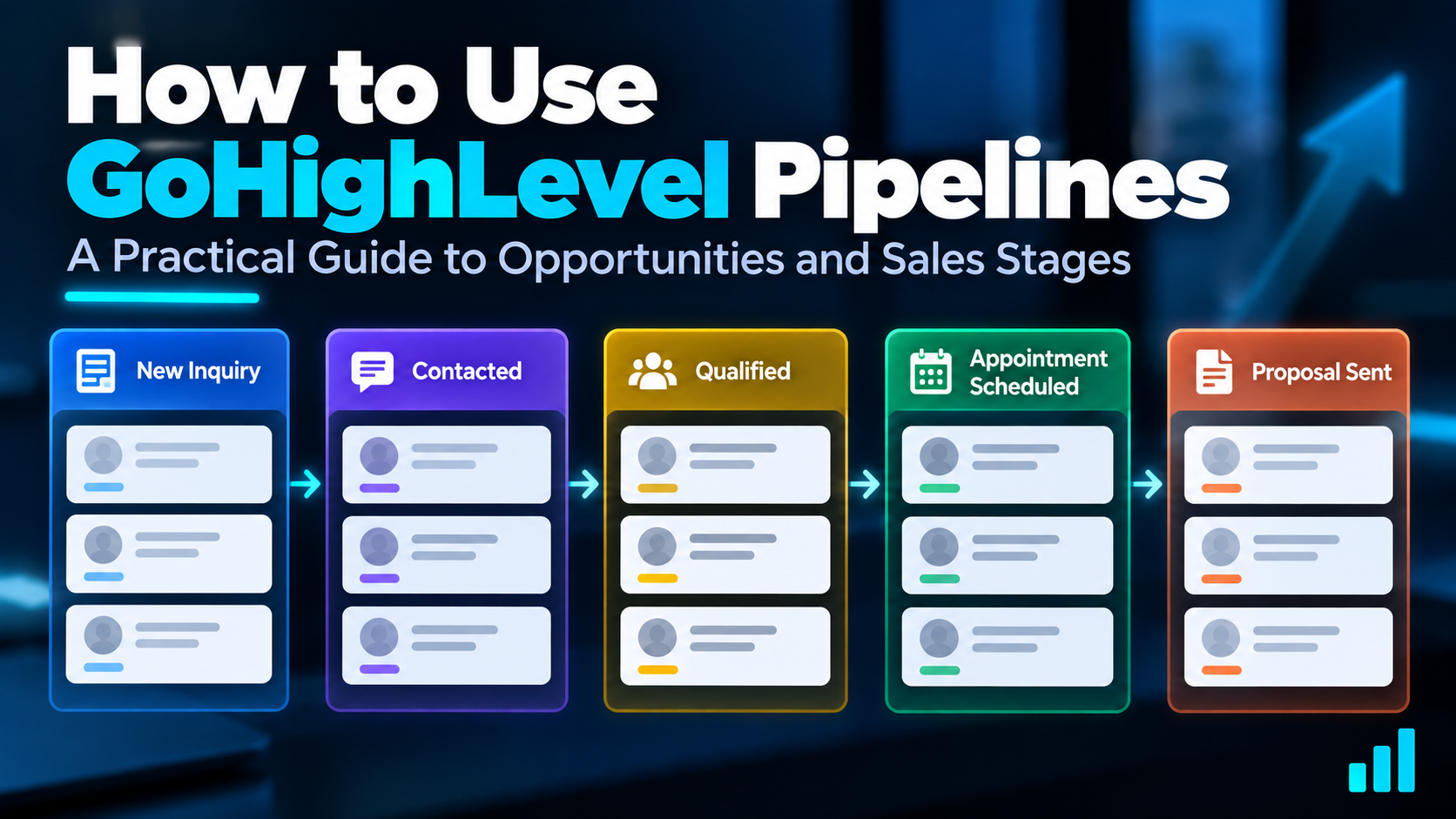
A pipeline in GoHighLevel is a visual representation of a process you want to track.
For a sales process, that might look something like:
New Inquiry → Contacted → Qualified → Appointment Scheduled → Proposal Sent
Individual potential deals move through those stages as they progress.
HighLevel calls those individual deal records opportunities.
If you're unfamiliar with the underlying concept, I have a separate guide explaining what a CRM pipeline is. Here, we're going to focus specifically on how pipelines and opportunities work inside HighLevel.
Pipeline vs. Stage vs. Opportunity vs. Contact
These terms are easy to blur together when you're getting started.
Here's the simplest way I think about them.
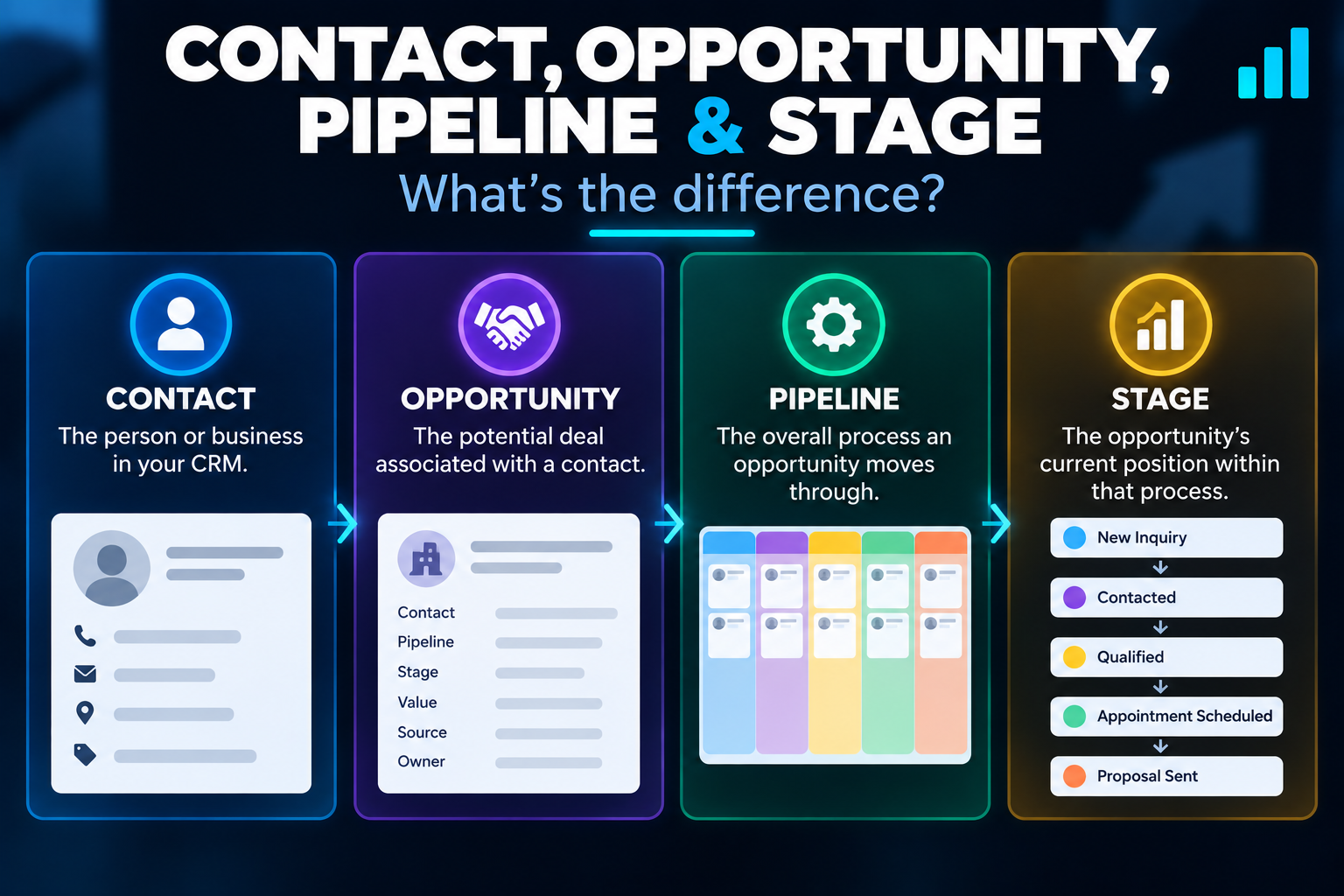
Contact: the person or business in your CRM.
Opportunity: the potential deal associated with that contact.
Pipeline: the overall process the opportunity moves through.
Stage: the opportunity's current position within that process.
Imagine Sarah contacts your remodeling company about a kitchen renovation.
Sarah is the contact.
The potential kitchen project is the opportunity.
Your sales process is the pipeline.
If Sarah has already scheduled an estimate, Estimate Scheduled might be the current stage.
That distinction matters because a contact record and a sales opportunity are not the same thing.
A person can exist in your CRM without necessarily representing an active deal you need to track through a sales process.
What Does an Opportunity Track?
An opportunity gives you a record of a potential deal inside the pipeline.
Depending on how you configure it, that record can include things such as:
- the associated contact
- pipeline
- current stage
- opportunity status
- estimated value
- source
- assigned owner
- other relevant opportunity information
That gives you something much more useful than a giant contact list.
Instead of simply knowing that someone exists in your CRM, you can see that they have an active opportunity, where that opportunity stands, and potentially who is responsible for it.
How to Create a Pipeline in GoHighLevel
Inside a HighLevel sub-account, pipelines are managed from the Opportunities area.
The basic setup is straightforward:
- Go to Opportunities.
- Open Pipelines.
- Create a new pipeline.
- Give the pipeline a descriptive name.
- Add the stages that represent your process.
- Arrange those stages in the order opportunities normally progress.
HighLevel also lets you manage and reorder stages as the process evolves.
The hard part isn't clicking Create Pipeline.
The hard part is deciding what the stages should actually be.
Don't Build Your Pipeline Until You Understand the Process
Before touching the software, write down what actually happens when a new opportunity enters your business.
For example:
- A new inquiry arrives.
- Someone responds.
- The lead is qualified.
- An appointment is scheduled.
- An estimate is completed.
- A proposal is sent.
- The prospect makes a decision.
That's the process.
Now you can decide which of those moments are important enough to become pipeline stages.
This is the same philosophy I use when thinking about GoHighLevel workflows:
Start with the business process. Then configure the software around it.
Not the other way around.
Example GoHighLevel Pipeline for a Service Business
Let's use a hypothetical home-service company.
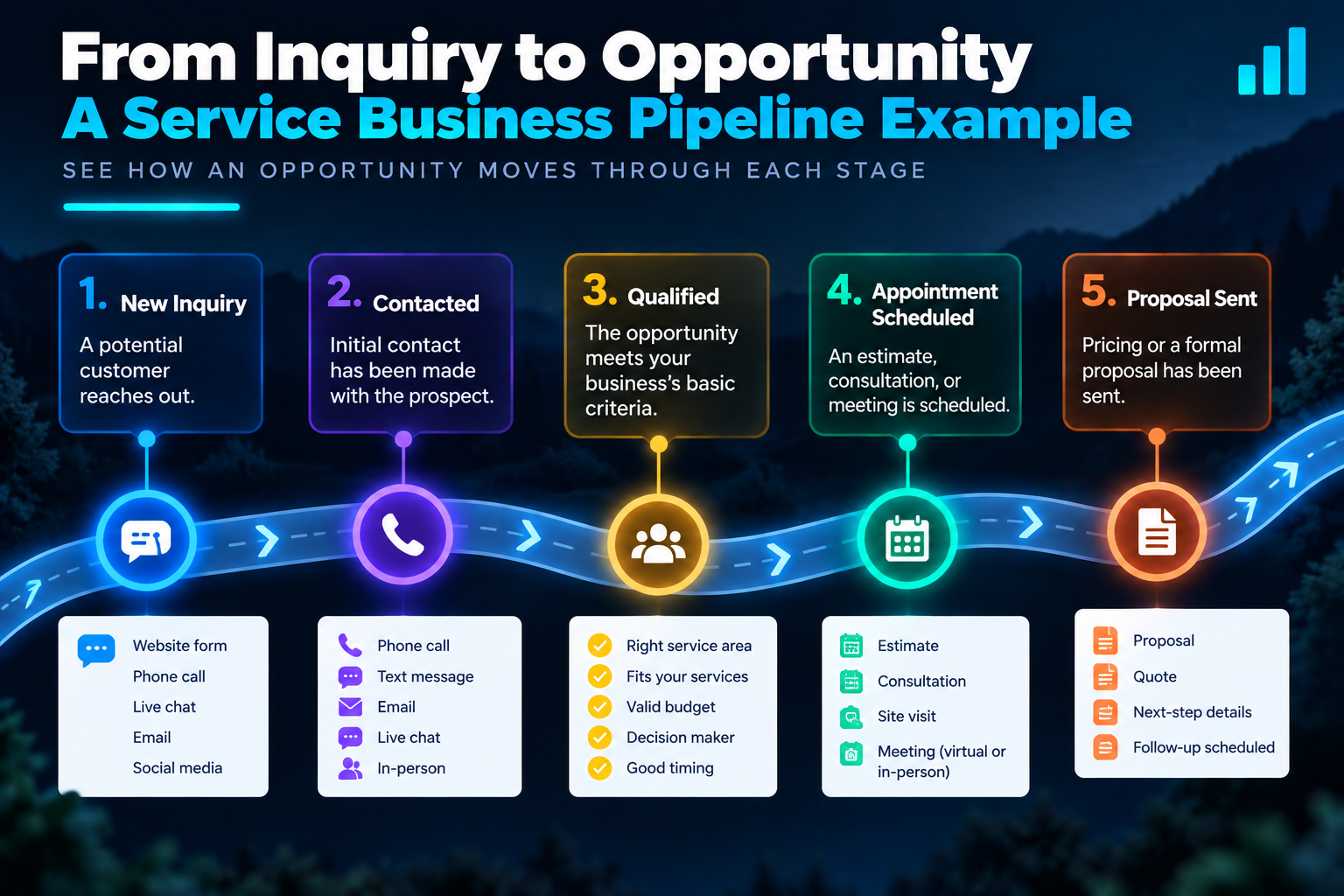
Its pipeline might contain:
New Inquiry
A legitimate new opportunity has entered the system.
Contacted
Someone has successfully made contact with the prospect.
Qualified
The opportunity has met whatever basic criteria the business uses to determine fit.
Appointment Scheduled
A consultation, estimate, inspection, or other appointment has actually been booked.
Estimate / Proposal Sent
The prospect has received pricing or a formal proposal.
From there, the opportunity can eventually be marked according to the actual outcome.
This isn't a universal pipeline template.
A roofer, marketing agency, attorney, med spa, pool contractor, and commercial construction company can have very different sales processes.
The point is to make the stages correspond to meaningful changes in the opportunity, not to copy someone else's CRM setup.
What Makes a Good Pipeline Stage?
A useful stage should answer a simple question:
What is currently true about this opportunity?
“Appointment Scheduled” is clear.
You know what happened.
“Proposal Sent” is clear.
You know what happened.
A vague stage such as “Working On It” doesn't tell you much.
Good stages also need clear rules for progression.
For example:
An opportunity shouldn't move to Appointment Scheduled merely because someone sent the prospect a scheduling link.
It should move there when the appointment is actually scheduled.
That difference sounds small, but it becomes extremely important once automation starts moving opportunities for you.
Don't Turn Every Task Into a Pipeline Stage
This is where pipelines can get ridiculous.
You probably don't need stages like:
- Text Sent
- Email Sent
- Called Once
- Called Again
- Left Voicemail
- Waiting Two Days
Those are activities.
They aren't necessarily meaningful stages in the deal.
HighLevel workflows can handle much of that activity behind the scenes while your pipeline remains focused on the opportunity's actual progress.
Otherwise you end up with a giant board that requires more management than the sales process itself.
That's not organization.
That's CRM arts and crafts.
How Opportunities Get Into a HighLevel Pipeline
You have several options.
You can create an opportunity manually when a legitimate deal appears.
You can import opportunities when migrating or adding existing data.
Or you can use automation to create opportunities when specific events occur.
For example, a workflow could create a new opportunity when someone submits a particular website form.
Another could create one when an appointment is booked.
The right method depends on the business and what should legitimately count as an opportunity.
Connecting GoHighLevel Pipelines With Workflows
This is where pipelines become considerably more useful.
A pipeline shows you where the opportunity is.
A workflow can help make things happen around that opportunity.
For example, imagine someone submits a quote-request form.
A workflow could:
- create an opportunity in the appropriate pipeline
- place it in the New Inquiry stage
- send an immediate acknowledgment
- notify the appropriate team member
- begin the follow-up process
Later, another event could move or update that opportunity as the real-world situation changes.
If the prospect books an appointment, the opportunity might move to Appointment Scheduled.
If a proposal is sent, it might move to Proposal Sent.
Now your CRM is doing more than storing names.
It's helping maintain an accurate picture of the sales process.
If you haven't worked with this part of the platform yet, read my practical guide to GoHighLevel workflows next.
A Current Note About Opportunity Workflow Actions
HighLevel has been changing how opportunity-related workflow actions are handled.
If you're building a new workflow, you'll increasingly see separate actions for creating and updating opportunities rather than relying on the older combined Create/Update Opportunity action.
That distinction matters.
Creating an opportunity and finding/updating an existing opportunity are not always the same operation, especially once your workflows become more sophisticated.
So don't blindly follow an old YouTube tutorial just because the screen looks vaguely familiar.
HighLevel changes frequently.
Understand what you're trying to accomplish first, then verify that you're using the current action designed for that job.
Manual Movement vs. Automated Movement
Not every pipeline change needs automation.
Sometimes dragging an opportunity into the next stage manually is exactly what should happen.
For example, a salesperson may decide that a prospect is qualified after an actual conversation.
Other stage changes are good automation candidates because the system already knows that a concrete event occurred.
- An appointment was booked.
- A form was submitted.
- A payment was received.
- A particular status changed.
The goal isn't to automate every movement.
It's to automate the movements where the software has reliable information and leave human judgment where human judgment is actually required.
Be Careful With Automated Stage Changes
A bad automation can make your pipeline less trustworthy instead of more trustworthy.
Suppose a workflow automatically moves someone into Proposal Sent merely because they entered a follow-up sequence.
Now the board says something happened that didn't actually happen.
Once enough of those errors accumulate, people stop trusting the CRM.
That's a serious problem.
The pipeline should reflect reality as closely as possible.
If automation moves an opportunity, make sure the trigger or workflow logic genuinely supports that change.
Opportunity Status and Pipeline Stage Are Different
This is another area that can confuse beginners.
A pipeline stage describes where an opportunity currently sits in your process.
An opportunity status describes its broader state.
HighLevel supports statuses such as Open, Won, Lost, and Abandon when managing opportunities.
That means you don't necessarily need to manufacture a huge collection of pseudo-closing stages simply to represent every possible final status.
The stage and status work together, but they aren't the same thing.
Should You Use Multiple Pipelines?
Sometimes.
But don't create multiple pipelines merely because HighLevel lets you.
A business might legitimately have different processes that deserve separate pipelines.
For example:
- new customer sales
- renewals
- recruiting
- a substantially different service or sales process
But if two processes are basically the same, splitting them into separate pipelines can create unnecessary complexity.
Start with the smallest structure that accurately represents the business.
You can always expand later.
That's essentially the same approach I recommend in my beginner's guide to setting up GoHighLevel.
Common GoHighLevel Pipeline Mistakes
Most pipeline problems aren't caused by some advanced technical limitation.
They're usually structural.
Too many stages
If your team has to study the pipeline to understand it, you've probably overbuilt it.
Vague stage names
A stage should communicate something meaningful about the opportunity.
Moving opportunities based on activity instead of progress
Sending an email doesn't necessarily mean the deal advanced.
Automating before the process is defined
You can't reliably automate a sales process nobody can clearly explain.
Leaving dead opportunities open forever
A pipeline becomes less useful when stale opportunities accumulate indefinitely without a defined process for resolving them.
Copying somebody else's pipeline
Their sales process may have very little to do with yours.
Pipelines Can Show You Where the Process Is Breaking
One of the reasons I like having opportunities organized this way is that it makes problems more visible.
If opportunities consistently pile up in one stage, that's worth investigating.
- Maybe leads aren't being contacted quickly enough.
- Maybe appointments aren't being scheduled.
- Maybe proposals are being sent but nobody is following up.
- Maybe the qualification process isn't clear.
The pipeline doesn't automatically tell you why the problem exists.
But it can show you where to start looking.
That's much more useful than simply saying, “We need more leads.”
Sometimes the business already has opportunities.
The problem is what happens to them afterward.
Pipelines Are More Useful When the Rest of the System Connects
A pipeline by itself is organization.
A pipeline connected to forms, calendars, conversations, workflows, follow-up, and reporting becomes part of a much larger operating system.
That's one of the reasons HighLevel has remained useful to me.
I'm not using the pipeline as an isolated digital whiteboard.
It's connected to the other things happening around the opportunity.
- A form can create the opportunity.
- A workflow can respond.
- A calendar can capture the appointment.
- Automation can update the process.
- A person can step in when human judgment is needed.
That's when the pieces start becoming more valuable together.
Do You Need GoHighLevel Just to Have a Sales Pipeline?
No.
Plenty of CRMs can manage deals and sales stages.
And if all you need is a very simple pipeline board, HighLevel may be more software than you need.
The reason to consider HighLevel is the broader system around the pipeline: CRM, forms, calendars, conversations, email, SMS, workflows, automation, reputation tools, and other functionality living in the same platform.
That's also why I don't recommend buying HighLevel simply because someone showed you an impressive-looking CRM board.
Know what you're trying to build.
Then decide whether the larger platform makes sense.
If you want the broader overview first, read my complete guide to GoHighLevel.
A Simple Way to Build Your First Pipeline
If you're starting from scratch, here's the approach I'd use:
Step 1: Write down the real sales process.
Ignore HighLevel for a minute.
Step 2: Identify the meaningful changes in an opportunity.
Those are potential stages.
Step 3: Remove unnecessary activity stages.
Calls, emails, reminders, and waits don't automatically deserve columns.
Step 4: Define what must be true before an opportunity moves forward.
Make progression rules clear.
Step 5: Build the pipeline in HighLevel.
Keep version one simple.
Step 6: Add opportunities.
Manually, through imports, or through appropriate automation.
Step 7: Connect workflows carefully.
Automate only the movements and actions the system can determine reliably.
Step 8: Use the pipeline and refine it.
You'll learn more from real opportunities moving through it than from trying to design the perfect CRM on day one.
The Bottom Line
GoHighLevel pipelines aren't complicated because the software is difficult to understand.
They become complicated when the underlying business process is unclear.
Start with reality.
What happens when an opportunity enters the business?
What meaningful steps does it move through?
What requires human judgment?
What can the system reliably automate?
Build the pipeline around those answers.
The best pipeline isn't the one with the most stages. It's the one your team can look at and immediately understand what is happening with each opportunity.
If you're evaluating HighLevel as the platform for building that system, you can explore it below.
Disclosure: Some links on this page are affiliate links. If you sign up through one of them, I may earn a commission at no additional cost to you. I only recommend tools I have personally used and believe are worth considering.
If you're more interested in building and selling systems like these for other businesses, the 48-Hour AI Cashflow Stack walks through the larger business model and gives you a practical place to start.
Get the 48-Hour AI Cashflow Stack