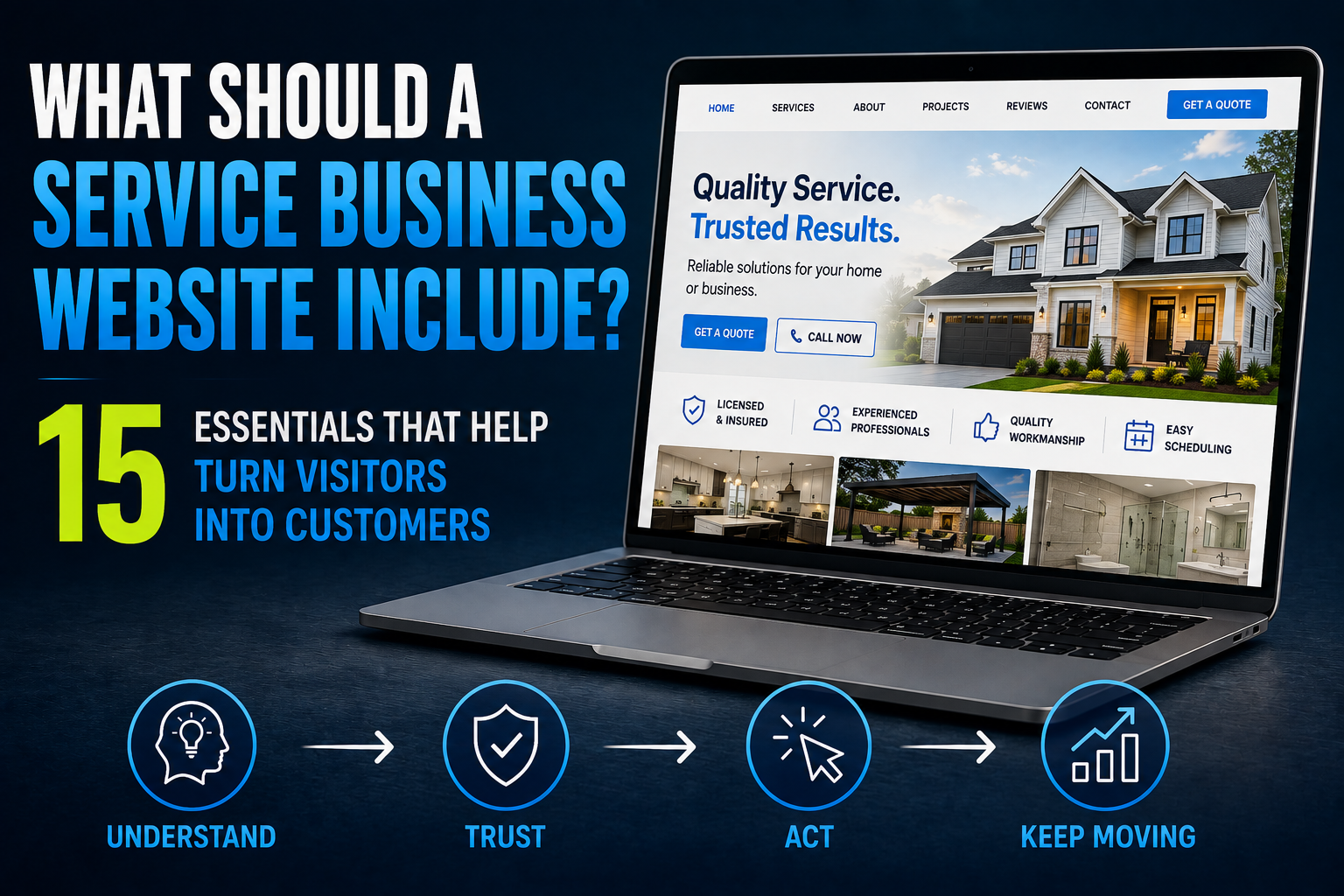
A service business website doesn't need every feature somebody can sell you.
It needs the right ones.
For most service businesses, the website has four basic jobs:
Help the right visitor understand what you do.
Give them enough reason to trust you.
Make it easy to take the next step.
Keep the opportunity moving after they do.
That last job gets overlooked constantly.
Businesses spend thousands of dollars redesigning websites, obsess over colors and photos, add a contact form, and assume the job is finished.
Then somebody fills out the form at 7:14 p.m.
An email lands in an inbox.
Nobody sees it until tomorrow.
The website technically generated a lead.
The business still may have lost the opportunity.
So when we talk about what a service business website should include, we're not just talking about pages and design elements.
We're talking about the entire path from visitor to opportunity — which is really another way of saying your website is part of your sales process.
Here are 15 essentials worth getting right.
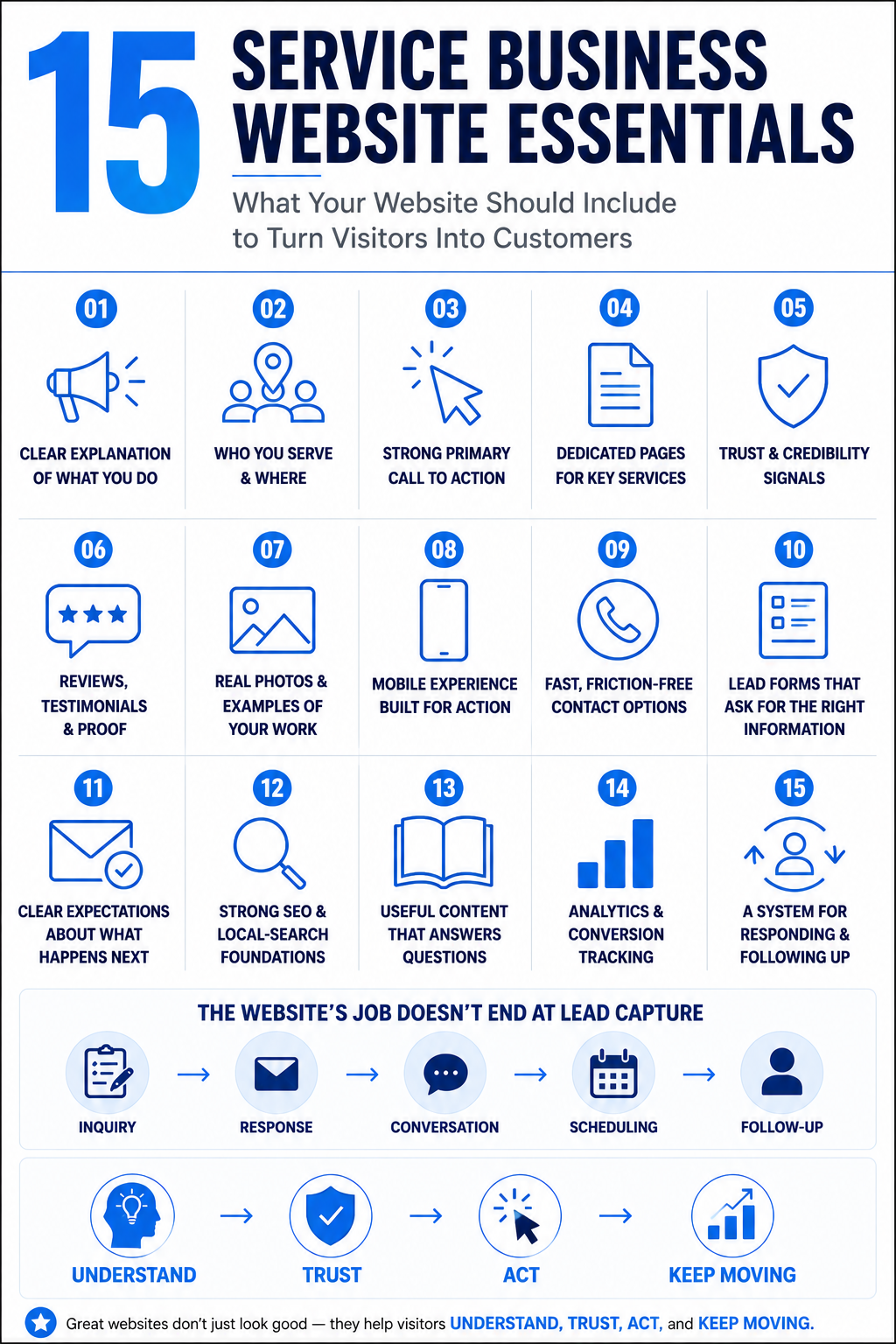
1. A Clear Explanation of What You Do
Your homepage shouldn't make visitors solve a puzzle.
Within a few seconds, somebody should be able to understand:
- what your business does
- who you help
- why they're in the right place
That sounds obvious.
Plenty of websites still open with headlines like:
Building Better Experiences for Tomorrow
That could describe a contractor, software company, consulting firm, or motivational speaker.
Clarity usually beats cleverness.
A pool remodeling company might say it specializes in transforming outdated pools and outdoor spaces.
A commercial contractor might lead with tenant improvements and ground-up construction.
An impact-window company should probably mention impact windows before paragraph seven.
Your website can have personality without making visitors decode the business model.
2. Who You Serve and Where You Serve Them
A potential customer usually wants to answer two questions quickly:
Do you handle what I need?
and
Do you work where I am?
Make that information easy to find.
For a local service business, that may mean clearly identifying a primary city, surrounding service area, or specific communities served.
For a company operating across multiple markets, it may require a more thoughtful structure.
Don't confuse clear service-area information with pumping out dozens of nearly identical city pages.
A useful location page should contain information that actually helps someone in that market.
Changing “Naples” to “Bonita Springs” twenty times isn't a local content strategy.
3. A Strong Primary Call to Action
Once somebody decides they're interested, what should they do?
Call?
Request an estimate?
Schedule a consultation?
Ask a question?
Book an appointment?
Your website should make the primary next step obvious.
That doesn't mean every button needs to scream GET A QUOTE NOW!!!
It means the visitor shouldn't have to hunt for the path forward.
Your primary call to action should generally:
- use clear language
- match the way customers actually buy
- appear at sensible points throughout the site
- work properly on mobile
- lead somewhere useful
Secondary conversion paths can still exist.
Someone who isn't ready to schedule may be willing to call or submit a question.
The key is hierarchy.
If every button is equally important, none of them feels particularly important.
For a deeper look at the mechanics behind this, see what makes a service business website convert.
4. Dedicated Pages for Important Services
If an important service deserves customers, it probably deserves more than one sentence buried on a generic Services page.
Dedicated service pages give you room to explain:
- what the service is
- who it's for
- common problems it solves
- what the process may involve
- important considerations
- related services
- frequently asked questions
- the appropriate next step
They're also useful for search visibility because they give search engines a clearer page to associate with a specific service.
But don't create a separate page for every microscopic variation just to make the website larger.
A page should exist because it serves a meaningful customer or search purpose.
5. Real Trust and Credibility Signals
Service businesses often ask people to invite them into their homes, trust them with expensive projects, hand over personal information, or make significant financial decisions.
Trust matters.
Useful credibility signals vary by industry but may include:
- years in business
- relevant licenses
- insurance information
- certifications
- professional associations
- warranties
- guarantees
- recognizable partnerships
- team information
- awards that actually mean something
- clear business contact information
Use what is legitimate and relevant.
Don't bury the strongest credibility signals on an About page nobody sees.
And don't cover the website in meaningless badges just because they look official.
Trust signals work best when they're real.
6. Reviews, Testimonials and Proof
There's a big difference between:
We do excellent work.
and:
Here are customers describing what it was like to work with us.
Reviews and testimonials can reduce uncertainty because they provide information from someone other than the business itself.
Use real ones.
If possible, make them specific enough to be useful.
“Great company!!!” is positive.
A review describing communication, workmanship, timeliness, professionalism, or how a problem was handled tells a prospective customer considerably more.
Depending on the business, proof might also include:
- project results
- before-and-after examples
- case studies
- customer stories
- recognizable completed projects
Never invent testimonials.
Never create fake reviews.
Never use AI to manufacture customer experiences that didn't happen.
That should be obvious, but apparently the internet needed the reminder.
7. Real Photos and Examples of Your Work
Stock photography has a place.
But if you're a contractor, remodeler, landscaper, pool company, builder, or another visually driven service business, people usually want to see your work.
Real project photography can answer questions generic stock images can't:
What kind of work do they actually do?
Does it look good?
Have they completed projects like mine?
Does this feel like a real company?
Photos can also add context to service pages, galleries, project pages, and About content.
Quality matters, but authenticity matters too.
A professionally shot project portfolio is great.
A collection of well-chosen real project photos taken on a modern phone can still be far more persuasive than perfect stock photography pretending to be your work.
8. A Mobile Experience Built for Action
A mobile-friendly website shouldn't simply be the desktop site squeezed onto a smaller screen.
Think about what somebody may actually be doing on a phone.
They may want to:
- tap to call
- check whether you serve their area
- look at photos
- read reviews
- request an estimate
- get directions
- schedule
- quickly compare you with another company
Buttons need to be usable.
Forms need to be manageable.
Text needs to be readable.
Menus need to make sense.
Pages shouldn't jump around while loading.
Google's Core Web Vitals guidance provides technical measures around loading performance, responsiveness, and visual stability.
Those metrics aren't the entire customer experience, but performance problems can absolutely get in the way of it.
A technically impressive website that's miserable to use on a phone is still a bad website.
9. Fast, Friction-Free Contact Options
Different customers prefer different ways of starting a conversation.
Depending on the business, useful contact paths might include:
- phone
- web form
- chat
- text
- online scheduling
That doesn't mean you need all five.
The right options depend on the buying process.
A complex commercial construction project probably shouldn't be treated exactly like booking a haircut.
The goal is to reduce unnecessary friction without creating chaos behind the scenes.
If you're deciding between different conversion methods, our comparison of website forms, chat, and online scheduling goes deeper into that decision.
10. Lead Forms That Ask for the Right Information
A lead form has a balancing act.
Ask for too little and the business may not have enough context to respond effectively.
Ask for too much and completing the form starts feeling like a mortgage application.
Only collect information you have a reason to ask for.
For many service businesses, that may include:
- name
- contact information
- service needed
- location
- a short description of the project or problem
More complex businesses may legitimately need more.
Google's web.dev documentation on building accessible, usable web forms provides useful technical guidance for form implementation.
But form design isn't only a technical issue.
Think about the human on the other side.
If you don't need someone's fax number, annual income, mother's maiden name, and blood type to give them an estimate, maybe don't ask.
11. Clear Expectations About What Happens Next
This one is underrated.
After somebody submits a form, what happens?
Do they know?
A useful confirmation might tell them:
- the request was received
- when they can reasonably expect a response
- what the next step is
- whether they should schedule
- how to reach the business if the matter is urgent
This reduces uncertainty.
It also prevents the classic experience where someone clicks Submit, gets a tiny “Success” message, and wonders whether their request disappeared into the internet.
The same principle applies to scheduling, chat, quote requests, and other conversion paths.
Don't just collect the action.
Close the loop.
12. Strong SEO and Local-Search Foundations
A great website isn't especially useful if the right people can't discover it.
The technical and content foundation should make it reasonably easy for search engines to understand:
- the business
- its services
- important pages
- geographic relevance where appropriate
- relationships between pages
- the information each page provides
Google's SEO Starter Guide covers many of the fundamentals, including logical site organization, descriptive content, useful links, and helping search engines understand pages.
For service businesses, this may also connect with:
- Google Business Profile
- local business information
- reviews
- service-area relevance
- legitimate citations and mentions
- location-specific content when warranted
And search discovery is expanding beyond traditional search-result pages.
As we explained in our guide to AI visibility, businesses increasingly need to think about whether AI-powered systems can also access, understand, and potentially use information about them.
The answer isn't to stuff more keywords onto the homepage.
It's to make the business easier to understand.
13. Useful Content That Answers Customer Questions
Not every service business needs to become a media company.
But useful content can do several jobs at once.
It can:
- answer questions before someone calls
- explain complicated services
- address objections
- demonstrate expertise
- support search visibility
- give sales teams useful resources
- help prospective customers make better decisions
That content might include:
- FAQs
- guides
- comparisons
- project breakdowns
- educational articles
- service explanations
- buying considerations
The standard should not be:
How many blog posts did we publish this month?
The better question is:
Did we create something genuinely useful to the person we're trying to reach?
Publishing 100 generic AI-written articles nobody needed isn't a content strategy.
It's a storage problem.
14. Analytics and Conversion Tracking
You should have some idea what your website is doing.
That doesn't mean staring at analytics dashboards every morning like you're day-trading your homepage.
At minimum, businesses should be able to understand meaningful actions such as:
- form submissions
- phone-call interactions where tracking is appropriate
- appointment bookings
- important button clicks
- traffic to key service pages
- landing-page performance
The purpose isn't collecting data for the sake of collecting data.
It's answering useful questions.
Where are opportunities coming from?
Which pages contribute to inquiries?
Where do people drop off?
Are important conversion paths being used?
Did the change you made actually improve anything?
A website without meaningful measurement leaves too much to guesswork.
15. A System for Responding and Following Up After the Lead Comes In
This is where most website checklists stop too early.
They tell you to add a contact form.
Great.
What happens when somebody uses it?
The website might have done its job perfectly.
The visitor understood the service.
They trusted the company.
They completed the form.
And then...
Nothing.
The inquiry sits in an inbox.
Or someone plans to call later.
Or the lead gets copied into a spreadsheet.
Or three people assume somebody else handled it.
This is why we think about the website as part of a larger lead conversion system.
Depending on the business, the process behind the website may include:
Inquiry captured
→ CRM record created or updated
→ Immediate acknowledgment
→ Appropriate notification or routing
→ Human and/or automated follow-up
→ Conversation
→ Scheduling when appropriate
→ Continued follow-up if the opportunity remains active
Automation can help.
AI can help.
Humans still matter.
The right combination depends on the business and the situation.
The point is that the customer journey shouldn't fall apart the second somebody clicks Submit.
We've covered this more deeply in what happens after a website lead.
Think About the Website in Four Jobs
The 15 essentials become easier to evaluate when you stop thinking of them as unrelated website features.
They support four jobs.
Help the Visitor Understand
Can somebody quickly determine:
- what you do
- whether you offer what they need
- whether you serve them
- what makes the business relevant
Help the Visitor Trust
Can they find enough legitimate evidence to feel comfortable taking the next step?
That includes real people, real work, real reviews, useful information, and relevant credibility signals.
Help the Visitor Act
Is the next step obvious?
Can they call, inquire, chat, schedule, or otherwise contact the business without unnecessary friction?
Help the Opportunity Keep Moving
Once they act, does something happen?
Is the inquiry captured?
Does somebody respond?
Does the right person know about it?
Is there follow-up?
Can the prospect move toward an appointment or conversation?
That's the piece that turns a website from an online brochure into part of an actual business system.
What Pages Does a Service Business Website Need?
There isn't one universal page count.
A straightforward local service company might need:
- Homepage
- About
- Services
- individual pages for major services
- Projects or Gallery where relevant
- Reviews or Testimonials where useful
- Contact
- FAQs or educational resources
- appropriate location/service-area content
A larger company may need considerably more.
A specialized business may need less.
Don't build pages because somebody told you every website needs exactly seven.
Build the information architecture around what customers need to understand and what the business genuinely needs to communicate.
What a Service Business Website Doesn't Need
Website projects have a funny way of accumulating features.
Someone sees something on another site.
Suddenly everybody needs it.
Be careful.
You probably don't need:
Excessive Animation
Movement can enhance a design.
Movement everywhere can make the site slower, harder to use, and weirdly exhausting.
Ten Competing Calls to Action
Call us.
Text us.
Book now.
Download this.
Watch this.
Subscribe.
Start chat.
Request pricing.
Join the newsletter.
Follow us.
Congratulations. The visitor now has homework.
Dozens of Thin Location Pages
Create location content when there's enough useful local relevance to justify it.
Don't mass-produce nearly identical pages with city names swapped out.
Generic AI Content Published for Volume
AI can be extremely useful in the content process.
That doesn't make generic mass-produced content useful to customers.
Google's guidance consistently emphasizes creating content for people rather than manipulating search visibility.
The same principle makes sense for AI discovery too.
Fake Testimonials or Project Photos
Don't.
Features Nobody Uses
Every additional tool, widget, script, integration, and plugin adds something else to manage.
Features should earn their place.
AI Chat Without a Purpose
An AI chatbot can be useful when it helps visitors get answers, qualify needs, start conversations, schedule, or move through an appropriate process.
Adding a glowing AI bubble to the corner of a bad website doesn't make it an AI-powered website.
Complicated Automation Attached to a Broken Journey
Automating a bad process usually gives you a faster bad process.
Fix the customer journey first.
Then automate the parts where automation genuinely helps.
A website feature earns its place by helping the customer journey—not by making the website look more advanced.
How to Audit Your Current Service Business Website
You don't need a 200-point website checklist to spot many of the biggest problems.
Start with four questions.
1. Understand
Can a new visitor quickly explain what your business does, who you serve, and where you operate?
2. Trust
Does the website provide legitimate reasons to believe you're capable of delivering what you promise?
3. Act
Is the right next step obvious and easy?
4. Keep Moving Forward
What happens after someone takes that step?
Actually test it.
Submit the form.
Start the chat.
Call the number.
Book the appointment.
See what the customer experiences.
That fourth test is where businesses often discover that the website isn't the real problem.
The process behind it is.
That's also why more leads aren't always the answer. Before spending more money generating traffic, make sure the opportunities you're already creating aren't leaking out of the system.
Your Website Should Be Part of the Business, Not Just Part of the Marketing
A service business website should look professional.
But looking professional is the baseline.
The more important question is whether the website helps the business operate more effectively.
Can people understand what you do?
Can they trust what they see?
Can they take the right next step?
Can your business respond when they do?
Can you measure what happens?
Can the system continue moving a legitimate opportunity forward?
That's what separates a website that merely exists from one that contributes to the business.
And it's ultimately the idea behind an AI-powered website: not a website made with AI, but a website connected to the systems and processes that help turn attention into conversations, appointments, customers, and revenue.
Ready to Make Your Website Work Harder?
If your website looks fine but isn't consistently helping turn visitors and inquiries into real opportunities, the problem may not require more traffic.
It may require a better system.
Boost Local Biz builds AI-powered websites around the entire customer journey—from discovery and conversion to response, follow-up, and scheduling.
If you want to see where your current website may be losing opportunities, contact Boost Local Biz to start the conversation.
