Automated follow-up has a bad reputation for a reason.
We have all received the text that obviously came from a machine.
“Hi Josh! Just following up to see if you have any questions!!!”
It arrives three days after you already spoke with someone.
Or worse, after you already booked the appointment.
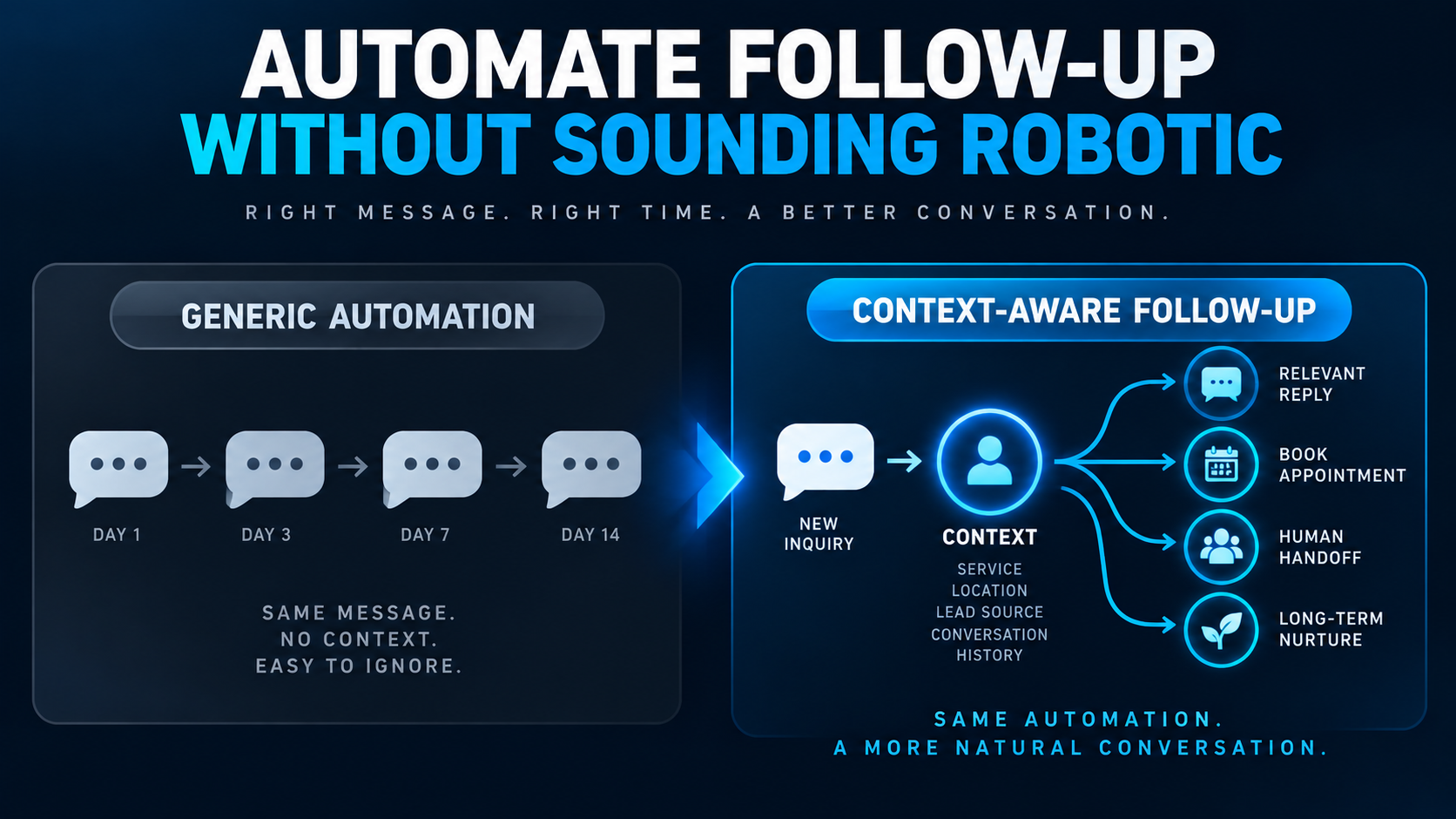
The problem isn't necessarily automation. The problem is automation that has no idea what is happening.
Good lead follow-up should react to the context of the inquiry, what the prospect has already done, and what should happen next.
For a service business, that distinction matters.
Automation should make your business more responsive and consistent without making your communication feel less relevant.
Here is how to build it that way.
Why Does Automated Follow-Up Sound Robotic?
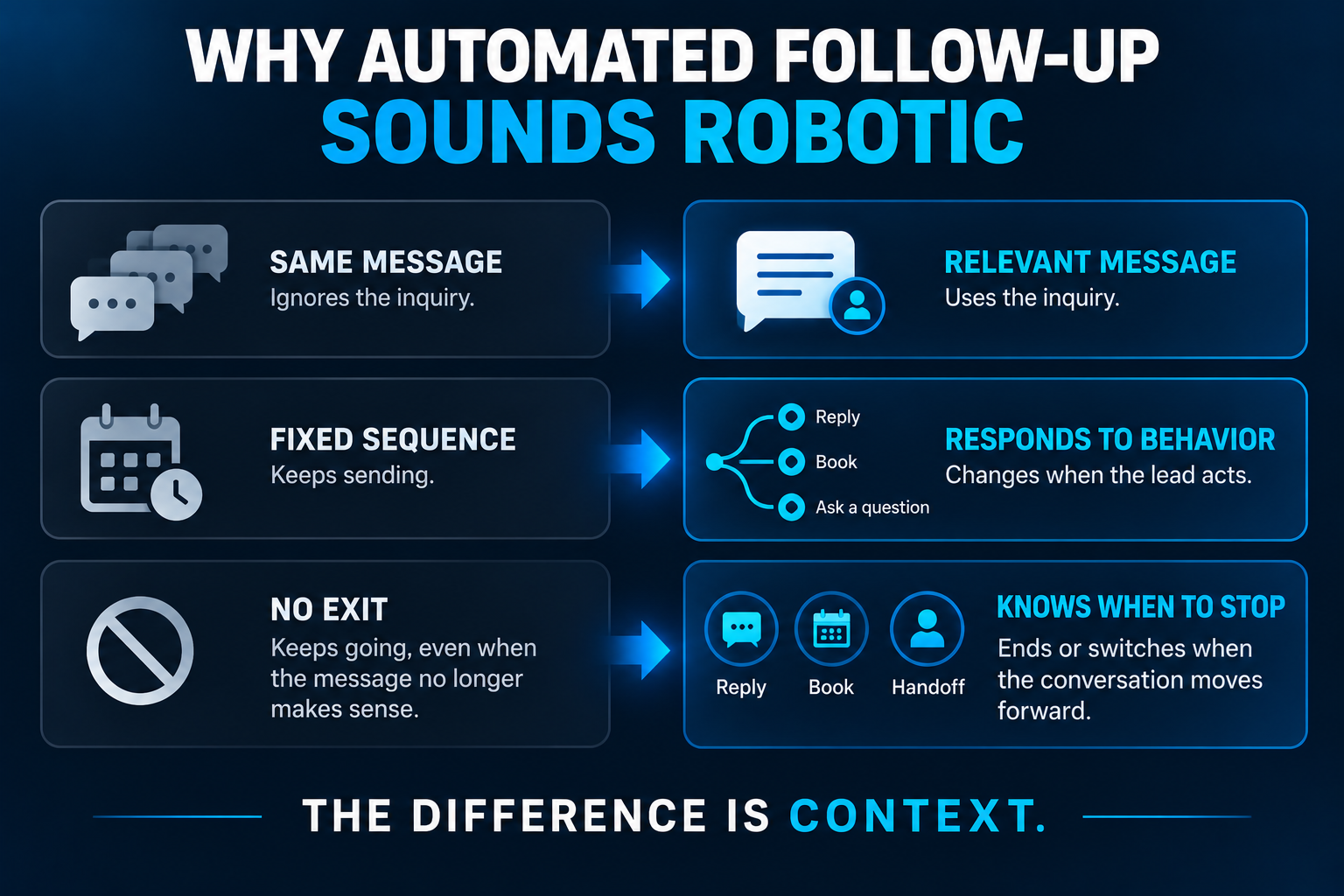
Automated follow-up usually sounds robotic when the system treats every lead as if they are the same person having the same conversation.
A homeowner requesting an emergency plumbing repair should not receive the same sequence as someone asking about a bathroom remodel.
Someone who replied five minutes ago should not receive a scheduled “just checking in” text.
And someone who already booked an appointment definitely should not keep receiving messages asking whether they want to schedule one.
The issue isn't simply the wording.
It's the lack of context.
A natural conversation changes based on what happened before it. Your automation should too.
Start With Context, Not a Follow-Up Template
One of the easiest mistakes to make is opening your CRM and immediately writing five follow-up messages.
Start somewhere else.
Ask:
What does the system know when this message is supposed to send?
Depending on how the lead entered your business, you may already know:
- their name
- the service they selected
- the page or form they contacted you through
- the location they entered
- what question they asked
- whether they called or submitted a form
- whether they have already replied
- whether an appointment has been scheduled
- where they currently sit in your pipeline
Those details determine what the next message should say — and whether another automated message should be sent at all.
This is one reason a connected CRM pipeline matters. Follow-up works much better when it isn't operating independently of the rest of the customer journey.
A Simple Rule: Acknowledge What the Lead Actually Did
Compare these two messages.
Generic:
Hi Sarah, thanks for contacting us. Someone from our team will be in touch soon.
Now imagine Sarah requested an estimate for a pool remodel.
Contextual:
Hi Sarah, thanks for reaching out about your pool remodel. We received your request. Is there a good time today for someone from our team to give you a quick call?
Neither message needs sophisticated AI.
The second simply uses information the business already has.
That's an important distinction.
Human-sounding automation doesn't require pretending a robot is a person. It requires making the message relevant to the person receiving it.
Separate the First Response From the Follow-Up Sequence
The first response and the follow-up sequence have different jobs.
Your first response should usually acknowledge the inquiry quickly and establish the next step.
That's the territory we cover in our guide to how fast you should respond to a new lead.
The later follow-ups exist because the lead hasn't completed that next step yet.
For example:
Initial response:
“We received your request for a roof estimate. Are you available for a quick call this afternoon?”
Later follow-up:
“Hi Mark, checking back on the roof estimate request you sent yesterday. If you'd rather choose a time instead of going back and forth by text, here's our scheduling link.”
Notice that the second message has a reason to exist.
It isn't merely:
“Following up again...”
Build Follow-Up Around Events, Not Just a Timer
Basic automation says:
Day 0 → send message.
Day 1 → send message.
Day 3 → send message.
Day 7 → send message.
That's better than forgetting the lead entirely, but it is still fairly crude.
A stronger system asks what happened between those messages.
For example:
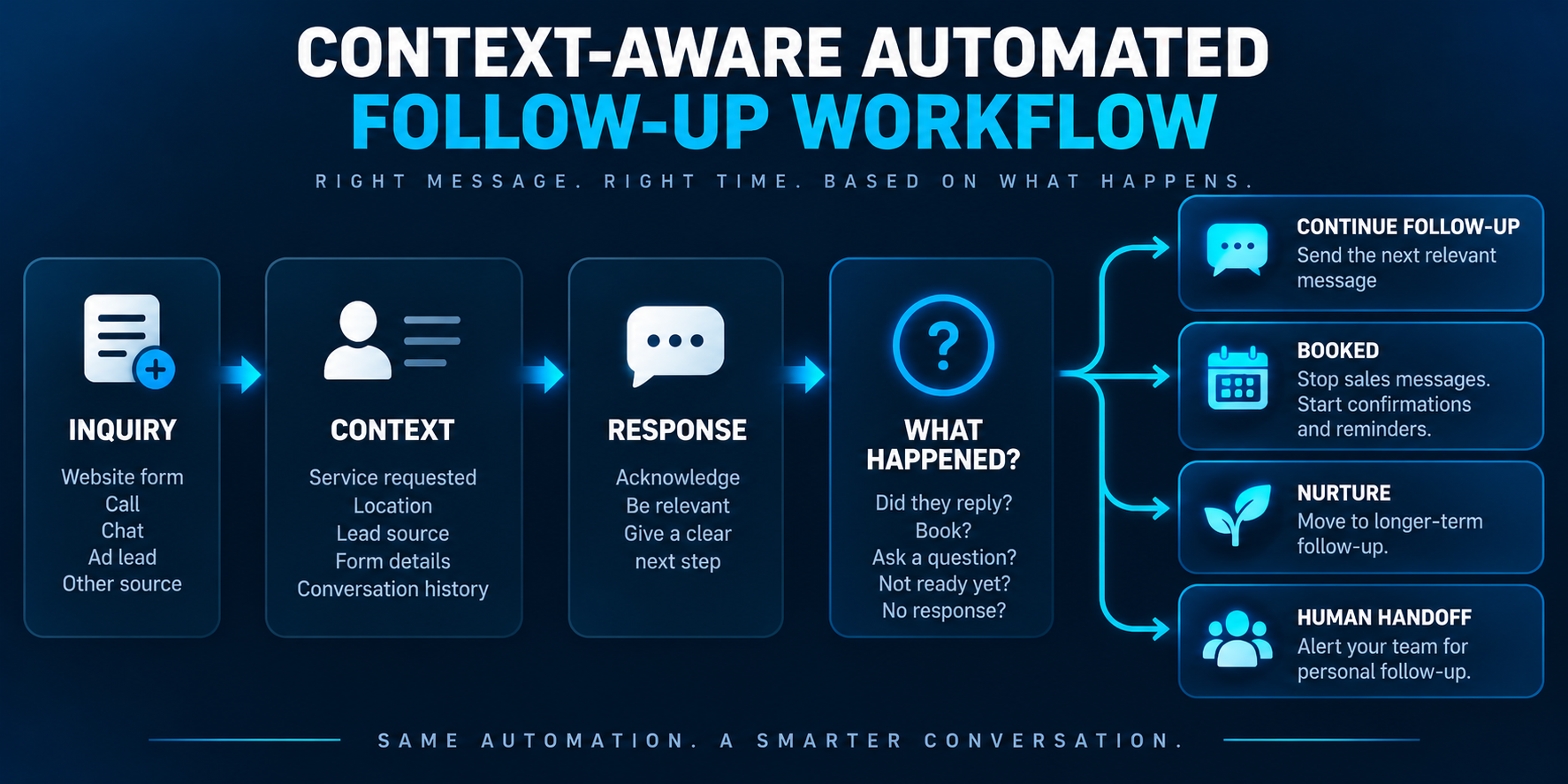
New inquiry arrives
→ acknowledge it quickly
Lead replies
→ pause the generic sequence and continue the conversation
Lead books
→ stop sales follow-up and move into appointment confirmation/reminders
Lead asks a question
→ answer it if the system is approved to do so, or route it to someone who can
Lead doesn't respond
→ continue the appropriate follow-up sequence
Lead isn't ready yet
→ move them into longer-term lead nurturing instead of hammering them with the same sales message
That is a much closer approximation of how a competent employee would handle the situation.
Stop the Automation When the Conversation Changes
This may be the single most important rule in the article:
Automation should know when to stop.
Nothing exposes an automated sequence faster than receiving a message that no longer makes sense.
Imagine this exchange:
Customer: “Tuesday at 2 works.”
Business: “Perfect. You're scheduled for Tuesday at 2.”
Then twenty minutes later:
“Hey! Just checking whether you'd still like to schedule a time with us.”
That one message tells the customer your systems aren't talking to each other.
Your follow-up workflow should have clear exit conditions.
Depending on the business, those might include:
- the lead replies
- an appointment is booked
- the lead is marked not interested
- the opportunity changes pipeline stages
- a team member takes ownership
- the person opts out of messaging
- the lead enters a different nurture process
Automation isn't just about deciding when to send.
It's also about deciding when not to send.
Don't Automate Every Part of the Conversation
There is a temptation with automation to keep asking:
“What else can we automate?”
A better question is:
What should remain human?
Automation is excellent at repetitive, predictable actions.
It can acknowledge inquiries, ask approved questions, provide scheduling options, send reminders, trigger tasks, and keep opportunities from disappearing because somebody got busy.
People are better when the conversation requires judgment, empathy, negotiation, nuance, or an unusual decision.
For example, a contractor might automate:
- confirmation that an estimate request was received
- a question about project location
- scheduling options
- a reminder if the prospect hasn't responded
But if the homeowner sends a complicated description of a structural problem, that may be the moment to alert a person.
The goal isn't maximum automation.
The goal is the right division of labor between the system and the team.
Use Personalization That Actually Matters
Personalization often gets reduced to inserting someone's first name.
That's useful, but it isn't particularly impressive.
Compare:
“Hi Mike, just following up.”
with:
“Hi Mike, checking back on the landscaping estimate you requested for your Naples property.”
The second message contains useful context.
Depending on your business and the information you've legitimately collected, meaningful personalization might include:
- requested service
- service location
- appointment status
- estimate status
- previous conversation
- lead source or inquiry type
- requested timeframe
Don't stuff every known data point into every message.
That becomes creepy instead of personal.
Use enough context to make it obvious that the message belongs to this conversation.
Write Like a Person, Not a Marketing Department
You don't need to manufacture slang or deliberately add typos to make automation sound human.
In fact, please don't.
For most service businesses, natural follow-up is pretty simple:
Keep it short.
People don't need a paragraph explaining how excited your team is to assist them.
Use plain English.
“Want me to send you the scheduling link?” usually sounds better than “Please advise regarding your preferred scheduling availability.”
Ask one useful question.
Don't turn a text message into an intake form.
Give the person an obvious next step.
Reply, call, book, answer a question, or tell you they're no longer interested.
Match the business's actual voice.
A law firm, HVAC company, med spa, landscaper, and luxury remodeler shouldn't all sound identical.
The objective isn't to fool someone into believing every word was manually typed.
It's to communicate clearly and appropriately.
Should You Use AI to Write Every Follow-Up Message?
Not necessarily.
Some messages are predictable enough that a well-written template is better.
Appointment confirmations are a good example. There may be very little reason for AI to reinvent that message every time.
AI becomes more useful when the system needs to interpret information or adapt a response based on context.
For example, AI might help:
- classify what the lead is asking about
- summarize a longer inquiry
- identify the likely intent
- draft a response based on approved business information
- decide which approved workflow applies
- recognize when a conversation should be escalated
That doesn't mean giving an AI model permission to say anything it wants.
As with an AI receptionist, useful automation needs context, approved actions, and boundaries.
Use Different Follow-Up for Different Lead Situations
One giant sequence for every contact is easy to build.
It's also usually the wrong approach.
Consider how different these situations are:
| Lead situation | Better follow-up approach |
|---|---|
| New website inquiry | Fast acknowledgment + next step |
| Missed call | Immediate text acknowledging the missed call |
| No response after initial contact | Short contextual check-in |
| Estimate sent | Follow up around questions or decision status |
| Appointment booked | Stop sales sequence; begin reminders |
| Interested but not ready | Longer-term nurturing |
| Old inactive opportunity | Reactivation sequence |
| Complex or sensitive reply | Human review or handoff |
The underlying technology may be similar.
The conversation should not be.
For estimate-specific communication, see our guide to following up after sending an estimate without sounding pushy.
How Many Automated Follow-Ups Should You Send?
There isn't one magic number.
A high-value remodeling project may justify a different cadence than an urgent repair request.
What matters is that each additional message has a reasonable purpose and that the sequence doesn't continue indefinitely just because the software allows it.
We cover this question more fully in How Many Times Should You Follow Up With a Lead?.
A useful principle is:
As the sequence continues, give the prospect more space rather than increasing the pressure.
Eventually, an unresponsive lead may belong in a longer-term nurture process rather than an active follow-up sequence.
Don't Forget SMS Consent and Opt-Outs
If automated follow-up includes text messaging, communication rules aren't optional.
Businesses need to consider applicable consent requirements, sender identification, opt-out handling, messaging-provider requirements, and any rules that apply to their particular use case or industry.
For example, Twilio's current Messaging Policy requires appropriate consent and describes requirements around sender identification and honoring opt-out requests.
This isn't legal advice, and messaging requirements can depend on how and why you're contacting someone.
The practical point is simple:
“Our CRM can send it” is not the same thing as “we should send it.”
Build compliance into the workflow instead of treating it as an afterthought.
A Practical Automated Lead Follow-Up Workflow
For a typical service business, a simple system might look like this:
1. Capture the inquiry
Website form, call, chat, ad lead, or another approved source creates or updates the contact in the CRM.
2. Identify the context
Record what service they want, where the lead came from, relevant form answers, and other useful information.
3. Send the appropriate first response
Acknowledge what they did and give them a clear next step.
4. Watch for engagement
Did they reply? Call? Book? Ask a question?
5. Branch based on what happens
Continue follow-up, trigger scheduling, alert a team member, move the opportunity, or begin nurturing.
6. Stop irrelevant messages
Once the situation changes, the old sequence ends.
7. Keep the CRM current
The team should be able to see what has happened without piecing the conversation together across five different tools.
That's the difference between having a few automated texts and having an actual lead conversion system.
Before You Turn On Automated Follow-Up, Test These Scenarios
Don't test only the happy path.
Pretend you're the customer and try to break the workflow.
What happens if someone:
- replies immediately?
- books after the first message?
- asks a question the automation can't answer?
- says they're not interested?
- requests a person?
- submits another form?
- calls after receiving a text?
- opts out?
- comes back weeks later?
Then look at the messages from the customer's side.
Do they still make sense?
If not, the workflow isn't finished.
Better Automation Feels Less Like Automation
The best automated follow-up isn't the sequence with the most messages, the fanciest AI, or the most complicated workflow.
It's the system that quietly keeps the conversation moving without creating messages that make the customer think:
“Wait... didn't I already answer this?”
Start with context.
Respond to what the lead actually did.
Change the workflow when the conversation changes.
And let a person take over when a person is the better tool for the job.
That's how automation becomes part of the customer experience instead of something the customer has to tolerate.
