If you've called a business recently and had a surprisingly normal conversation with someone who answered immediately, asked why you were calling, and helped you schedule something, there's a chance you weren't talking to a person.
You may have been talking to an AI receptionist.
But the term gets thrown around loosely.
Some systems do little more than answer basic questions. Others can have a conversation, qualify a potential customer, check a calendar, schedule an appointment, route a call, update a CRM, and trigger whatever should happen next.
So what actually makes something an AI receptionist?
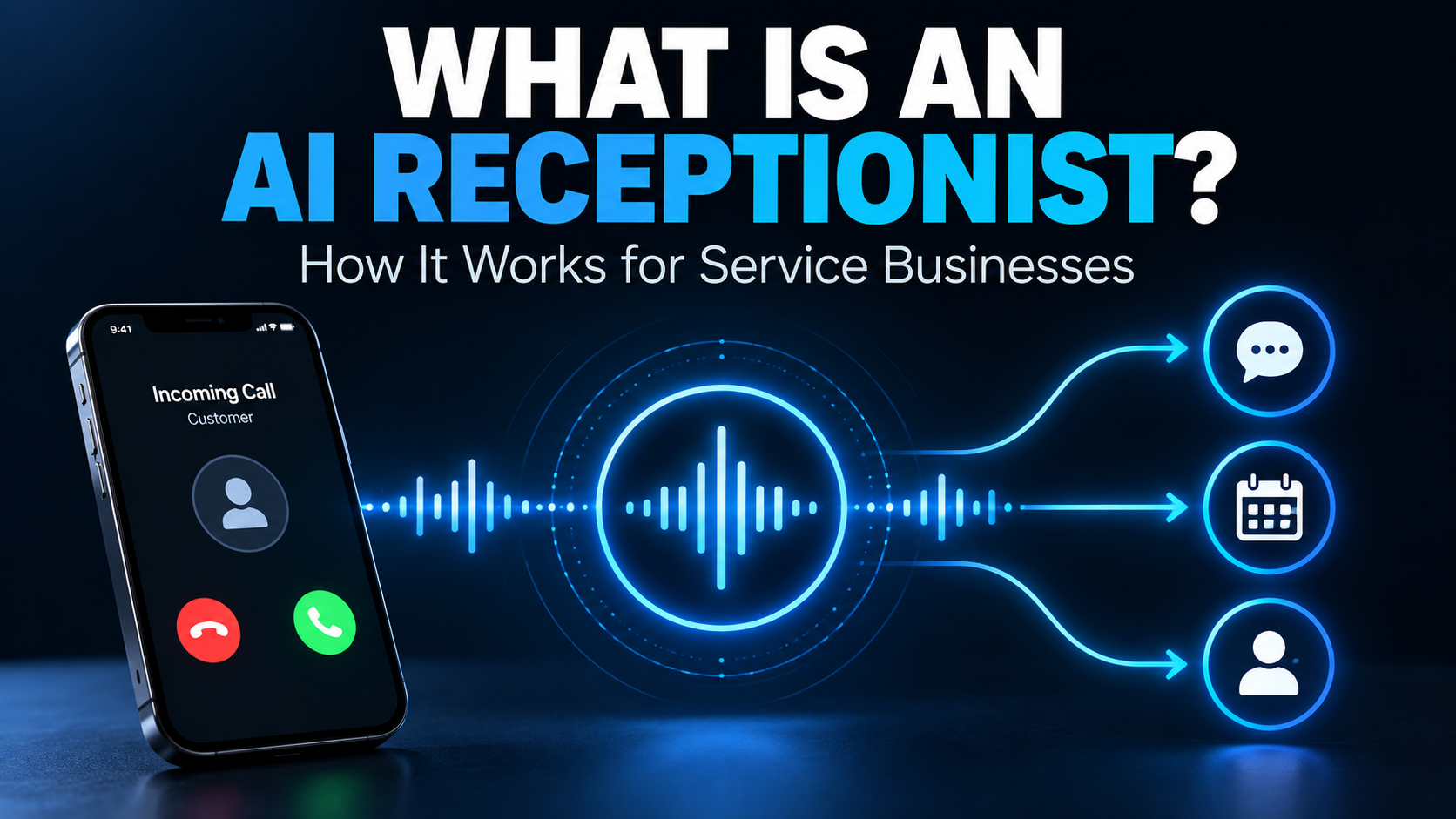
An AI receptionist is a voice-based AI system that can answer business calls, understand what the caller needs, respond conversationally, and take approved actions based on the business's information and rules.
The important part isn't that AI can answer the phone.
It's whether the conversation can reliably produce the right next action.
How Does an AI Receptionist Work?
From the caller's perspective, the experience can be fairly simple.
They call.
Someone answers.
They explain what they need.
They receive an answer, schedule something, leave information, get transferred, or reach another appropriate next step.
Behind that conversation, several things are happening very quickly.
According to Salesforce's current explanation of AI receptionists, these systems can combine speech recognition, intent classification, action execution, and connections with CRM or other business systems.
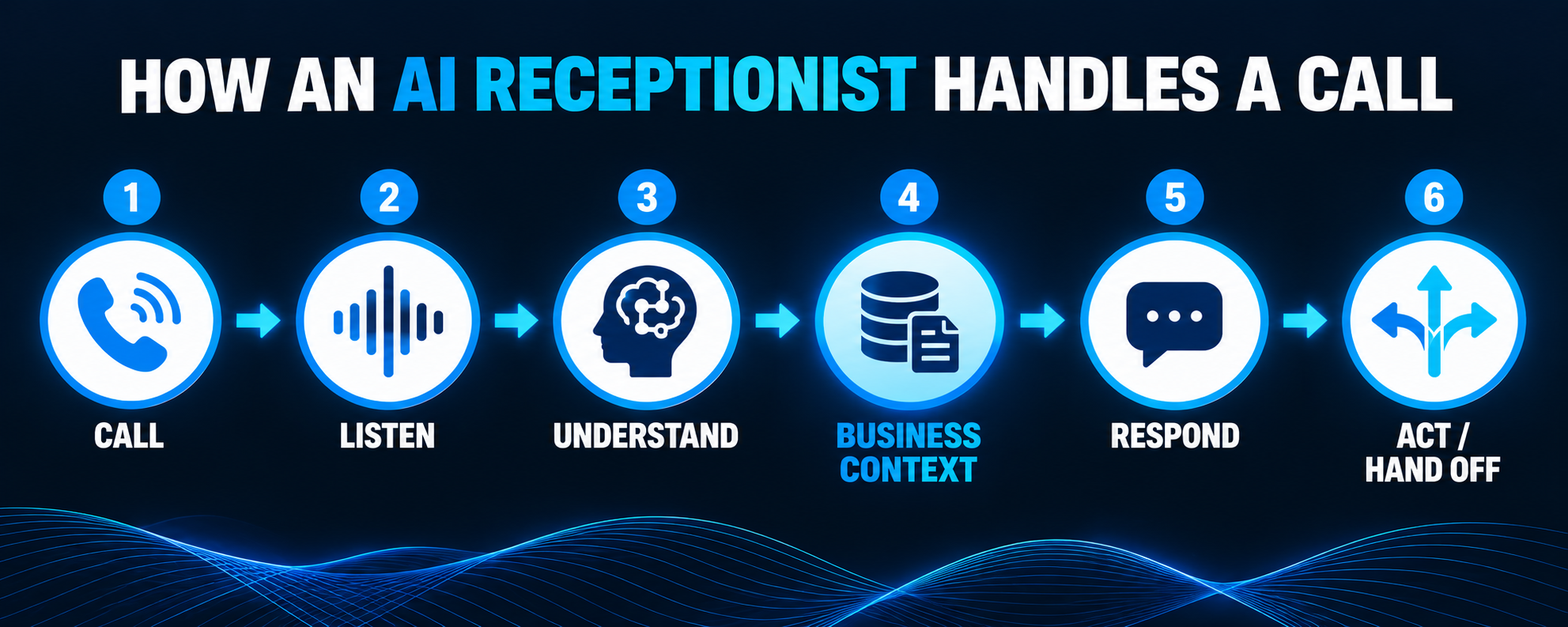
In plain English, the process looks something like this:
CALL → LISTEN → UNDERSTAND → USE BUSINESS CONTEXT → RESPOND → TAKE AN APPROVED ACTION → RECORD OR HAND OFF
Let's unpack that.
1. The call reaches the AI receptionist
A business can configure its phone system in different ways.
The AI might answer:
- every incoming call
- only calls the team doesn't answer
- calls after a certain number of rings
- after-hours calls
- overflow calls
- calls to a specific number or department
That means adopting an AI receptionist doesn't necessarily require handing every phone conversation to AI.
For some businesses, it may simply become another layer of the existing phone system.
2. The AI listens to the caller
The caller speaks normally.
Speech-recognition technology converts spoken language into information the AI can process.
Unlike an old-fashioned phone menu that says:
“Press 1 for sales. Press 2 for service.”
a conversational system can allow someone to say:
“My water heater is leaking and I'm trying to find out if someone can come today.”
Now the system has something much more useful than a menu selection.
It has context.
3. The AI tries to understand what the caller wants
This is where the conversation becomes more than automated phone answering.
The system may need to determine:
- Is this a new customer?
- What service do they need?
- Where are they located?
- Is the situation urgent?
- Are they trying to schedule?
- Are they calling about an existing appointment?
- Do they need a particular person?
- Is this something the AI should handle at all?
That doesn't mean the AI should make unlimited decisions.
It means it needs enough understanding to follow the appropriate business rules.
4. The AI uses information about the business
An AI receptionist shouldn't invent the answer to:
“Do you service Marco Island?”
“Are you open Saturday?”
“Can you install this type of system?”
“What areas do you cover?”
It should answer from accurate information supplied by or connected to the business.
This is one of the most important differences between a useful AI receptionist and a generic voice bot.
The AI needs to know the business it is representing.
We'll come back to exactly what that means.
5. The AI responds conversationally
Once the system understands the caller and has the appropriate context, it generates a response and speaks it using a synthetic voice.
This loop continues as the conversation develops:
Listen → understand → respond → listen again
A caller might change direction, ask another question, correct information, or provide something unexpected.
That's why an AI receptionist is different from a prerecorded script.
The conversation can adapt.
But adapting does not mean the AI should have unlimited freedom.
Good implementation still requires boundaries.
6. The AI takes an approved action
This is where an AI receptionist can become substantially more useful than a system that merely answers the phone.
Depending on the implementation, an appropriate action might be:
- answer a common question
- collect contact information
- take a message
- ask qualification questions
- check availability
- schedule an appointment
- transfer the caller
- alert someone
- create or update a contact
- record the conversation outcome
- trigger follow-up
Notice the phrase approved action.
An AI receptionist should not simply decide that because it can do something, it should.
The business determines what actions are appropriate.
7. The conversation gets recorded or handed off appropriately
The work shouldn't disappear when the caller hangs up.
Useful information may need to enter a CRM pipeline, scheduling system, inbox, notification workflow, or another part of the business.
If the AI can't appropriately handle the request, the right outcome may instead be:
AI → human
That's not a failure.
That's good system design.
What Can an AI Receptionist Actually Do?
Capabilities vary considerably by platform and implementation, so there isn't one universal feature list.
But for a service business, common uses can include:
Answer routine questions
Examples:
- business hours
- service areas
- services offered
- basic process questions
- location information
- scheduling policies
These are usually good candidates because the answers can be clearly defined.
Capture new leads
Instead of sending a caller to voicemail, the AI can collect information while the person is still engaged.
That might include:
- name
- phone number
- address or service area
- reason for calling
- preferred next step
Qualify opportunities
For some businesses, the receptionist can ask a small number of questions that help determine whether the opportunity is a fit.
That connects to the larger process of lead qualification.
For example, a contractor may need to know the project type, location, rough timing, and whether the caller is looking for a service the company actually provides.
The AI's job isn't to conduct an interrogation.
It's to collect the information needed for the next decision.
Schedule appointments
When properly connected to a calendar and configured with the right rules, an AI receptionist may be able to offer available times and schedule an appointment during the conversation.
That can eliminate:
“I'll have someone call you back to schedule.”
But calendar access needs rules.
Which appointment types can be booked?
How long are they?
Who can receive them?
What areas are served on particular days?
How much buffer is required?
The quality of the scheduling process depends on the quality of those rules.
Route or transfer calls
Some conversations should go directly to a person.
The AI might identify the reason for the call and transfer it to:
- sales
- service
- billing
- an on-call employee
- a specific team member
Again, the business needs to define when that should happen.
Trigger follow-up
The end of the phone call doesn't necessarily mean the end of the workflow.
A system might trigger:
- appointment confirmation
- an internal notification
- a follow-up message
- a task for an employee
- another automation
That's where an AI receptionist begins to fit into the broader lead conversion system instead of operating as an isolated phone tool.
What an AI Receptionist Should Know About Your Business
This is the part that gets skipped surprisingly often.
Someone buys AI phone software, gives it the company name and website, and expects magic.
That's not implementation.
A useful AI receptionist needs accurate context.
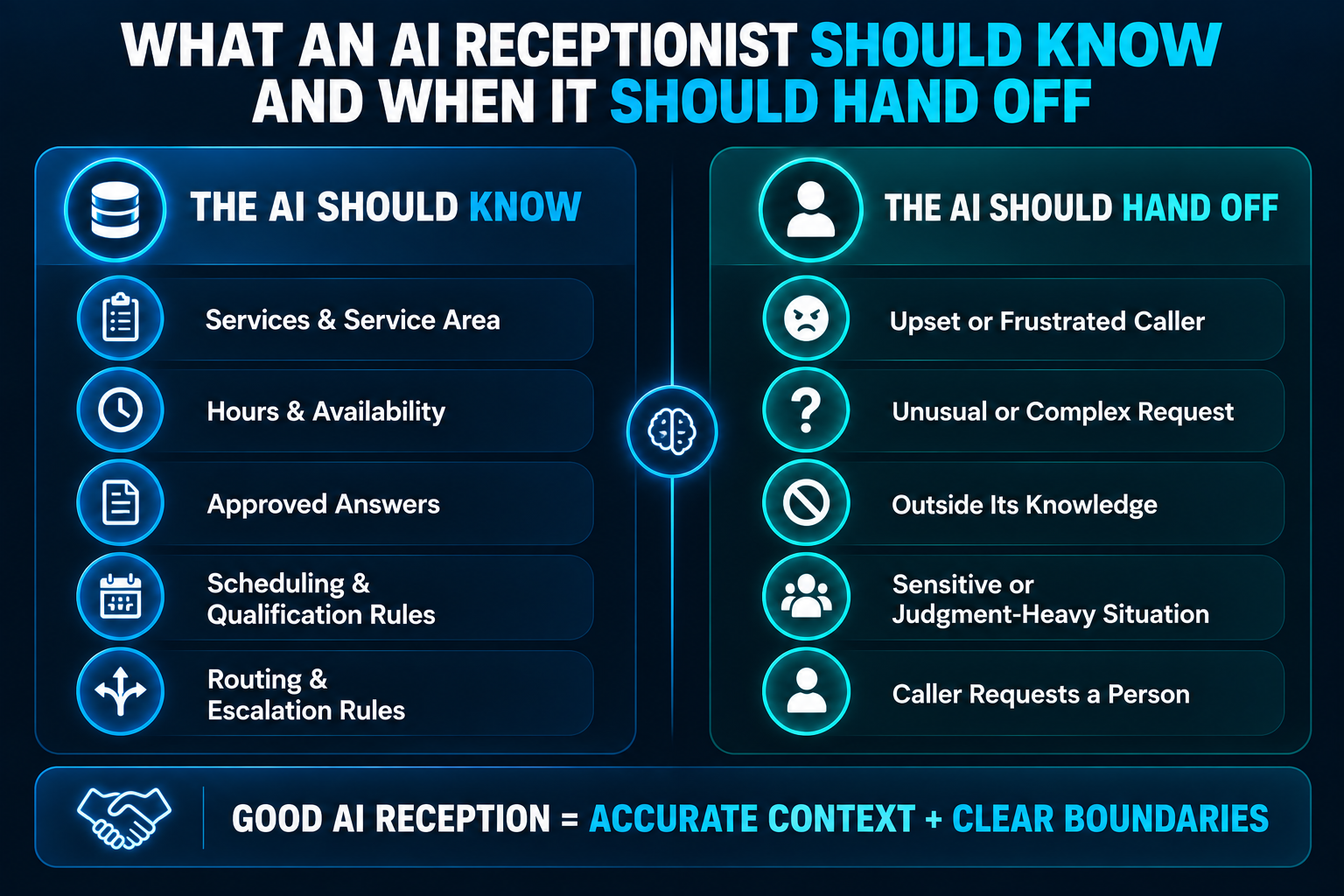
At minimum, you may need to define the following.
Services
What does the business actually do?
Just as importantly:
What doesn't it do?
If you install impact windows but don't repair ordinary residential windows, the AI needs to know that distinction.
Service area
Where will the business actually accept customers?
Cities?
Counties?
ZIP codes?
A radius?
Different territories for different services?
A confident but wrong “Yes, we service your area” is worse than asking someone to confirm.
Business hours
This can include more than the hours displayed on Google.
The AI may need to know:
- normal office hours
- after-hours procedures
- weekend availability
- holiday rules
- emergency availability
Approved answers to common questions
What questions appear repeatedly?
The goal isn't to write a 400-page employee manual.
Start with the things callers genuinely ask.
Qualification rules
What information does the business need before deciding what should happen next?
That might include:
- service requested
- location
- timing
- property type
- urgency
- project characteristics
The exact questions should match the business.
Scheduling rules
If the AI can schedule, it needs more than calendar access.
It needs to understand what it is allowed to schedule.
Routing rules
Who gets which calls?
What happens if nobody is available?
What counts as urgent?
What should happen after hours?
Escalation rules
This may be the most important category.
The AI needs to know when to stop.
What Should an AI Receptionist NOT Do?
A good implementation doesn't just define capabilities.
It defines boundaries.
An AI receptionist generally should not improvise answers about matters where incorrect information could create meaningful problems for the customer or business.
Depending on the company, that may include:
- making promises the business hasn't authorized
- creating custom quotes without sufficient information
- negotiating prices
- giving professional advice outside its approved scope
- inventing availability
- guessing whether the company offers an unusual service
- handling sensitive situations that require human judgment
- committing the business to something outside established rules
When the system reaches one of those boundaries, the appropriate response might be:
“I want to make sure you get the right answer. Let me have someone from the team help with that.”
That's a feature, not a weakness.
When Should a Human Take Over?
A human should take over when the conversation requires something the AI isn't well suited to do reliably.
Common examples include:
The caller is upset.
A rigid automated conversation can make a frustrated customer substantially more frustrated.
The situation is unusual.
If there is no reliable rule for handling the situation, improvisation may be better left to someone with actual authority.
The caller asks for something outside the AI's knowledge.
Guessing is not customer service.
The conversation becomes sensitive.
Certain situations require discretion, empathy, or professional judgment.
The caller explicitly wants a person.
Businesses should decide how they want to handle that request rather than trapping someone in an automation loop.
AI should handle what AI handles well.
People should handle what people handle better.
AI Receptionist vs. Answering Service
These are related solutions, but they aren't the same.
An AI receptionist uses conversational AI to handle calls and potentially execute predefined actions.
A traditional answering service uses human operators.
Neither is universally better.
If you're deciding between them, we've built a separate guide on how an AI receptionist compares to a traditional answering service, including where each tends to have an advantage and when a hybrid approach makes sense.
The short version:
AI tends to be strongest with structured, repeatable conversations. Humans tend to be stronger when conversations require judgment, empathy, or improvisation.
AI Receptionist vs. Website Chatbot
They may use similar conversational technology, but they operate in different channels.
A website chatbot communicates with someone who is already on your website.
An AI receptionist primarily handles voice conversations over the phone.
A business could use both.
For example:
Website visitor → chatbot → question answered or lead captured
while:
Phone caller → AI receptionist → question answered, caller qualified, appointment scheduled, or call routed
The technology matters less than designing a sensible customer journey.
AI Receptionist vs. Missed-Call Text Back
These solve different levels of the missed-call problem.
A missed-call text-back system doesn't answer the original phone conversation.
Instead, when nobody answers, it automatically sends the caller a text so the conversation can continue.
An AI receptionist can potentially handle the call itself.
Which one you need depends on the problem.
If your team answers most calls and follows up well, missed-call text back may be enough.
If callers frequently need immediate answers, intake, qualification, scheduling, or routing, an AI receptionist may solve more of the workflow.
Don't install more technology than the problem requires.
Does an AI Receptionist Replace a Human Receptionist?
It can replace certain tasks.
That isn't necessarily the same thing as replacing a person.
Suppose an office employee spends part of the day answering:
“Are you open Saturday?”
“Do you service my ZIP code?”
“Can I schedule an estimate?”
“Can you transfer me to billing?”
Those conversations may be candidates for automation.
The employee can then spend more time on situations that require human attention.
In another business, an AI receptionist may primarily cover evenings and weekends when no receptionist is working anyway.
The better question is not:
Can AI replace this employee?
It's:
Which conversations can be handled reliably by automation, and which ones deserve a person?
What Are the Limitations of an AI Receptionist?
Voice AI has improved considerably, but it still has limitations.
It can misunderstand people
Accents, background noise, unusual terminology, poor phone connections, overlapping speech, or unclear explanations can create problems.
It can lack context
A human employee may know that “Mike” means the service manager who has been handling a customer's project for three weeks.
An AI system only knows what it has access to.
It can handle the wrong situation too confidently
This is why boundaries and escalation matter.
A system that confidently provides the wrong answer can create more problems than a system that simply says:
“I'm going to have someone help with that.”
Integrations can fail
Calendars, CRMs, phone systems, APIs, and automations are still software.
Software occasionally breaks.
There should be a fallback process.
Customers may prefer a person
Some people simply don't want to talk to AI.
That preference shouldn't be treated as a technical error.
Is an AI Receptionist Right for Your Service Business?
Before buying one, look at your actual calls.
Not a demo.
Not the vendor's feature page.
Your calls.
Pull a sample and categorize them.
How many are:
- new leads?
- scheduling requests?
- common questions?
- existing customers?
- billing questions?
- emergencies?
- spam?
- complicated situations?
- calls that require a particular employee?
Then ask what the ideal outcome should have been for each call.
You may discover that an AI receptionist could handle a large portion of them.
You may discover that most calls require human expertise.
Or you may discover that the real problem isn't answering calls at all.
Maybe the business needs better follow-up and lead conversion infrastructure.
That's why I wouldn't start with:
“Which AI receptionist should I buy?”
I'd start with:
“What's actually happening when people call us?”
A Simple AI Receptionist Implementation Checklist
Before putting an AI receptionist in front of real customers, make sure you can answer these questions:
- What calls should the AI answer?
- What does the AI know about the business?
- What questions can it answer confidently?
- What questions should it never answer?
- What information should it collect?
- What qualifies as a good opportunity?
- What can it schedule?
- What can it transfer?
- When must it involve a human?
- Where should call information be recorded?
- What should happen after the call?
- What happens if an integration fails?
- Have we tested realistic conversations rather than only perfect demo calls?
That last one matters.
Don't test it by politely reading the script you expect.
Interrupt it.
Change your mind.
Ask a weird question.
Mumble.
Correct your address.
Ask for a person.
Test the situations real customers will create.
That's how you find out whether the system is actually ready.
The Best AI Receptionist Is Not the One That Talks the Most
A good AI receptionist doesn't need to pretend it knows everything.
It needs to understand the caller well enough to move the conversation toward the right next step.
Sometimes that's an answer.
Sometimes it's an appointment.
Sometimes it's collecting information.
Sometimes it's transferring the call.
And sometimes the smartest thing the AI can do is say:
“A person should handle this.”
That's the difference between adding AI because it sounds impressive and building automation around how a business actually works.
Boost Local Biz helps service businesses connect customer conversations, CRM, scheduling, automation, and follow-up so opportunities don't simply disappear between one system and the next.
If you're considering an AI receptionist, start by mapping your calls.
Then decide what should happen to each one.
For more on where AI fits across the business, see these practical AI automation ideas for small businesses.
