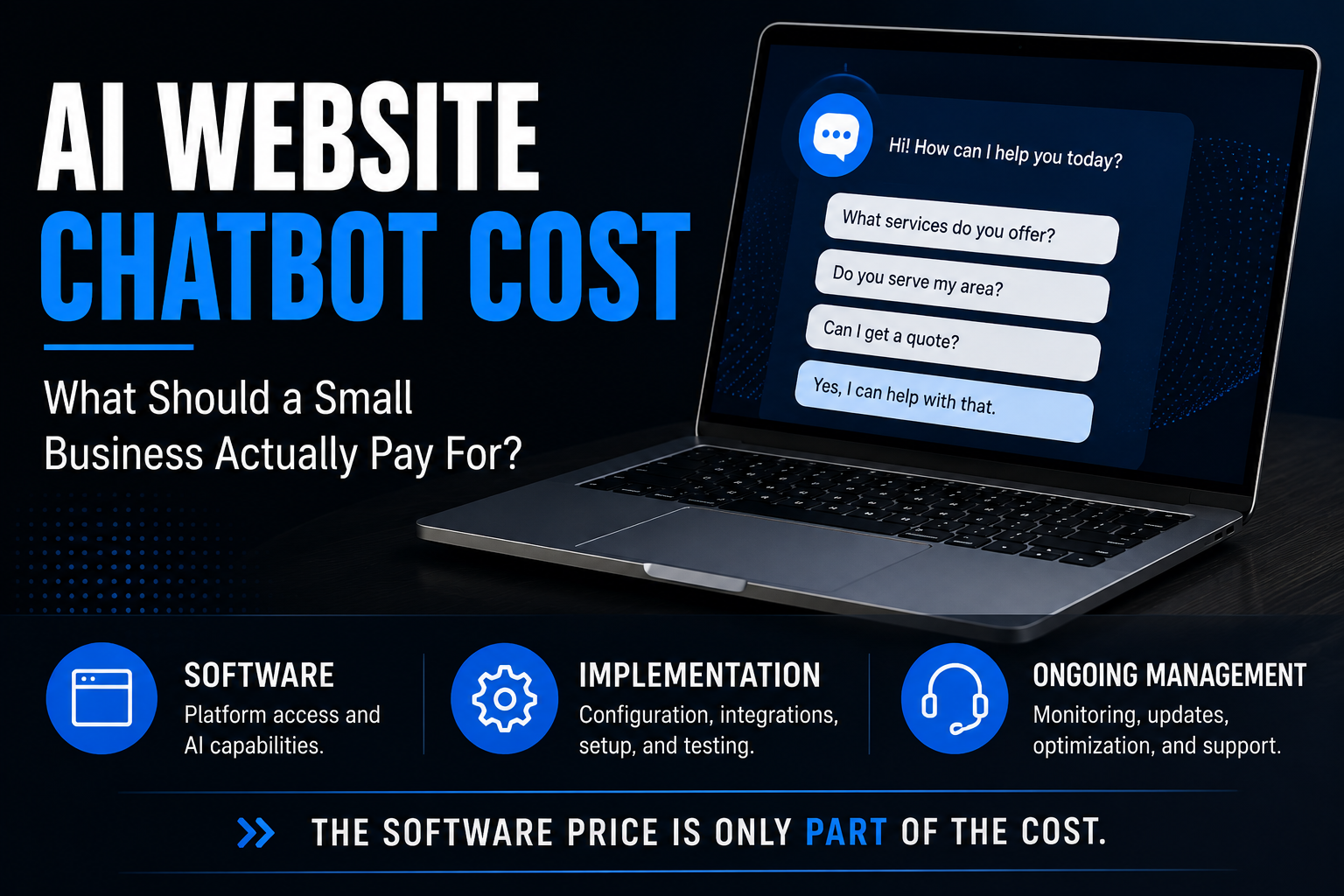
An AI chatbot for a small-business website can cost nothing to test, tens or hundreds of dollars per month for software, or considerably more for a customized system that's configured, integrated and managed for the business.
That's an annoyingly wide range.
It's also the truth.
The problem with asking "How much does an AI chatbot cost?" is that AI chatbot can describe several very different things.
One business may be buying a $40-per-month software subscription and configuring everything themselves.
Another may be paying someone to build the chatbot around its services, connect it to a CRM and calendar, create lead-routing rules, test conversations, monitor performance and maintain the system.
Both can accurately say:
"We have an AI chatbot."
They did not buy the same thing.
So instead of looking for one magic price, let's break down what you're actually paying for.
The Short Answer: What Does an AI Website Chatbot Cost?
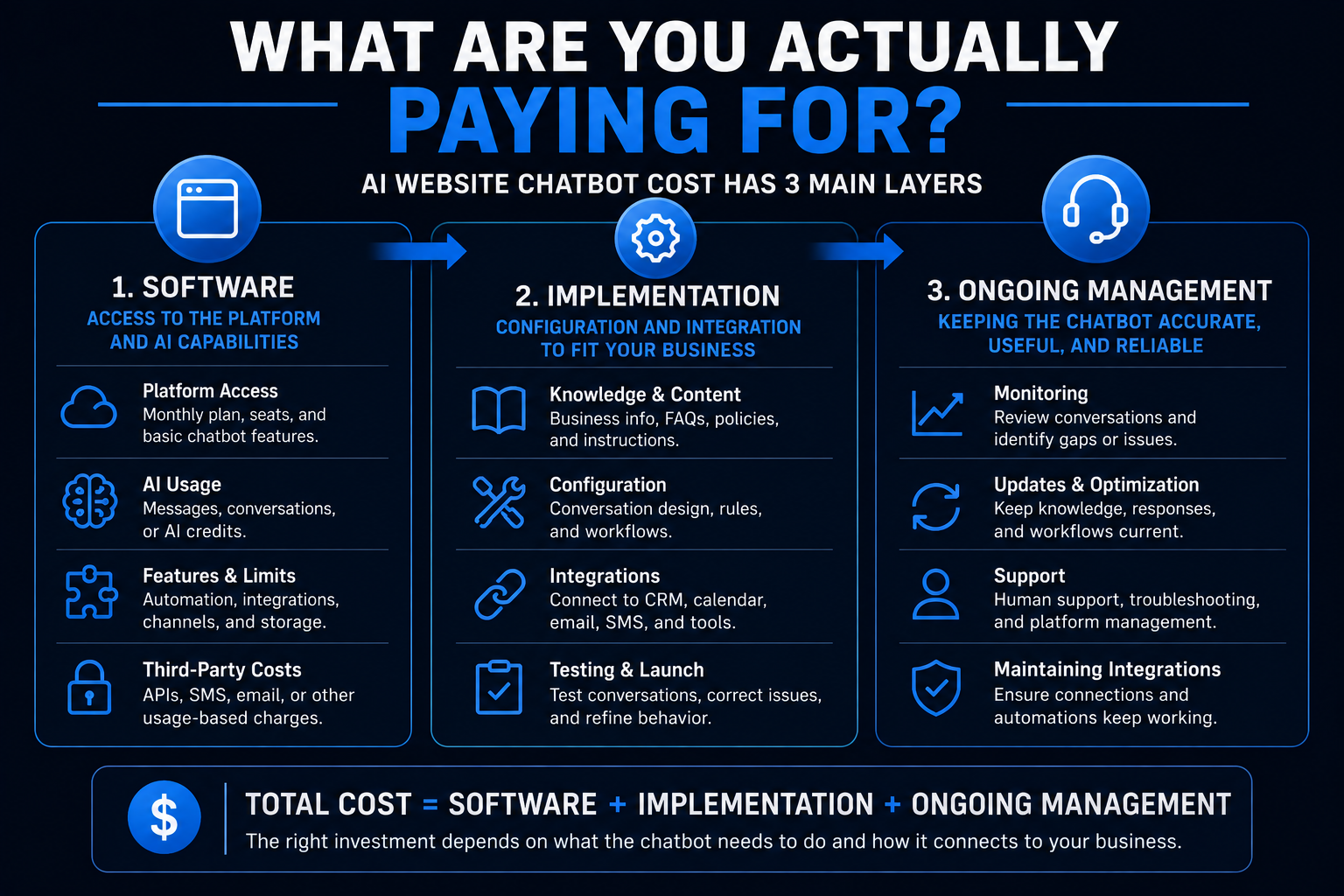
For a small business, there are generally three cost layers to consider:
| Cost Layer | What You're Paying For |
|---|---|
| Software | Access to the chatbot platform and AI capabilities |
| Implementation | Configuration, business knowledge, conversation design, integrations and testing |
| Ongoing management | Monitoring, updates, optimization, support and maintaining integrations |
A DIY implementation may involve little or no setup fee because you're doing the setup yourself.
A configured or managed chatbot costs more because you're buying more than access to software.
That's the distinction that makes chatbot pricing much easier to understand.
Current AI Chatbot Software Pricing in 2026
If you want to understand the low end of chatbot pricing, start with the software itself.
Current vendor pricing shows just how different the models can be.
For example, Tidio currently lists its Starter customer-service plan at about $24 per month when billed annually, while its Lyro AI Agent is offered separately starting around $32.50 per month for a limited number of AI conversations.
Chatbase currently offers a free tier and paid plans around $40, $150 and $500 per month, with different message limits, features and integrations.
Intercom uses a different structure. Its plans include per-seat pricing while its Fin AI Agent is also priced based on AI outcomes.
Those prices can change, of course.
More importantly, notice what they demonstrate:
There isn't one standard way to price an AI chatbot.
You may encounter:
- monthly subscriptions
- conversation limits
- message credits
- per-seat charges
- per-resolution or per-outcome charges
- usage-based AI charges
- feature-based tiers
- integration limits
- additional chatbot or agent fees
So comparing two products based only on the number next to $/month can be misleading.
You have to compare what the number actually buys.
Why Can One Chatbot Cost $40 a Month and Another Cost Hundreds or Thousands?
Because the software is only one part of the system.
Think about website software itself.
You can pay a small monthly fee for a website builder.
That doesn't mean every business website should cost the same amount as the website-builder subscription.
Someone still has to determine:
- what the site should say
- how it should be structured
- how visitors should move through it
- how leads should be captured
- how it connects to the rest of the business
Chatbots aren't much different.
Software gives you capability. Implementation determines how that capability is used.
What Actually Affects the Cost of an AI Website Chatbot?
Several factors can move the cost substantially.
1. Conversation Volume
Some platforms limit messages, conversations, resolutions or AI usage.
A business getting 30 chatbot conversations per month has different requirements from one getting 3,000.
Higher usage can increase software or AI-processing costs depending on the platform.
2. What the Chatbot Needs to Know
A simple chatbot may need to understand:
- services
- service areas
- business hours
- basic policies
- common questions
A more sophisticated chatbot may need access to:
- detailed service information
- pricing rules
- documentation
- product information
- internal knowledge
- customer-specific data
The more complex the knowledge environment, the more work may be required to configure and maintain reliable responses.
3. What the Chatbot Needs to Do
Answering questions is one level.
Taking action is another.
A chatbot might also:
- capture contact information
- qualify an inquiry
- route a lead
- schedule an appointment
- trigger a workflow
- create or update a CRM contact
- notify a salesperson
- hand the conversation to a human
Each additional action can introduce configuration, integration and testing requirements.
That's why our broader definition of an AI website chatbot focuses on what happens after the conversation starts, not just whether the widget can generate an answer.
4. CRM Integration
If the chatbot operates as an isolated bubble on your website, implementation can be relatively simple.
If conversations need to connect to your CRM, pipeline, notifications, follow-up or sales process, the project becomes more involved.
But it can also become more useful.
A visitor telling your chatbot:
"I'd like an estimate for replacing my windows."
is useful information.
Having that information automatically become an organized opportunity inside the business's follow-up process is a different level of functionality.
5. Scheduling
There's a difference between a chatbot saying:
"You can schedule here."
and one that can actually help move a qualified visitor toward the appropriate calendar or appointment type.
Scheduling requirements can involve:
- calendar connections
- availability
- appointment types
- service areas
- qualification rules
- team assignments
- confirmation and reminder workflows
Again, you're no longer pricing a chat bubble.
You're pricing part of a business process.
6. Human Handoff
A useful AI chatbot should know when not to keep talking.
Depending on the business, certain conversations may need to move to a person.
That could include:
- complaints
- unusual pricing questions
- emergencies
- sensitive issues
- complex project requirements
- requests outside the chatbot's approved knowledge
Designing the handoff is part of designing the system.
7. Setup and Training
Someone has to teach the chatbot about the business.
That may involve:
- reviewing website content
- adding FAQs
- organizing knowledge
- defining services
- setting boundaries
- creating instructions
- defining escalation scenarios
- testing answers
- correcting weak responses
A DIY tool may make this relatively easy.
But easy to configure isn't the same as configured correctly for your business.
8. Ongoing Management
Businesses change.
Services change.
Prices change.
Staff changes.
Hours change.
Policies change.
Software changes.
And occasionally the AI decides to answer something in a way that makes you stare at the screen and ask:
"Where did you get THAT?"
A chatbot isn't necessarily a set-it-and-forget-it asset.
Someone should own keeping its knowledge and behavior aligned with the business.
DIY AI Chatbot vs. Managed AI Chatbot
This is probably the most important pricing distinction for a small-business owner.
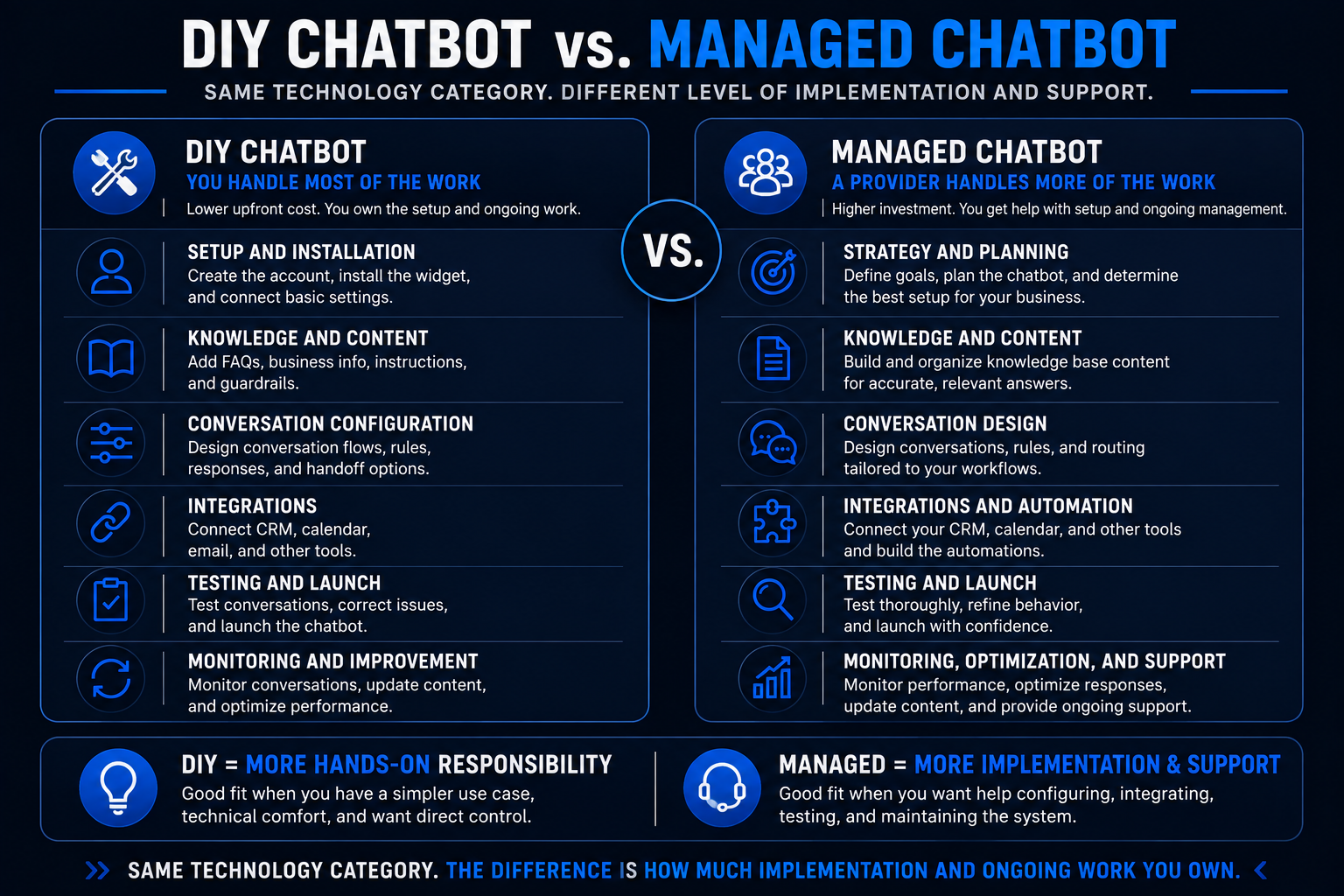
DIY chatbot
You purchase the software and handle most of the work.
You may be responsible for:
- setup
- knowledge
- instructions
- design
- installation
- integrations
- testing
- troubleshooting
- ongoing updates
This can make sense if you are technically comfortable, have a relatively simple use case and don't mind owning the system.
Configured or managed chatbot
A provider handles some or most of the implementation.
That may include:
- choosing or configuring the platform
- building the knowledge base
- creating instructions and guardrails
- integrating the website
- connecting the CRM
- connecting scheduling
- configuring routing
- creating automation
- testing
- monitoring
- ongoing adjustments
You're paying more.
You're also buying implementation and responsibility, not merely software access.
Do You Need a Custom-Built AI Chatbot?
Probably not.
At least, not automatically.
There's a big difference between customized and custom-built.
A service business may need a chatbot configured around its:
- services
- FAQs
- service area
- brand voice
- qualification process
- CRM
- calendar
- follow-up system
That doesn't necessarily mean somebody needs to engineer a chatbot platform from scratch.
Modern chatbot platforms already provide much of the underlying technology.
For many small businesses, the real question is:
How much customization and integration do we need on top of the existing platform?
That's usually a much more useful question than:
"Do we need a custom AI?"
What Are the Hidden Costs of an AI Chatbot?
"Hidden" doesn't necessarily mean deceptive.
It often means costs that aren't obvious from the headline plan.
Before choosing a chatbot, check for:
- AI usage charges
- conversation or message limits
- additional seats
- extra chatbot or agent fees
- CRM or integration requirements
- premium API access
- additional channels
- removing provider branding
- implementation fees
- maintenance or management fees
- third-party software
- SMS or email usage if the chatbot triggers follow-up
A $40/month chatbot could genuinely cost $40/month.
Or $40 could simply be the first line of the bill.
Read the pricing model, not just the pricing headline.
How Much Should a Small Business Spend on an AI Chatbot?
Start with the problem, not the budget.
If you only want to answer a handful of common questions, you may not need an elaborate implementation.
If the chatbot is supposed to:
answer → capture → qualify → route → schedule → trigger follow-up
then you're evaluating something closer to a lead-conversion system than an FAQ widget.
That distinction matters.
A $25 tool that doesn't do what the business needs isn't inexpensive.
It's just inexpensive software.
And an expensive chatbot that nobody uses or that doesn't connect to a meaningful business process isn't automatically valuable because it contains more AI.
Price should follow the job the chatbot needs to perform.
What Should You Ask Before Paying for an AI Chatbot?
Before comparing quotes or subscriptions, ask:
What happens when a visitor starts a conversation?
Then keep going.
- Can it answer questions using information from my business?
- Can it collect contact information?
- Can it distinguish between different types of inquiries?
- Can it schedule appointments?
- Can it connect to my CRM?
- Can it trigger follow-up?
- Can a person take over?
- What happens when the AI doesn't know the answer?
- Who updates it when my business changes?
- What happens to the conversation after the visitor leaves?
Those questions reveal much more than:
"Which AI model does it use?"
Your customer probably isn't visiting your website hoping to experience a particular large language model.
They want help.
How Do You Know Whether an AI Chatbot Is Worth the Cost?
Don't begin with:
"How many employees can this replace?"
For many small businesses, that's the wrong benchmark.
Instead, look at what the chatbot is supposed to improve.
For example:
- Are visitors getting useful answers when nobody is available?
- Are more conversations turning into identifiable opportunities?
- Are inquiries reaching the right person?
- Are qualified visitors getting to scheduling more easily?
- Are conversations being recorded in the CRM?
- Is the team spending less time answering the same basic questions?
- Is follow-up starting more consistently?
You don't need to invent a giant ROI number to evaluate usefulness.
You need to define the job and see whether the system is doing it.
The Chatbot Shouldn't Be an Island
This is where chatbot pricing connects to the larger website conversation.
A chatbot can be useful by itself.
But for many service businesses, its real value comes from what it connects to.
Imagine this:
A homeowner visits a contractor's website at 8:43 p.m.
They ask whether the company serves their area.
The chatbot answers.
They explain the project.
The chatbot collects their information.
The inquiry enters the CRM.
The appropriate next step begins.
Now the chatbot isn't merely talking.
It's participating in the business's lead-conversion process.
That's part of what we mean by an AI-powered website.
The website isn't just presenting information.
It's helping the business respond and move opportunities forward.
Don't Buy an AI Chatbot Because You Think You Need AI
AI is not the objective.
Neither is having a little chat bubble in the bottom-right corner of your website.
The objective might be:
- answering questions
- capturing more useful inquiries
- helping visitors choose the right service
- reducing friction before scheduling
- responding outside business hours
- connecting website conversations to follow-up
Sometimes chat is the right interface.
Sometimes a website form or online scheduling experience is better.
Sometimes you need a combination.
Start with what visitors are trying to accomplish.
Then decide what technology should help them accomplish it.
A Cheap Chatbot Can Be Expensive
Suppose you install an inexpensive chatbot.
It answers generic questions.
It doesn't know enough about the business.
It doesn't capture useful information.
It doesn't connect to the CRM.
It doesn't schedule.
Nobody reviews the conversations.
Six months later, the owner says:
"We tried AI chat. It didn't really do anything."
The software wasn't necessarily bad.
The implementation may have been.
That's why chatbot cost and chatbot value are not the same question.
The better buying question is:
What will this chatbot actually do for the business before, during and after the conversation?
That's the same lens we use when thinking about service-business website conversion.
The website doesn't earn points because it has more technology.
The technology needs a job.
Where AI Chat Fits Into a Better Lead-Conversion System
Website chat is one opportunity to engage someone.
It isn't the entire customer journey.
Once a visitor identifies themselves, the business may still need:
- routing
- human follow-up
- automated follow-up
- scheduling
- reminders
- pipeline management
- ongoing communication
That's why we don't think businesses always need more leads.
Sometimes they need a better system for converting the opportunities already reaching them.
A useful chatbot can become one entry point into that lead-conversion system.
But the chatbot itself isn't the system.
Thinking About Adding AI Chat to Your Website?
Before comparing chatbot prices, decide what you actually want the chatbot to accomplish.
If you're exploring a website that can do more than display information—one that can engage visitors, capture opportunities and connect those conversations to the next step—take a look at how Boost Local Biz approaches AI-Powered Websites.
The goal isn't to add AI because it's fashionable.
It's to build a website that does more useful work for the business.
