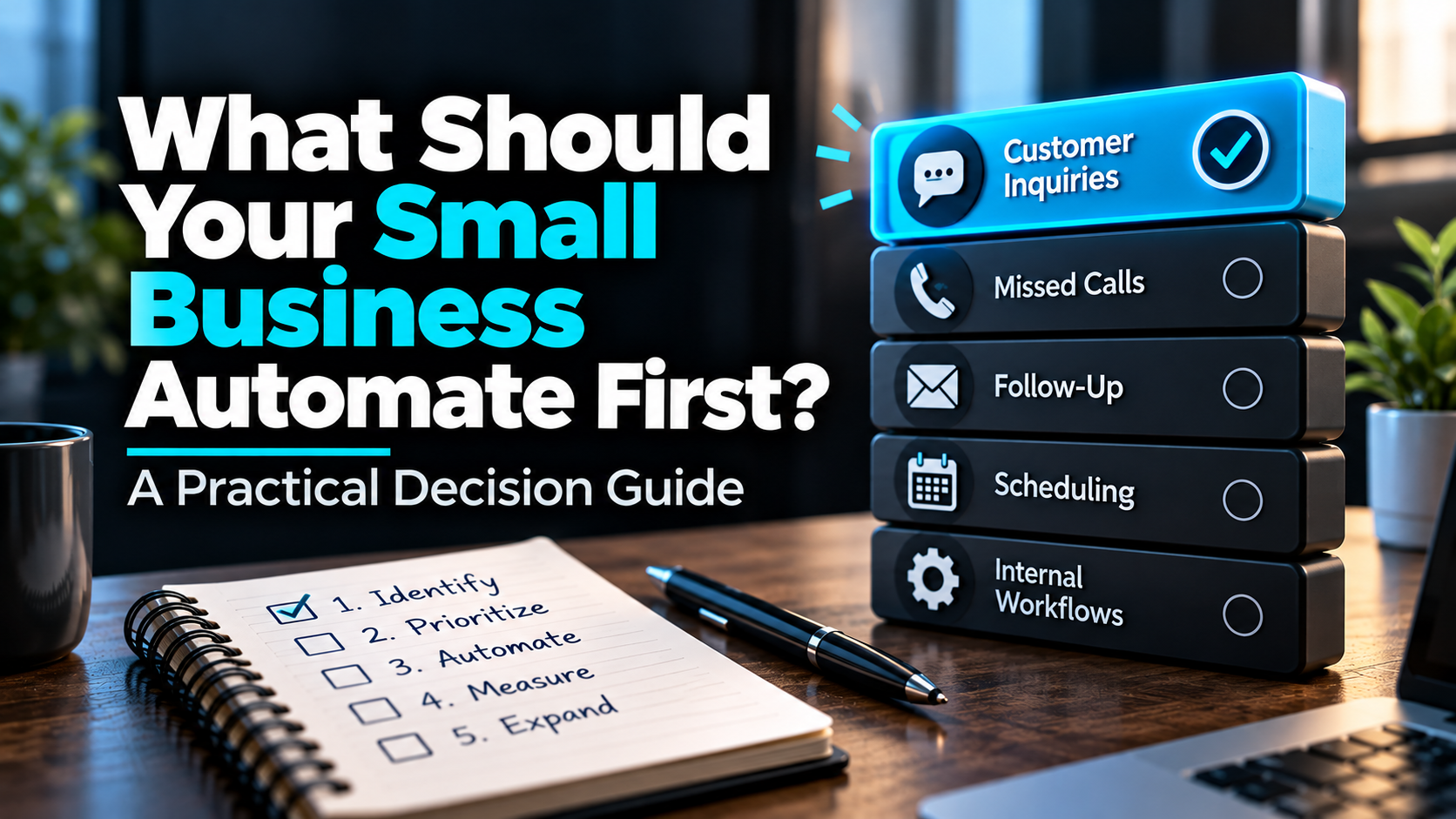
Most small businesses don’t need to automate everything.
They need to figure out which problem is worth fixing first.
Maybe your phone rings while everyone is busy. Maybe website inquiries sit unanswered until the next morning. Maybe estimates go out, but nobody has a reliable process for following up.
Or maybe your team spends every Friday copying information from one system into another.
All of those could be automation opportunities. But they aren’t equally important.
The best first automation is usually a repetitive, measurable process that creates meaningful business friction and can be improved without introducing unnecessary risk.
For many service businesses, that means looking at customer response, scheduling, and follow-up before building elaborate AI systems.
Here’s how to make that decision for your business.
Start With the Problem, Not the Software
It’s easy to get distracted by what automation software can do.
AI receptionists. Chatbots. Automated emails. Scheduling assistants. CRM workflows. AI agents that can perform multiple tasks.
Some of those tools can be useful.
But buying software before identifying the problem is a little like buying a toolbox before figuring out what needs repairing.
Start by asking:
Where does something important regularly fail to happen because someone is busy, unavailable, or relying on memory?
For a contractor, that might be an estimate that never gets a second conversation.
For an HVAC company, it might be an unanswered service inquiry.
For a landscaping company, it might be a customer who requested an appointment but never received a confirmation.
The technology comes later.
First, identify the gap.
Step 1: Find the Work That’s Slipping Through
Look at the last two weeks of normal business activity.
Don’t start with a brainstorming session about everything AI could theoretically automate. Look for actual events.
Consider these questions:
- How many incoming calls went unanswered?
- How long did website inquiries wait for a response?
- Were any estimates sent without a documented next step?
- Did appointments require repeated manual coordination?
- Did customers miss appointments because instructions were unclear?
- Did staff repeatedly enter the same information into different systems?
- Were there open opportunities nobody had contacted recently?
You may not have perfect records. That’s okay.
Start with what you can verify, then improve the measurement process.
Don’t assume every missed call is a lost sale or every unanswered estimate would have become a customer. The goal is to identify preventable gaps, not manufacture revenue projections.
Step 2: Score Your Automation Opportunities
Instead of choosing the most exciting idea, compare your options using five practical factors.
Score each factor from 1 to 5.
| Factor | A low score means | A high score means |
|---|---|---|
| Business impact | Little consequence when missed | Important customers, opportunities, or operations are affected |
| Frequency | Happens rarely | Happens repeatedly |
| Current friction | Already handled reliably | Regular delays, errors, or missed steps |
| Ease of implementation | Complex integrations or major process changes | Clear trigger, action, and existing tools |
| Manageable risk | Errors could cause serious harm | Errors are limited, detectable, and easy to escalate |
Add the five scores for a total out of 25.
This is a decision aid, not a scientifically validated formula. It helps you compare opportunities consistently.
One important rule: a high total doesn’t override a serious risk. If a workflow involves sensitive information, consequential decisions, or customer safety, evaluate those issues separately before automating it.
Step 3: Compare Your Options
Here’s a hypothetical example.
Imagine a home-service company considering four possible automations.
| Opportunity | Impact | Frequency | Friction | Ease | Risk | Total |
|---|---|---|---|---|---|---|
| New inquiry acknowledgment and routing | 5 | 5 | 5 | 4 | 4 | 23 |
| Estimate follow-up reminders | 5 | 4 | 4 | 4 | 4 | 21 |
| Appointment confirmations | 4 | 4 | 3 | 5 | 5 | 21 |
| Weekly internal report formatting | 2 | 3 | 3 | 5 | 5 | 18 |
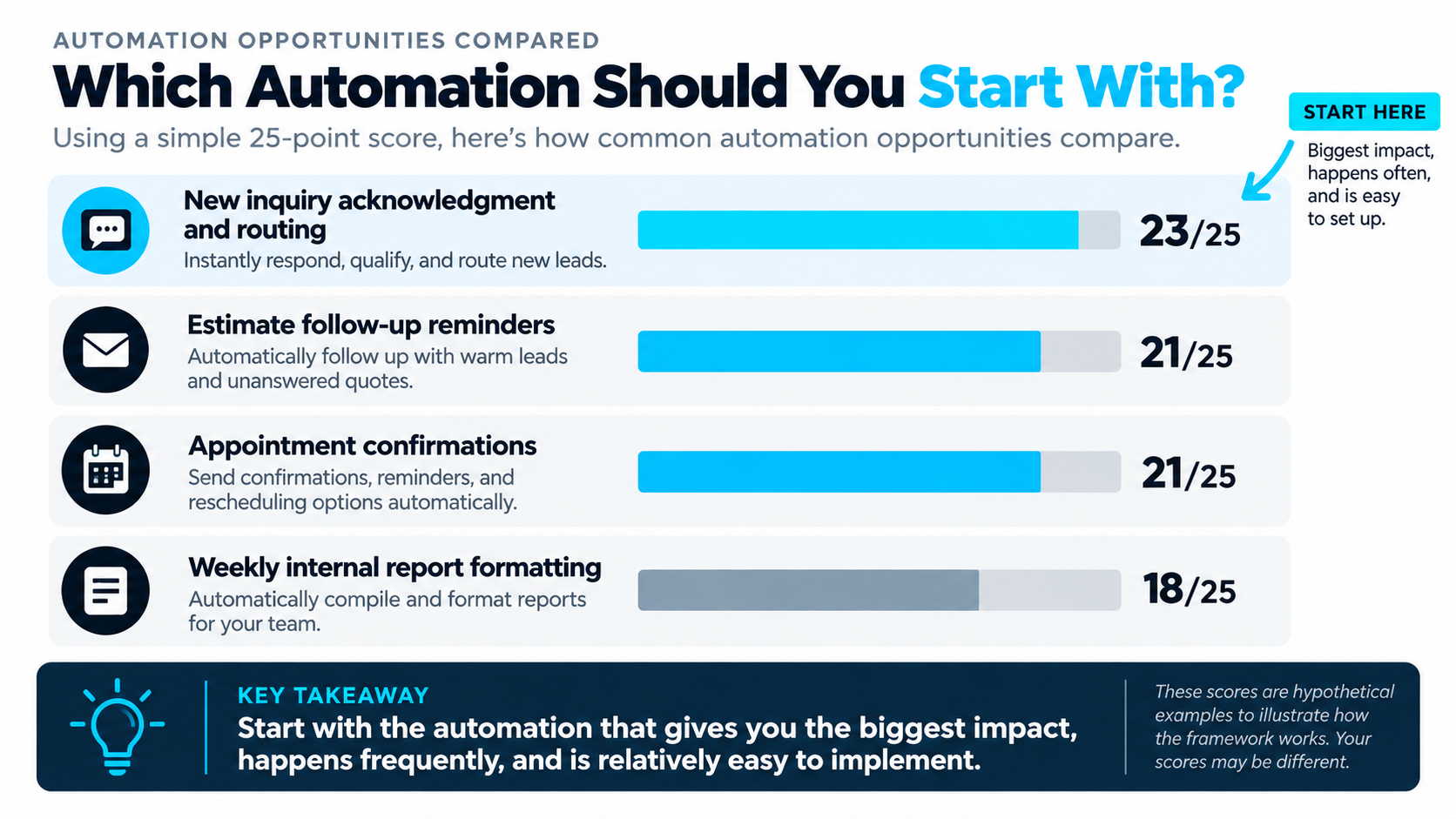
These numbers are illustrative, not BLB client data or industry benchmarks.
In this scenario, inquiry acknowledgment and routing would be the strongest starting point.
Not because it’s the most advanced automation.
Because it addresses a recurring business problem, has a clear next action, and can be implemented without asking software to make complicated decisions.
Another company could score the same options differently.
That’s the point.
Your first automation should reflect your business, not somebody else’s favorite software feature.
Step 4: Define Exactly What the Automation Should Do
Suppose you choose new inquiry acknowledgment and routing.
Don’t begin with:
We need an AI chatbot.
Begin with a process definition:
Trigger: Someone submits a website inquiry.
Action: The system records the inquiry, sends an appropriate acknowledgment, and alerts the right person.
Next step: A team member reviews the request, responds, and helps the prospect move toward a conversation or appointment.
Exception: If the request is incomplete, urgent, outside the service area, or requires specialist judgment, it follows an appropriate review path.
Stop condition: Generic follow-up pauses when the person responds, books, declines, opts out, or a staff member takes over.
Now you have something you can build, test, and improve.
You also have a way to determine whether it’s working.
That’s much more useful than simply deciding you need more AI.
Step 5: Decide Whether You Actually Need AI
Not every automation needs artificial intelligence.
A standard workflow can often handle:
- Sending an acknowledgment after a form submission
- Creating a CRM contact
- Assigning a task
- Notifying a team member
- Scheduling a reminder
- Updating a pipeline stage
Those are largely predictable actions.
AI becomes more useful when the system needs to interpret a customer’s language, summarize a conversation, extract information from an unstructured request, or help draft a context-sensitive response.
For example:
A form submission that says “I need a quote for a new driveway” may need nothing more complicated than a CRM workflow and staff notification.
A message that describes multiple services, an unusual scheduling situation, and several customer questions may benefit from AI-assisted interpretation.
Even then, a person should remain available when judgment or expertise is needed.
Use the simplest technology that reliably solves the problem.
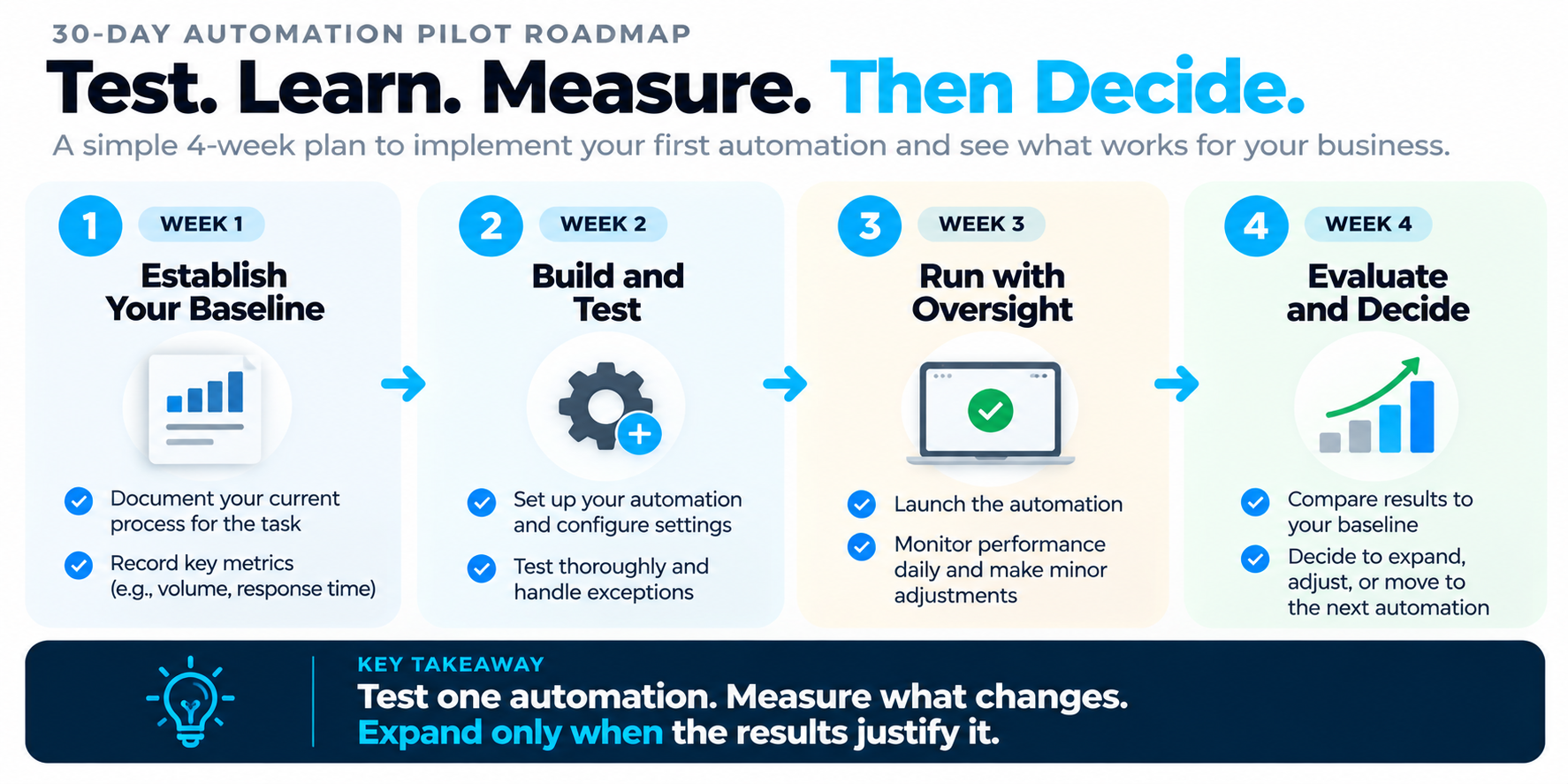
Step 6: Run a 30-Day Pilot
You don’t need a company-wide transformation to find out whether automation helps.
Start with one workflow.
Week 1: Establish the baseline
Document how the process works today.
Record a few relevant measures, such as response times, missed handoffs, manual work, or appointments scheduled.
If you don’t have reliable historical data, begin collecting it now.
Week 2: Build and test
Implement the smallest useful version.
Test normal situations and exceptions.
What happens if someone replies immediately? Submits the form twice? Gives incomplete information? Requests a person? Opts out?
A workflow that succeeds only under perfect conditions isn’t ready.
Week 3: Run it with oversight
Let the workflow operate while a person monitors it.
Watch for duplicate messages, incorrect routing, missing CRM records, or situations where automation continues after someone has taken over.
Make adjustments.
Week 4: Evaluate
Compare performance with your baseline.
Did response consistency improve? Were fewer tasks forgotten? Did the team save meaningful time? Did customers get clearer next steps?
If the workflow supports sales, you can also track qualified conversations and appointments.
But don’t attribute every improvement to automation without considering other changes, such as marketing activity, staffing, or seasonality.
Decide whether to keep, refine, expand, or discontinue the workflow.
What Should You Avoid Automating First?
There are a few common traps.
A process nobody understands. If your team can’t explain how a task should work, automation may simply make the confusion happen faster.
A rarely used process with little business impact. Something can be technically automatable without being worth the effort.
A complicated AI agent without clear boundaries. More capabilities mean more situations to test, monitor, and maintain.
A customer-facing workflow with no human handoff. When the situation changes or a person needs help, there must be a reasonable way to intervene.
A process you can’t measure. You don’t need perfect analytics, but you should know what success looks like before implementation.
And don’t automate communication simply because the software lets you.
Messages still need to be relevant, accurate, appropriately timed, and consistent with applicable consent and messaging requirements.
Three Businesses, Three Different Starting Points
The best first automation depends on where each business experiences friction.
Roofing contractor: Estimate follow-up
A roofing company answers inquiries quickly but has inconsistent follow-up after sending estimates.
Its best starting point might be a CRM reminder and contextual follow-up workflow that helps the estimator continue the conversation. A thoughtful approach to automated lead follow-up can keep that conversation moving without becoming a nuisance.
A new chatbot probably wouldn’t solve that problem.
HVAC company: Missed-call recovery
An HVAC company frequently receives calls while technicians and office staff are occupied.
Its first automation might acknowledge appropriate missed calls, create callback tasks, and route urgent-looking requests for human review. A simple missed-call text back workflow is often a practical first step here.
It should not promise emergency dispatch unless the business can actually provide it.
Landscaping company: Inquiry-to-appointment coordination
A landscaping company receives website requests but spends considerable time arranging consultations.
Its first automation might capture project details, notify the right person, and help coordinate appointment availability. Pairing it with consistent appointment reminder text messages can reduce the back-and-forth once a time is set.
The goal isn’t to eliminate personal conversations. It’s to make them easier to start.
These are hypothetical examples illustrating the decision process, not claims about specific BLB clients.
How Do You Know When You’re Ready for More Automation?
Once your first workflow operates reliably, look for the next bottleneck.
Perhaps inquiries now receive prompt acknowledgments, but nobody follows up after the initial conversation.
Perhaps appointments are easier to schedule, but reminders are inconsistent.
Perhaps leads move into the CRM, but their status isn’t updated when someone books.
That’s when connecting individual workflows becomes valuable.
The business starts moving from isolated automations toward a coordinated process:
Inquiry → response → conversation → scheduling → follow-up → customer.
That’s the kind of thinking behind the Booked Calendar System™: connecting the steps that help existing opportunities become booked conversations and appointments. If you’re looking for a broader set of possibilities, our list of AI automation ideas for small businesses is a useful next read, and a clear approach to lead nurturing helps keep those opportunities warm between steps.
But you don’t need to implement every component at once.
You need to make the next important step more reliable.
The Bottom Line
If you’re wondering what your small business should automate first, don’t start by shopping for AI tools.
Start with one question:
What important task regularly gets delayed, forgotten, or handled inconsistently—and what would improve if it happened reliably?
Find that process.
Score its importance and implementation difficulty.
Build the smallest useful workflow.
Measure what changes.
Then decide what’s worth automating next.
A business doesn’t become better simply because more of it is automated.
It becomes better when the right work gets done more consistently.
Want to identify where inquiries and appointments are slipping through?
Boost Local Biz helps service businesses connect their websites, lead response, CRM, scheduling, and follow-up into practical conversion systems.
Explore the Booked Calendar System™ to see how those pieces can work together.
For more on why connected systems beat disconnected marketing tools, read why local businesses need better systems.
