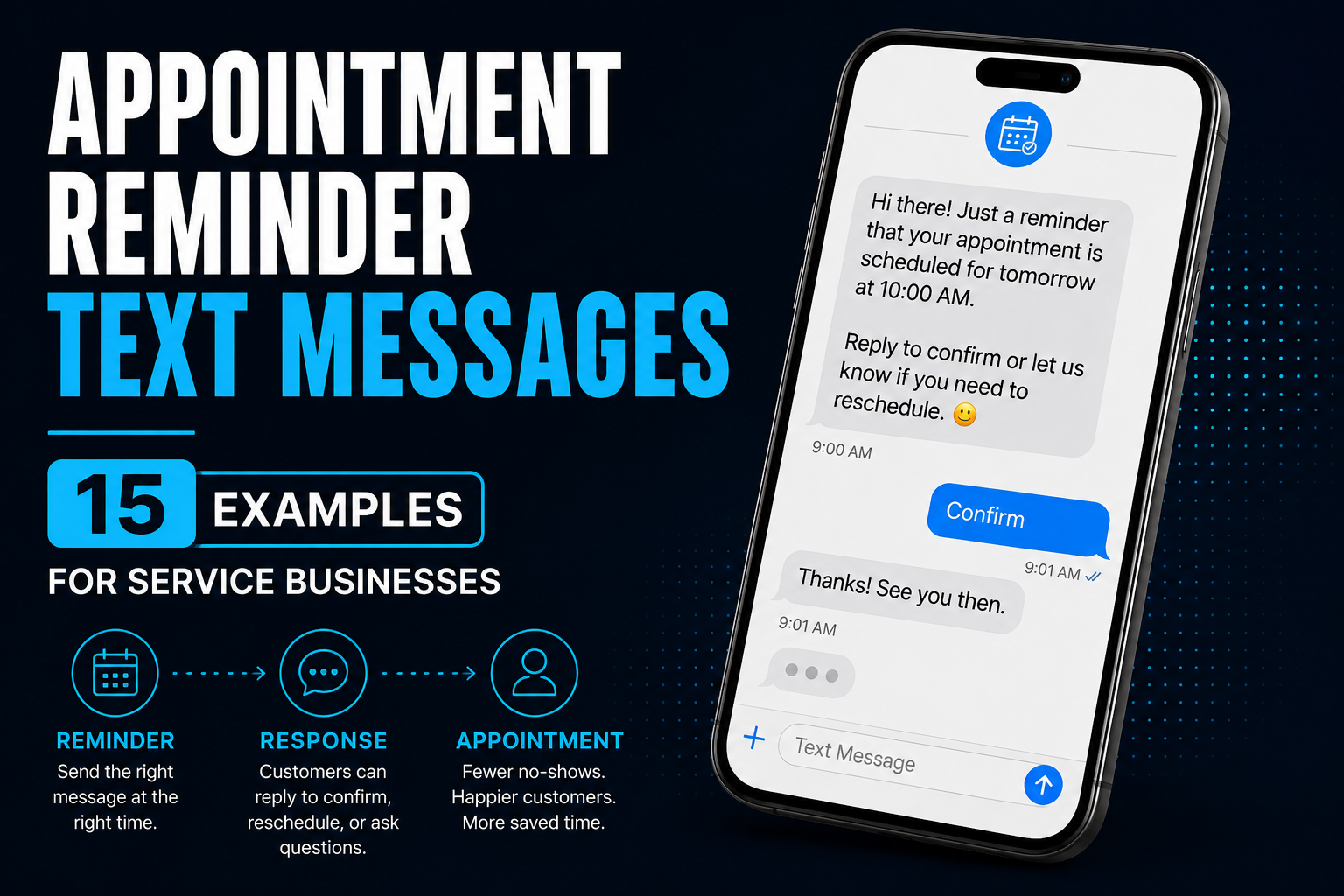
An appointment reminder text does not need to be clever.
It needs to make the appointment obvious and the next step easy.
That sounds simple. Yet businesses routinely send reminders like:
Reminder: You have an appointment tomorrow.
Great.
With whom? At what time? Where? What happens if something changed?
Now the customer has to hunt through an old email, check their calendar, call the office, or simply hope they remember correctly.
A useful appointment reminder removes uncertainty.
It tells the customer what is happening, when it is happening, who the message is from, and what to do if they need help.
And when reminders are automated properly, the text itself is only one part of the system.
Let's start with the messages.
What Should an Appointment Reminder Text Say?
For most service businesses, a useful reminder includes some combination of:
- the customer's name
- the business name
- the appointment date
- the appointment time or arrival window
- the service or appointment type when useful
- the location when necessary
- a simple way to confirm, cancel, reschedule, or ask a question
You don't necessarily need all seven in every message.
You need enough information that the customer immediately understands what this text is about and what they should do next.
Compare these:
Weak:
Reminder: Your appointment is tomorrow. Please call us if you have questions.
Better:
Hi [First Name], this is [Business Name]. Just a reminder that your [Service] is scheduled for tomorrow at [Time]. Reply YES to confirm or let us know if you need to reschedule.
The second message answers most of the obvious questions without turning the text into a small novel.
Appointment Confirmation vs. Appointment Reminder
These messages are related, but they are not exactly the same thing.
An appointment confirmation is typically sent when the appointment is booked.
Its job is essentially:
You're on the calendar. Here are the details.
An appointment reminder is sent later as the appointment approaches.
Its job is:
This is still happening. Here is when. Tell us now if something changed.
That distinction matters because a customer who booked three weeks ago has a different information need than someone who booked three minutes ago.
A good appointment workflow may use both.
15 Appointment Reminder Text Message Examples
These examples are starting points, not sacred scripts handed down from the SMS gods.
Change the wording, timing, instructions, and tone to fit how your business actually operates.
1. Standard Appointment Reminder
Hi [First Name], this is [Business Name]. Just a reminder that your appointment is scheduled for [Day, Date] at [Time]. Reply YES to confirm or let us know if you need to reschedule.
Simple works.
The customer knows who is texting, when the appointment is, and what to do next.
2. Friendly Appointment Reminder
Hey [First Name]! Just a quick reminder from [Business Name] that we're scheduled for [Day] at [Time]. Looking forward to seeing you. Reply here if anything has changed.
This works when the business has a more conversational voice and doesn't need a formal confirmation process.
3. 24-Hour Appointment Reminder
Hi [First Name], reminder from [Business Name]: your appointment is tomorrow at [Time]. Reply YES to confirm or reply here if you need to make a change.
A day-before reminder gives the customer an opportunity to surface a scheduling conflict before the appointment is sitting on top of you.
There is no universal reminder cadence that fits every business, but the day before is a common and practical point in many appointment workflows.
4. Same-Day Appointment Reminder
Good morning [First Name]. Just a reminder that you're scheduled with [Business Name] today at [Time]. See you soon. If anything has changed, reply to this text.
This should generally be shorter than the earlier reminder.
The customer does not need their entire booking history again. They need the immediate details.
5. Two-Hour Reminder
Hi [First Name], we'll see you at [Time] today for your appointment with [Business Name]. Reply here if you're running late or need help.
This can make sense for businesses where customers travel to a location or where a last-minute communication channel is useful.
It may be unnecessary for businesses already sending multiple other reminders.
More messages are not automatically better messages.
6. Appointment Reminder With Address
Hi [First Name], reminder that you're scheduled with [Business Name] tomorrow at [Time]. We're located at [Address]. Reply here if you need to reschedule or have any questions.
Useful for first-time visitors or businesses where customers regularly ask for directions.
If everyone already knows where you are, you probably don't need to send the address every single time.
7. First-Time Customer Appointment Reminder
Hi [First Name], we're looking forward to seeing you at [Business Name] on [Day] at [Time]. We're located at [Address]. Please [arrival/preparation instruction]. Reply here if you have any questions before your appointment.
First appointments often need more context than repeat appointments.
Parking instructions, arrival time, forms, gate information, preparation requirements, or what to bring may actually matter.
8. Consultation Reminder
Hi [First Name], this is [Business Name]. Just a reminder about your consultation on [Day] at [Time]. Reply YES to confirm or let us know if you need another time.
This works well for consultations, discovery appointments, estimates, and other conversations where the customer is not yet receiving the actual service.
9. Home-Service Appointment Reminder
Hi [First Name], reminder from [Business Name]: we're scheduled to visit your property on [Day] between [Arrival Window]. Reply YES to confirm or let us know if anything has changed.
For contractors and home-service companies, an arrival window may be more accurate than pretending the technician will materialize in the driveway at precisely 10:00:00 a.m.
If you schedule windows, say so.
10. Appointment Reminder With Preparation Instructions
Hi [First Name], reminder that your [Service] with [Business Name] is scheduled for [Day] at [Time]. Before we arrive, please [Short Preparation Instruction]. Questions? Reply here.
Preparation might mean:
- completing a form
- moving a vehicle
- securing a pet
- providing gate access
- clearing an area
- having a decision-maker available
- bringing a document
If preparation affects whether the appointment can actually happen, the reminder is a pretty good place to mention it.
11. Confirmation-Required Reminder
Hi [First Name], this is [Business Name]. You're scheduled for [Day] at [Time]. Please reply YES to confirm. If you need to reschedule, reply CHANGE and we'll help you find another time.
If confirmation matters operationally, tell the customer exactly how to confirm.
“Please confirm” is less useful when nobody explains how.
12. Easy-Reschedule Reminder
Hi [First Name], reminder that you're scheduled with [Business Name] tomorrow at [Time]. Can't make it? No problem — reply RESCHEDULE and we'll help you find another time.
This message does something important:
It makes changing the appointment easier than disappearing.
That's a useful principle for appointment systems in general.
A customer who cannot attend is not necessarily the problem.
A customer who cannot easily tell you they cannot attend becomes the problem.
13. Appointment Reminder With Scheduling Link
Hi [First Name], reminder from [Business Name]: you're scheduled for [Day] at [Time]. Need another time? Reschedule here: [Link]. Questions? Reply to this text.
A scheduling link can reduce unnecessary back-and-forth when the customer simply needs another available time.
But don't make the link the only option if customers regularly have questions that require a person.
14. Appointment Reminder for an Estimate
Hi [First Name], this is [Business Name]. Just a reminder that your estimate appointment is scheduled for [Day] between [Arrival Window]. Reply here if anything has changed or if there's anything we should know before arriving.
This is especially useful for contractors and other service businesses where the appointment is an estimate, inspection, consultation, or site visit rather than the actual job.
15. Appointment Reminder With Human Help Built In
Hi [First Name], reminder that you're scheduled with [Business Name] tomorrow at [Time]. Reply YES to confirm. Need to change something or have a question? Just reply here and we'll help.
This is probably my favorite structure for many service businesses.
Why?
Because it doesn't trap the customer inside the automation.
They can confirm quickly.
But they can also just talk to you.
That matters.
The Anatomy of a Useful Appointment Reminder
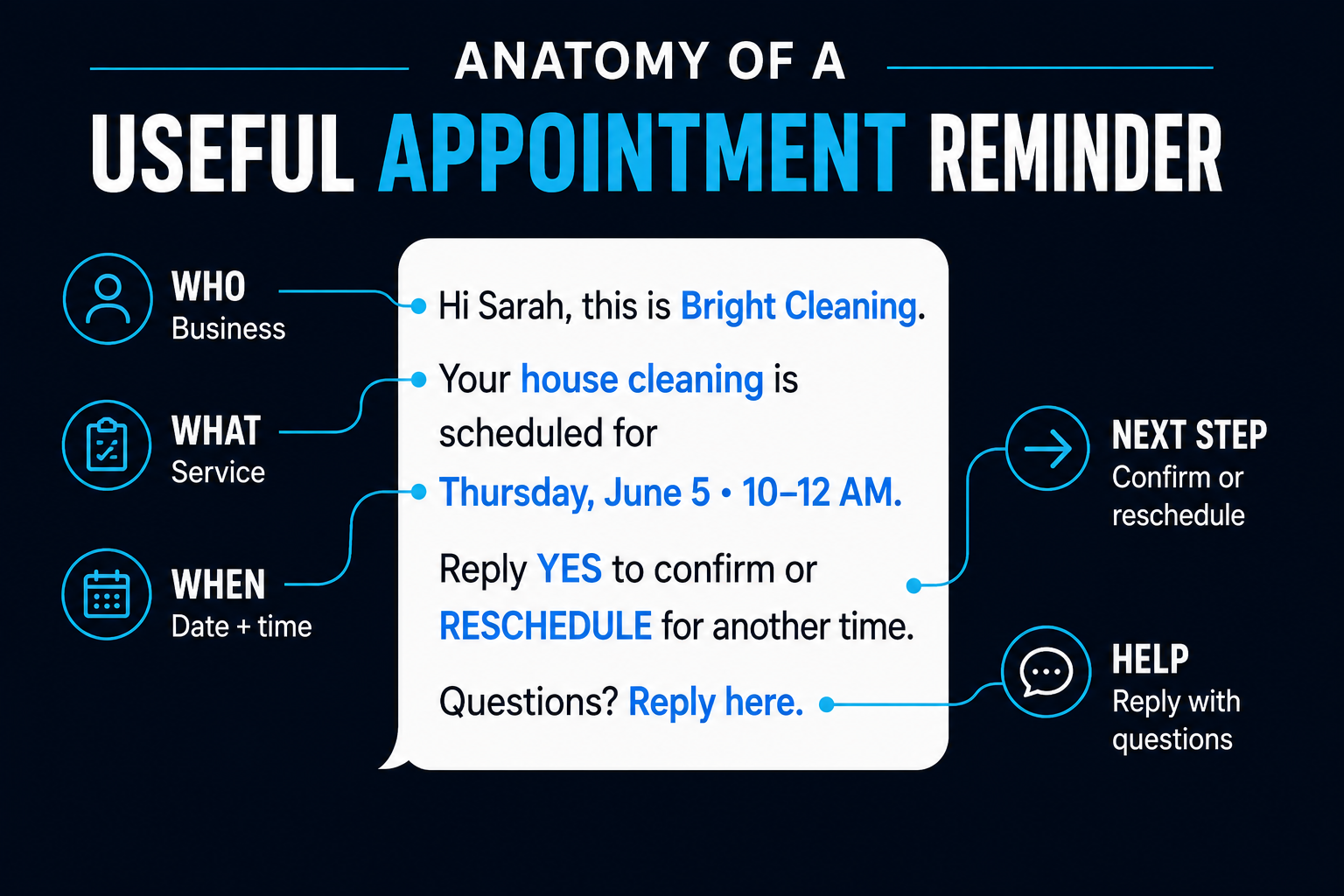
The best reminder is usually not the fanciest one.
It simply contains the information necessary to prevent confusion.
A useful structure is:
Who: [Business Name]
What: [Appointment or Service]
When: [Date + Time/Window]
Next step: [Confirm / Reschedule / Reply]
Help: [Reply here if needed]
You can think of it as removing questions before the customer has to ask them.
When Should Appointment Reminder Texts Be Sent?
There isn't one schedule every business should copy.
A haircut booked yesterday and a roofing estimate booked three weeks ago do not necessarily need the same reminder sequence.
A practical starting point for many appointment-based businesses is:
At booking: confirmation
About a day before: primary reminder
Day of: optional shorter reminder when useful
That's a starting framework, not a universal rule.
Then adjust it based on what actually happens in your business.
If customers reliably show up after one reminder, congratulations. You do not receive bonus points for sending four.
If appointments are scheduled weeks in advance or involve preparation, travel, access instructions, or high-value time slots, additional communication may make sense.
The goal isn't maximum texting.
It's fewer surprises.
What Happens When the Customer Replies?
This is where appointment reminders become much more interesting than scheduled text messages.
Suppose your reminder says:
Reply YES to confirm or RESCHEDULE if you need another time.
Now someone replies.
What happens?
If the answer is “someone eventually notices the text”, you have automated the easy half.
A better workflow might recognize what the customer is trying to do and move the process forward.
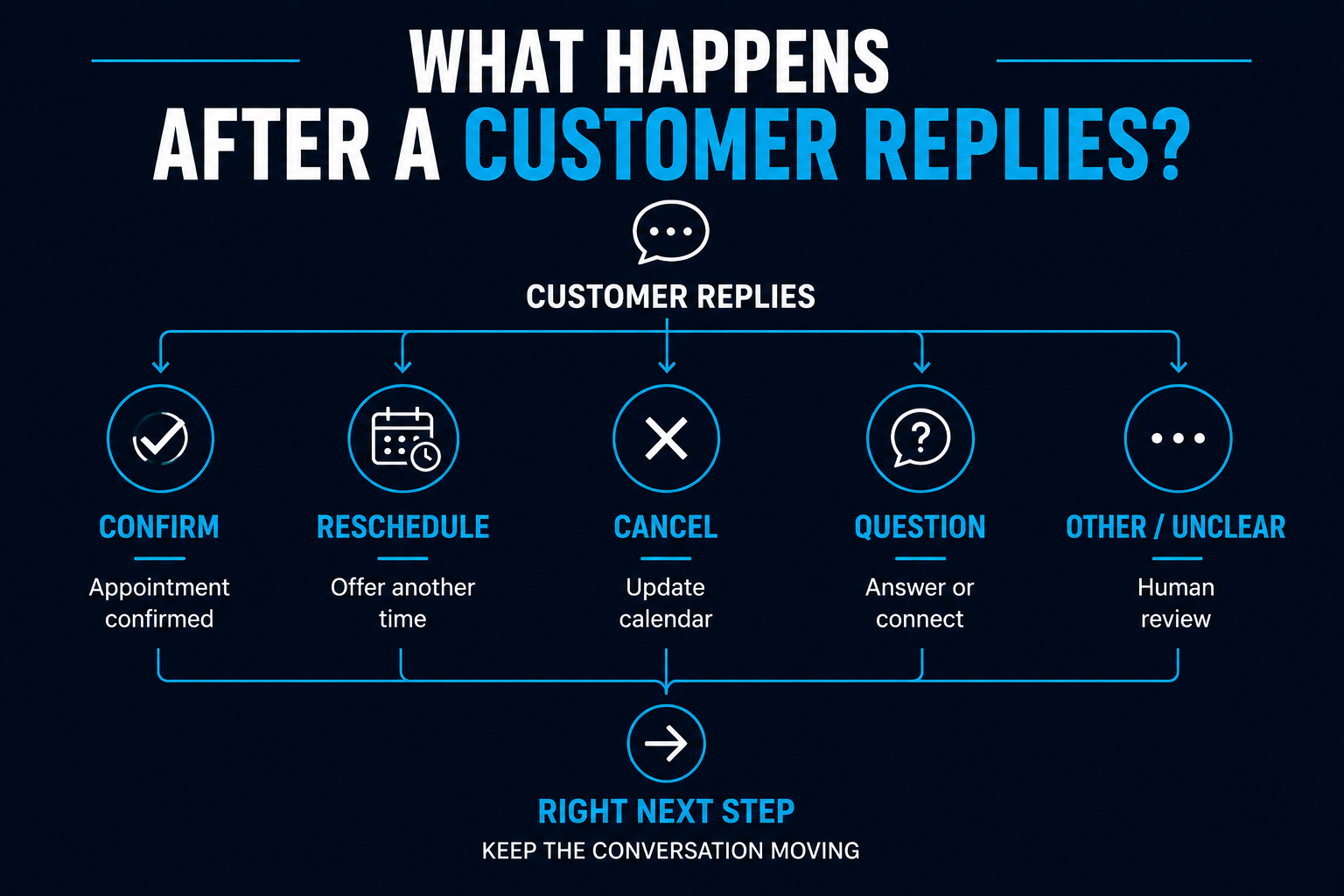
For example:
YES
→ mark the appointment confirmed
→ update the relevant record
→ stop unnecessary confirmation requests
RESCHEDULE
→ provide the appropriate scheduling path or alert the team
→ preserve the opportunity rather than treating it as a lost appointment
CANCEL
→ update the calendar/process
→ notify the appropriate person if necessary
QUESTION
→ route the conversation somewhere a person can actually respond
Some two-way appointment reminder systems can process responses such as confirmations, cancellations, and rescheduling requests and use those responses to trigger the appropriate next step.
The bigger idea is more important than the particular software:
The reminder should not be a dead-end message.
It should be connected to what happens next.
Don't Make Customers Fight the Automation
Automation should remove friction.
Sometimes businesses accidentally use it to manufacture friction at industrial scale.
Imagine receiving:
Reply YES to confirm.
You reply:
Can we move it to 3:00?
And the system responds:
Invalid response. Reply YES to confirm.
Wonderful. We've built a robot that knows you're wrong.
A better system recognizes that the customer has a legitimate request and either handles it appropriately or brings a person into the conversation.
AI can sometimes help interpret flexible responses, but ordinary rules are perfectly adequate when the response is predictable.
The principle we've discussed in our guide to practical AI automation ideas for small businesses applies here too:
Use AI where interpretation helps. Use ordinary automation where ordinary automation works.
Should Appointment Reminders Be Automated?
Usually, yes—if appointments are being created consistently in a calendar or scheduling system.
There is very little strategic value in having someone remember at 4:47 every afternoon:
Oh right, I need to text tomorrow's appointments.
Automation can make the basic sequence reliable.
The human team can then spend its attention on exceptions:
- unusual questions
- complicated rescheduling
- unhappy customers
- access problems
- special requests
- situations where judgment actually matters
That's the difference between automating communication and trying to automate the entire relationship.
Appointment Reminders Are Part of a Larger System
An appointment reminder is useful.
But it sits in the middle of a much larger journey.
Someone had to become a lead.
The business had to respond.
The lead may have needed qualification.
Someone scheduled the appointment.
The appointment needs confirmation and reminders.
If the customer reschedules, the calendar needs updating.
If they don't show, something should happen afterward.
That's why we treat reminders as one component of a broader lead conversion system, rather than as an isolated texting trick.
If no-shows are the larger problem you're trying to solve, our guide to reducing appointment no-shows goes deeper into the overall process.
And if the appointment is part of a longer sales process, automated lead follow-up may continue before and after the scheduled conversation.
A Simple Rule for Writing Better Reminder Texts
Before sending a reminder, ask:
If I received this message with no other context, would I know what was happening and what to do next?
If yes, you're probably close.
If the customer has to search their email, remember who you are, find your phone number, decode an abbreviation, or figure out how to reschedule...
the reminder isn't finished.
Clear beats clever.
Useful beats impressive.
And making the next step easy beats sending another message explaining the first message.
