
Your website looks old.
The competitor's looks better.
Someone on your team hates the homepage.
Maybe leads aren't coming through like they used to.
So the obvious solution is a redesign, right?
Maybe.
But before replacing the website, there's a more important question:
What is actually broken?
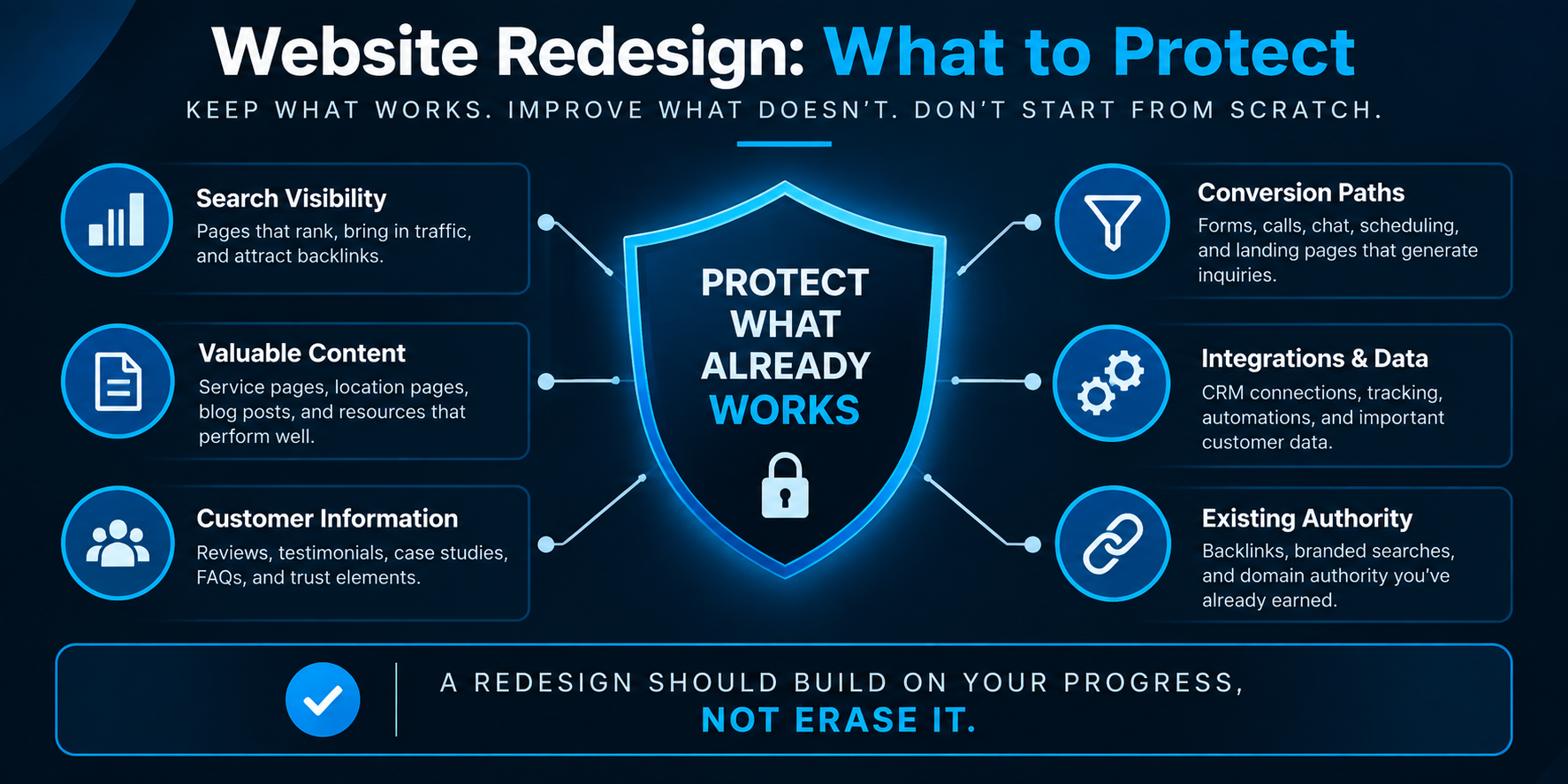
A service-business website can have an outdated design and still contain valuable pages, search visibility, customer information, conversion paths, reviews, integrations, and content worth preserving.
It can also look fantastic while doing a terrible job of turning visitors into opportunities.
That's why the first step in a website redesign shouldn't be choosing colors, templates, or animations.
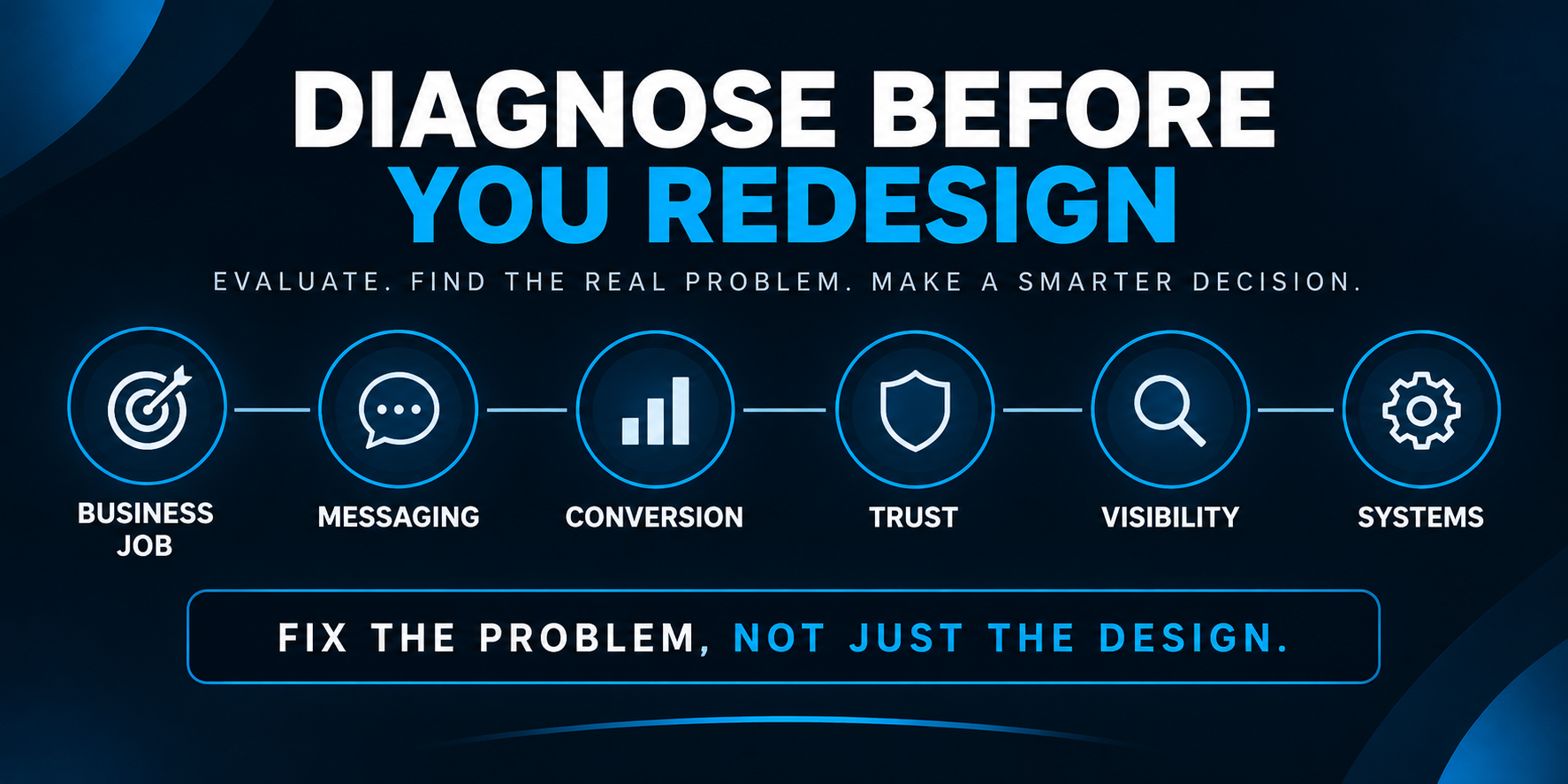
It should be diagnosing what job the current website is failing to do.
This checklist will help you do that before you rebuild. If you want a faster first pass, try our 5-Minute Local Business Website Test before assuming a full redesign is necessary.
Quick Website Redesign Checklist
If you're considering a redesign, start here:
- Define what the website needs to accomplish.
- Identify what's already working.
- Audit your messaging and positioning.
- Review the customer journey.
- Find where inquiries are getting lost.
- Decide which content should stay, improve, merge, or disappear.
- Protect valuable URLs and search visibility.
- Review trust and proof.
- Test the mobile experience.
- Check speed and usability.
- Inventory forms, chat, scheduling, tracking, CRM, and automations.
- Decide whether you actually need a full rebuild.
- Map old URLs to new URLs.
- Test every conversion path before launch.
- Record a baseline so you can measure whether the redesign actually improved anything.
That's the condensed version.
The important part is understanding why each item matters.
1. Define the Job of the Website
Before asking what the new website should look like, decide what it needs to do.
For many service businesses, the website needs to help a visitor:
- understand what the company does,
- determine whether the business is relevant to their needs,
- trust the company enough to continue,
- take an appropriate next step.
That next step could be calling, requesting an estimate, starting a conversation, scheduling an appointment, visiting a showroom, or submitting a form.
Different businesses will have different goals.
But if nobody can clearly explain the website's job, redesign decisions quickly become subjective.
The conversation turns into:
“I like this layout.”
“Can we make the logo bigger?”
“I saw this animation on another website.”
Those aren't necessarily bad design conversations.
They're just not a business strategy.
Start with the job.
Then design around it.
2. Find Out What's Already Working
A redesign shouldn't begin with the assumption that everything on the current website is bad.
Before replacing anything, identify what already has value.
Look at:
- pages receiving organic search traffic,
- pages generating inquiries,
- service pages that rank,
- location pages with visibility,
- pages attracting links,
- frequently visited resources,
- successful landing pages,
- forms that generate qualified inquiries,
- calls or appointments originating from the site.
Use your analytics, Search Console, CRM data, call tracking, form submissions, and other available information rather than relying entirely on opinions.
You may discover that an ugly service page is bringing in business.
Don't delete something useful because it isn't pretty.
3. Audit the Message Before You Touch the Design
Sometimes the design isn't the main problem.
The website may simply be unclear.
A visitor should be able to figure out relatively quickly:
What do you do?
Who do you do it for?
Where do you do it?
Why should I consider you?
What should I do next?
A gorgeous redesign wrapped around vague messaging is still vague.
Before rebuilding the site, review your:
- homepage headline,
- service descriptions,
- location/service-area information,
- calls to action,
- value proposition,
- navigation labels,
- customer-facing terminology.
If your current website says things like:
“Innovative solutions for today's changing world.”
you may not have a design problem.
You may have a clarity problem.
For a deeper look at the core elements, see What Should a Service Business Website Include?
4. Map the Customer Journey
Open your current website and pretend you've never heard of the business.
Then choose a realistic scenario.
For example:
“My roof is leaking and I'm trying to figure out whether this company serves my area and how to get someone to look at it.”
Now try to accomplish that goal.
Where do you land?
What do you click?
What information do you need?
What questions arise?
What happens when you decide you're interested?
The exercise sounds simple, but it exposes a lot.
Service-business websites are often organized around the company rather than the customer.
The navigation may make perfect sense internally while forcing visitors to figure out where their problem fits.
A redesign is an opportunity to fix that.
5. Find Where Leads Are Actually Leaking
Suppose the website gets traffic but produces few inquiries.
That could be a website problem.
But suppose the website generates plenty of forms and calls, yet the business still says:
“The website doesn't generate enough business.”
Now we have a different problem.
Maybe:
- calls are being missed,
- form leads wait hours for a response,
- nobody follows up consistently,
- inquiries aren't routed properly,
- prospects receive no response after hours,
- scheduling creates friction,
- estimates go cold.
A redesign won't automatically fix any of those.
This is why BLB looks at the website as part of a larger conversion system.
The website may generate the opportunity.
The business still needs a process for turning that opportunity into a conversation, appointment, estimate, or customer.
If this sounds familiar, read Why Getting More Leads Isn't Always the Answer.
6. Decide What Content Should Stay, Improve, Merge, or Go
A redesign often creates the temptation to start from scratch.
Be careful.
Existing content may have accumulated search visibility, links, topical relevance, customer usefulness, or historical value.
Create an inventory of your current pages and put each into one of four buckets:
Keep
The page is useful and still serves a clear purpose.
Improve
The topic or page matters, but the content, messaging, structure, or conversion path needs work.
Merge
Several thin or overlapping pages could become one stronger resource.
Remove
The page is outdated, irrelevant, duplicated, or no longer useful.
This prevents the redesign from becoming a giant digital junk drawer—or, just as bad, a demolition project that throws away useful assets.
7. Protect Existing SEO and Local Visibility
Website redesigns become particularly risky when URLs change.
A page currently located at:
/air-conditioning-repair
might become:
/services/ac-repair
That may look harmless from a design perspective, but search engines and other websites already know the original URL.
If important URLs change, you need a migration plan.
Google's official site-move guidance recommends preparing a mapping between old and new URLs, updating internal links and canonical references, using permanent server-side redirects where appropriate, testing the move, and monitoring it afterward.
Before launch, document:
- current URLs,
- destination URLs,
- pages being removed,
- pages being merged,
- existing canonical URLs,
- important internal links,
- valuable backlinks where known,
- sitemap changes.
Don't redirect every deleted page to the homepage because it's convenient.
Map old pages to the most relevant new destination.
And if a URL doesn't need to change, ask why you're changing it.
8. Review Trust and Proof
A service-business website asks visitors to make a trust decision.
That matters even more when the service involves entering someone's home, spending thousands of dollars, committing to a long project, or trusting a company with something important.
Review whether the current site provides real evidence.
Depending on the business, that might include:
- customer reviews,
- project photos,
- before-and-after examples,
- team information,
- years in business,
- licenses or credentials where relevant and verified,
- service guarantees when actually offered,
- recognizable manufacturers or partners,
- detailed process information,
- physical location information,
- real answers to common buying questions.
Don't manufacture trust signals for the redesign.
Use real ones.
A clean design can make proof easier to consume.
It cannot substitute for proof that doesn't exist.
9. Audit the Mobile Experience
Don't just shrink the desktop site and call it mobile-friendly.
Use the current website from your phone.
Try to:
- understand the business,
- find a service,
- read a service page,
- navigate the menu,
- tap the phone number,
- complete a form,
- start a chat,
- schedule an appointment,
- return to the previous page.
Pay attention to friction.
Tiny text, giant images, sticky elements covering content, forms with too many fields, confusing menus, slow-loading sections, and buttons that are difficult to tap all become more obvious when you're actually using the site.
For many service businesses, the mobile experience isn't a secondary version of the website.
It's the website many prospects will actually experience.
10. Check Performance Before and After the Redesign
A redesign shouldn't make a website slower just because the new version has more visual effects.
Before rebuilding, record a performance baseline.
Look at things such as:
- page-loading behavior,
- oversized images,
- unnecessary scripts,
- layout shifts,
- mobile responsiveness,
- third-party widgets,
- heavy animations,
- hosting limitations.
Then compare the redesigned site against the baseline.
A new website that looks better but feels noticeably slower isn't automatically an improvement.
11. Inventory Everything Connected to the Website
This is where redesign projects can get surprisingly messy.
The visible pages are only one part of the website.
Create an inventory of anything connected to it, including:
- contact forms,
- quote-request forms,
- website chat,
- calendars,
- CRM integrations,
- call tracking,
- analytics,
- advertising pixels,
- email notifications,
- text notifications,
- payment tools,
- review widgets,
- marketing automations,
- lead-routing rules,
- third-party scripts.
Then document what each one does.
Otherwise the new website can launch looking fantastic while quietly breaking the system behind it.
12. Decide Whether You Actually Need a Full Rebuild
Not every website problem requires replacing the website.
This is one of the most useful decisions you can make before spending money.
| Current problem | What may actually be needed |
|---|---|
| Site looks dated but otherwise works | Visual refresh |
| Visitors don't understand the offer | Messaging/copy update |
| Visitors aren't taking action | Conversion-path improvements |
| Site structure is confusing | Navigation/content restructure |
| Mobile experience is poor | Mobile UX improvements |
| Site is slow | Performance work |
| Platform prevents needed functionality | Rebuild or platform migration |
| Leads arrive but aren't followed up | Fix the post-inquiry process |
| Important pages are weak or outdated | Content improvement |
| Branding has materially changed | Broader redesign may make sense |
Several of these can justify a redesign.
But the diagnosis determines the scope.
Don't replace an entire website to solve a problem that lives somewhere else.
13. Design the New Site Around the Customer Journey
Once you've diagnosed the problems, the redesign becomes easier to plan.
The structure should help customers move from question to answer to appropriate next step.
For example:
Problem or need → Relevant service → Proof → Questions answered → Contact or scheduling
That doesn't mean every visitor follows the same path.
It means the website gives people sensible routes instead of making them wander around.
This is where website conversion strategy matters more than decorative polish.
A high-converting website isn't one that shouts “CALL NOW” every six inches.
It reduces uncertainty and makes the next step easier when the visitor is ready.
14. Plan What Happens After Someone Contacts You
This is the step I'd add to almost every traditional website redesign checklist.
Don't stop your redesign map here:
Visitor → Form submitted
Keep going.
What happens after the form?
Who gets notified?
How quickly?
Does the lead enter a CRM?
Does the prospect receive a response?
Can the conversation continue by text?
What happens if nobody answers the phone?
Can an appropriate prospect schedule?
What happens if the person doesn't book immediately?
Who follows up?
The website's job doesn't necessarily end when someone clicks Submit.
If you haven't mapped this part yet, What Should Happen After Someone Fills Out Your Website Form? is a good place to start.
15. Create a URL and Redirect Plan Before Launch
Do this before the new website goes live.
Not afterward when someone notices traffic disappearing.
Create a simple spreadsheet containing:
Old URL → New URL → Action
For every important existing page, decide whether it:
- stays at the same URL,
- moves to a new URL,
- merges into another page,
- is intentionally removed.
Then implement the appropriate redirects and update internal links.
Before launch, also verify that canonical tags point to the correct URLs, the XML sitemap reflects the new site, important pages remain indexable, and any development noindex rules haven't accidentally made it into production.
This is boring work.
It is also considerably less exciting to discover three weeks after launch that half the old URLs now return errors.
16. Test the Entire Lead Path Before Launch
Don't test only whether the pages load.
Test whether the business works.
Submit every important form.
Call every tracked phone number.
Test chat.
Book through the calendar.
Check mobile.
Click confirmation links.
Verify notifications.
Confirm CRM records.
Check automated responses.
Make sure the right person receives the inquiry.
Then test what happens when something goes wrong.
If a website is supposed to generate business opportunities, the launch checklist needs to verify the entire opportunity path.
17. Establish a Before-and-After Baseline
How will you know whether the redesign worked?
“Everybody likes it better” is useful feedback.
It isn't the whole measurement plan.
Before launch, record the metrics that matter for the business.
Depending on the site, that may include:
- organic search traffic,
- impressions and clicks,
- important keyword visibility,
- form submissions,
- phone calls,
- appointments,
- conversion rate,
- engagement with important pages,
- page performance,
- qualified opportunities.
Then compare after launch.
Expect some metrics—particularly search visibility after significant URL changes—to need time to stabilize.
The goal is not to panic over every daily fluctuation.
It's to determine whether the new website is doing its job better than the old one.
The Website Redesign Checklist I'd Actually Use
Before approving a redesign, I would want clear answers to these questions:
Strategy
- What job should the website perform?
- Who are the primary visitors?
- What should they be able to accomplish?
Current performance
- Which pages already attract traffic?
- Which pages generate inquiries?
- Which assets already have search or customer value?
Messaging
- Is the offer immediately understandable?
- Are services and service areas clear?
- Are calls to action appropriate?
Conversion
- Can visitors easily call, inquire, chat, or schedule?
- What happens after they do?
Trust
- Does the site show real evidence?
- Are claims accurate and verifiable?
SEO
- Which URLs need to remain?
- Which URLs are changing?
- Is there a redirect map?
- Are internal links, canonicals, and sitemap changes accounted for?
Technology
- What forms, CRM connections, calendars, tracking tools, chat systems, and automations need to survive the move?
Testing
- Has the full customer journey been tested on desktop and mobile?
- Have forms, calls, scheduling, tracking, and notifications been verified?
Measurement
- What baseline are we comparing against?
- What would actually make the redesign successful?
If those questions don't have answers yet, you're probably not ready to redesign.
You're ready to diagnose.
Common Website Redesign Mistakes
A few mistakes show up repeatedly:
Starting with appearance
Visual design matters.
It just shouldn't be the only diagnosis.
Deleting useful pages
“Old” doesn't automatically mean “worthless.”
Check what a page contributes before removing it.
Changing every URL
Sometimes URL changes are necessary.
Changing them simply because a new structure looks cleaner can create unnecessary migration work and risk.
Forgetting what happens after the lead
A beautiful form that sends inquiries into a slow or inconsistent process hasn't fixed the customer journey.
Rebuilding broken messaging
New typography doesn't make unclear positioning clearer.
Adding technology without a job
Chat, AI, scheduling, automation, and CRM integrations should solve identifiable problems.
More software isn't automatically a better website.
Launching without a baseline
If you didn't measure the old website, it becomes much harder to determine what the new one actually improved.
A Redesign Should Fix Something
There are plenty of legitimate reasons to redesign a service-business website.
The company may have changed.
The site may be difficult to manage.
The mobile experience may be poor.
The messaging may no longer represent the business.
The platform may limit what you can build.
The website may fail to convert traffic into meaningful opportunities.
But “we want something newer” isn't much of a diagnosis.
Before rebuilding, determine what should be preserved, improved, connected, removed, and measured.
Then build the new website around those decisions.
Because the goal isn't simply to launch a new website.
It's to end up with a better business asset than the one you replaced.
