If you're setting up HighLevel for one business, rebuilding a few workflows, forms, calendars, and pipeline stages manually might not seem like a big deal.
Do it for ten client accounts and you'll probably change your mind.
That's where GoHighLevel snapshots become useful.
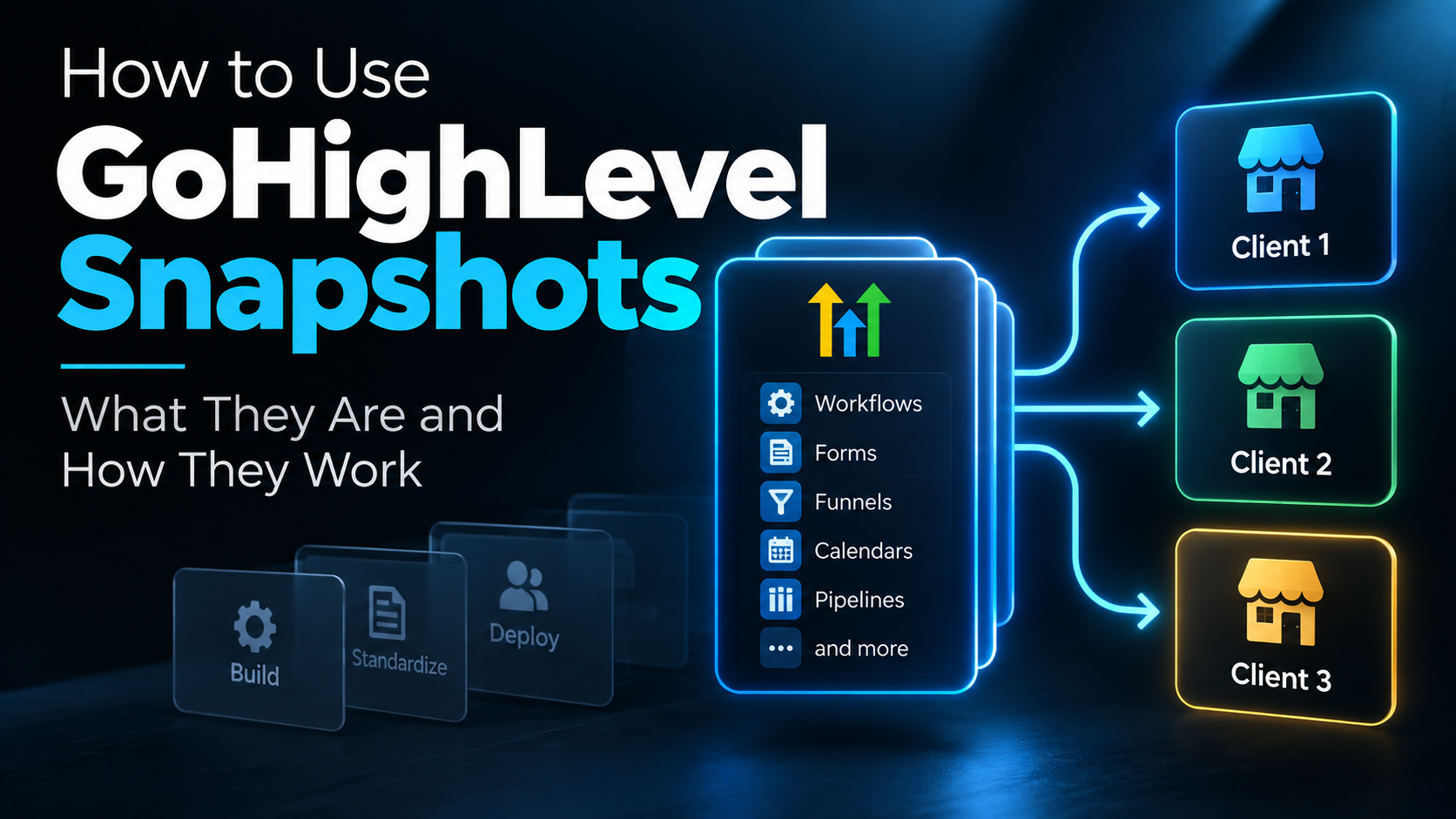
A snapshot lets you take reusable parts of a HighLevel sub-account and use that configuration as a starting point for other accounts. Instead of rebuilding the same basic system every time you onboard a similar client, you can capture what you've already built and deploy it again.
But there's an important distinction:
A HighLevel snapshot can duplicate a configuration. It cannot duplicate the thinking that made the configuration useful.
That's why snapshots are powerful for agencies and automation businesses—and also why blindly loading the same massive snapshot into every client's account isn't necessarily a good strategy.
Here's how they actually work.
What Is a GoHighLevel Snapshot?
A GoHighLevel snapshot is a reusable copy of selected configuration assets from a HighLevel sub-account.
You don't build a snapshot from scratch.
You first build the system inside a sub-account. Once that account contains the workflows, funnels, forms, calendars, pipelines, custom fields, and other assets you want to reuse, you create a snapshot from that account.
Think of it as turning a working account configuration into a reusable starting template.
HighLevel currently allows agencies to choose which available assets they want to include rather than requiring every part of the source account to be copied.
That distinction matters.
A useful snapshot doesn't necessarily need to contain everything you've ever built. It should contain the pieces that actually belong together.
Why Agencies Use HighLevel Snapshots
The obvious benefit is speed.
Imagine you've developed a lead-conversion system for a home-service business that includes:
- a lead form
- custom fields
- a sales pipeline
- an appointment calendar
- an instant-response workflow
- follow-up sequences
- internal notifications
- email and SMS templates
Without a snapshot, you could recreate those assets manually for the next account.
With a snapshot, much of that underlying configuration can become your starting point instead.
That can make snapshots useful for:
- onboarding similar clients
- standardizing agency setups
- creating repeatable service packages
- deploying systems across multiple locations
- building vertical-specific configurations
- supporting productized services
- creating the foundation for certain SaaS offers
This is one of the reasons I think HighLevel makes more sense when you stop looking at it as one giant piece of software and start looking at it as infrastructure for systems you can build and reuse.
If you're still getting familiar with the platform itself, my complete guide to GoHighLevel provides the broader picture.
What Does a GoHighLevel Snapshot Actually Copy?
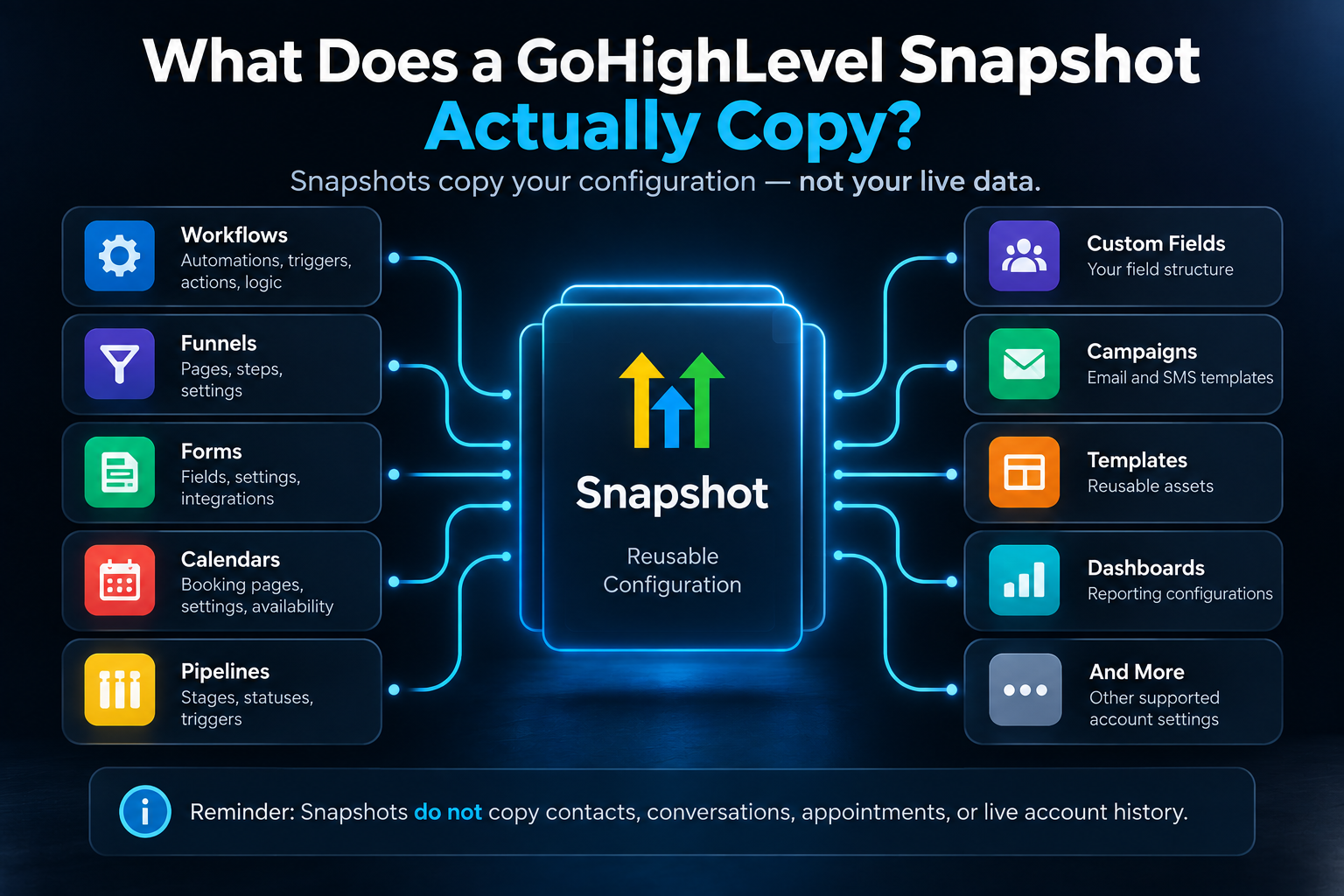
Snapshots are primarily designed to transfer configuration, not the live activity of a business.
Depending on what's available in the source account and what you select, snapshots can include many reusable assets such as:
- workflows
- funnels
- forms
- calendars
- pipelines
- custom fields
- campaigns
- dashboards
- templates
- other supported account configurations
HighLevel has continued expanding snapshot support as the platform has expanded, so the exact asset categories available can change.
That's another reason I wouldn't treat an old snapshot checklist from a random tutorial as permanent documentation.
Review what's actually available when you're creating the snapshot.
What Doesn't a Snapshot Copy?
This is where people can misunderstand what a snapshot actually does.
A snapshot is not a complete clone of a functioning business account.
It does not simply package the client's entire live HighLevel environment and recreate it somewhere else.
HighLevel's current documentation specifically distinguishes reusable configuration from live account data. Contacts, conversations, appointments, and live account history are not transferred as part of the snapshot.
And even when configuration is transferred, account-specific connections may still need attention.
Think about things such as:
- phone setup
- email configuration
- domains
- payment connections
- users
- external integrations
- connected calendars
- business information
- account-specific credentials
A snapshot can give you a substantial head start.
It doesn't eliminate implementation.
How to Create a Snapshot in GoHighLevel
The basic process starts at the agency level.
First, build or choose the sub-account containing the system you want to reuse.
Then:
- Go to Agency View.
- Open Account Snapshots.
- Choose Create New Snapshot.
- Give the snapshot a descriptive name.
- Select the source sub-account.
- Choose the assets you want included.
- Create the snapshot.
HighLevel then captures the selected configuration from that source account.
The most important part of that process actually happens before you click Create Snapshot.
The source account should be organized.
If your workflows are messy, your pipeline doesn't reflect a real sales process, your forms contain irrelevant fields, and nobody knows why half the automation exists, a snapshot just gives you a faster way to reproduce the mess.
Before turning an account into a reusable template, clean it up.
Example: A Snapshot for a Service-Business Lead Conversion System
Here's a hypothetical example.
Suppose an agency builds a lead-conversion system for service businesses.
A prospect submits a website form.
The system creates or updates the contact, creates an opportunity, places it into the appropriate pipeline, sends an immediate response, notifies the business, begins follow-up, and gives the prospect a way to schedule.
The underlying system might look something like this:
Website Inquiry
Contact + Opportunity
Pipeline
Instant Response
Automated Follow-Up
Scheduling
Notifications and Next Steps
You could build those components once in a clean source account and capture the reusable pieces in a snapshot.
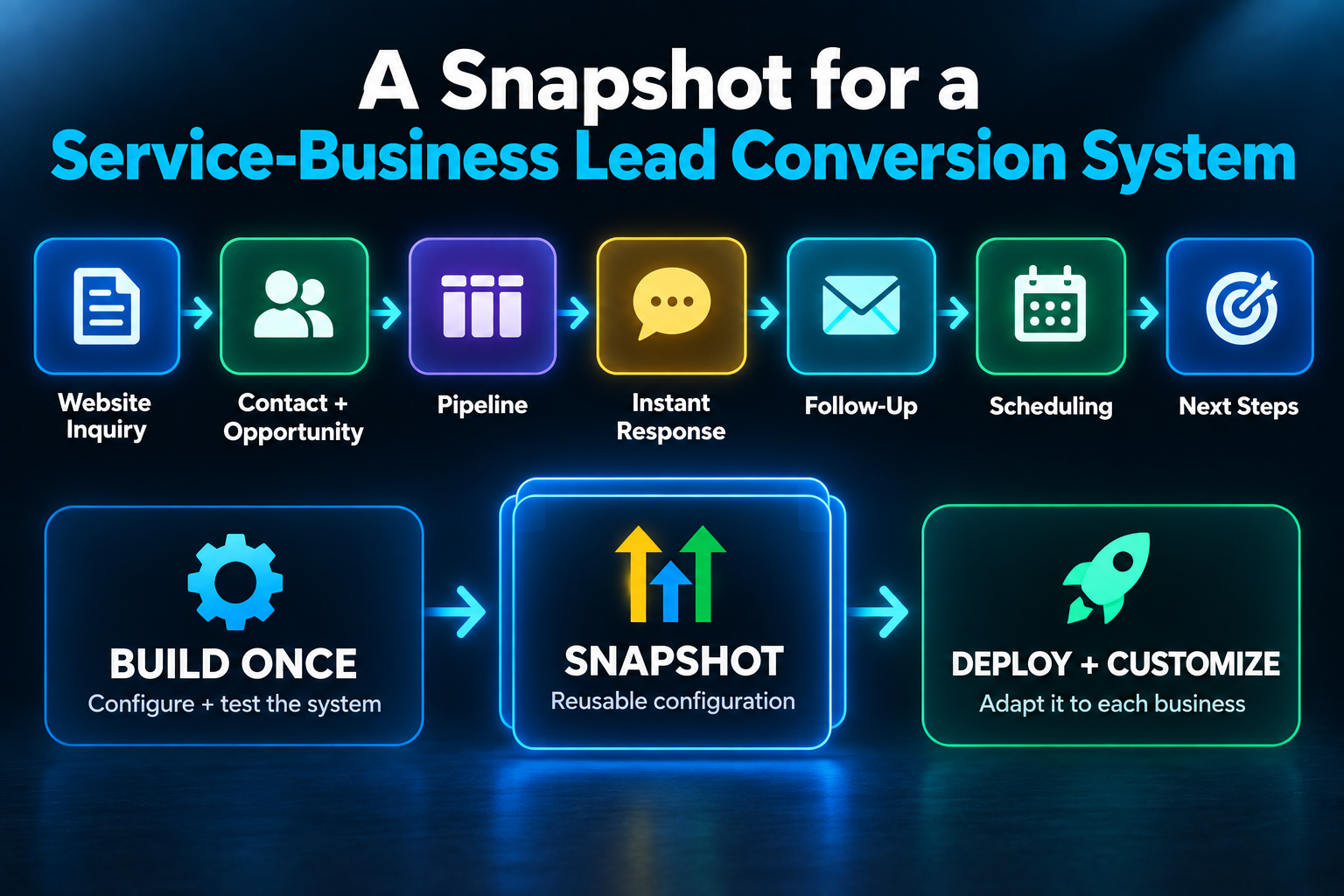
The next client might start with that architecture instead of an empty account.
But that does not mean every client should receive exactly the same implementation.
One business may qualify leads before allowing them to schedule.
Another may want every new inquiry offered an appointment immediately.
One company may need an estimate stage in its pipeline.
Another may sell directly on the first call.
The snapshot provides the framework.
Your job is still to make the framework fit the business.
If you're working on that underlying architecture, my guides to GoHighLevel workflows and GoHighLevel pipelines go deeper into those two parts of the system.
Loading a Snapshot Into Another Account
Once you have a snapshot, you can use it when creating a new sub-account or load selected snapshot assets into an existing sub-account.
When loading into an existing account, pay attention to what's already there.
HighLevel can identify conflicts and give you choices about how certain assets should be handled.
Don't treat Load Snapshot like a button you click without looking.
Especially in an active client account.
Review what you're bringing in and what could conflict with existing assets before you confirm the load.
Snapshots Don't Automatically Stay Updated
This is another important detail.
Suppose you create a snapshot today.
Next month, you improve the source workflow, add a form field, change part of the funnel, or clean up another component.
Those changes don't automatically appear in the existing snapshot.
You need to refresh the snapshot to capture selected changes from the source sub-account.
HighLevel currently lets you selectively refresh snapshot assets rather than rebuilding everything from scratch.
That's useful because a snapshot can evolve as the underlying system improves.
What Is Push Update?
After refreshing a snapshot, HighLevel can also push selected updates to linked sub-accounts within your agency that previously received that snapshot.
This is different from initially loading the snapshot.
A simple way to think about it is:
Load Snapshot = deploy selected snapshot assets into an account.
Refresh Snapshot = update the snapshot itself from the source account.
Push Update = send selected refreshed assets to linked accounts that already use the snapshot.
That can become valuable when you're maintaining similar systems across multiple client accounts.
But again, I wouldn't blindly push changes everywhere just because the button exists.
A client's account may have been customized after the original deployment.
Understand what you're updating first.
Should You Create One Giant Agency Snapshot?
You can.
That doesn't mean you should.
I generally prefer thinking about snapshots around a specific use case or repeatable system rather than trying to cram every possible asset into one giant template.
A snapshot designed for a specific lead-conversion system is easier to understand than a mystery box containing years of unrelated agency assets.
The same idea applies when you package AI automation services.
The more clearly you understand what the package is supposed to accomplish, the easier it becomes to determine what belongs in the underlying implementation.
Vertical Snapshots Can Be Useful—But Don't Confuse a Niche With a Process
HighLevel snapshots are often organized around industries.
You might have a snapshot for:
- HVAC companies
- roofers
- dental practices
- real estate
- gyms
- salons
That can make sense when those businesses genuinely share processes and required assets.
But putting an HVAC label on a snapshot doesn't automatically make it useful for every HVAC company.
The more important question is:
What process is this snapshot designed to support?
- Lead response?
- Appointment booking?
- Estimate follow-up?
- Review generation?
- Client onboarding?
- Reactivation?
Start with the business process.
Then decide whether vertical-specific customization improves it.
A Snapshot Is Not Client Onboarding
This distinction is worth making because it's easy to confuse faster deployment with finished onboarding.
Loading the configuration is only part of getting a client's system ready.
You still need to understand things such as:
- what happens when a lead comes in
- who should receive notifications
- how leads are qualified
- who owns each pipeline stage
- what calendars should be used
- when automation should stop
- what messaging is appropriate
- which integrations need to be connected
- what needs to be tested
That's why my AI automation client onboarding guide focuses heavily on understanding the business before rushing into the build.
A snapshot can accelerate implementation.
It shouldn't replace discovery.
Test the System After Loading the Snapshot
Don't assume that because the assets appeared successfully, the system is ready for a real lead.
Test it.
- Submit the form.
- Check the contact.
- Check the opportunity.
- Verify the pipeline stage.
- Trigger the workflow.
- Check the messages.
- Test the calendar.
- Verify internal notifications.
- Check the branches and stopping conditions.
You're not testing whether the snapshot copied.
You're testing whether the business system works in its new environment.
That is a much more important question.
When GoHighLevel Snapshots Become Really Valuable
Snapshots become much more interesting once you've stopped reinventing your service every time you get a client.
If every client gets an entirely different offer, process, tech stack, workflow, pipeline, and onboarding procedure, there may not be much worth standardizing.
But once you know:
This is the problem we solve.
This is the system we use to solve it.
These are the pieces we usually need.
Now you have something repeatable.
And repeatability is where snapshots can save serious implementation time.
That's particularly relevant if you're trying to build an automation business around productized systems rather than random one-off technical projects.
The Bottom Line
GoHighLevel snapshots let you capture reusable configuration from a sub-account and deploy that configuration into other accounts.
They're useful because you don't have to rebuild the same underlying assets every time.
But the snapshot itself isn't the strategy.
Build the system first. Standardize what actually deserves to be standardized. Then use the snapshot to make deployment faster.
That's a much better approach than downloading or building the biggest snapshot possible and hoping it magically fits every client.
If you're considering HighLevel as the platform for building and deploying systems like these, you can explore it below.
Disclosure: Some links on this page are affiliate links. If you sign up through one of them, I may earn a commission at no additional cost to you. I only recommend tools I have personally used and believe are worth considering.
If you're more interested in building and selling automation systems for businesses, the 48-Hour AI Cashflow Stack walks through a practical starting framework for turning these kinds of capabilities into an offer.
Get the 48-Hour AI Cashflow Stack