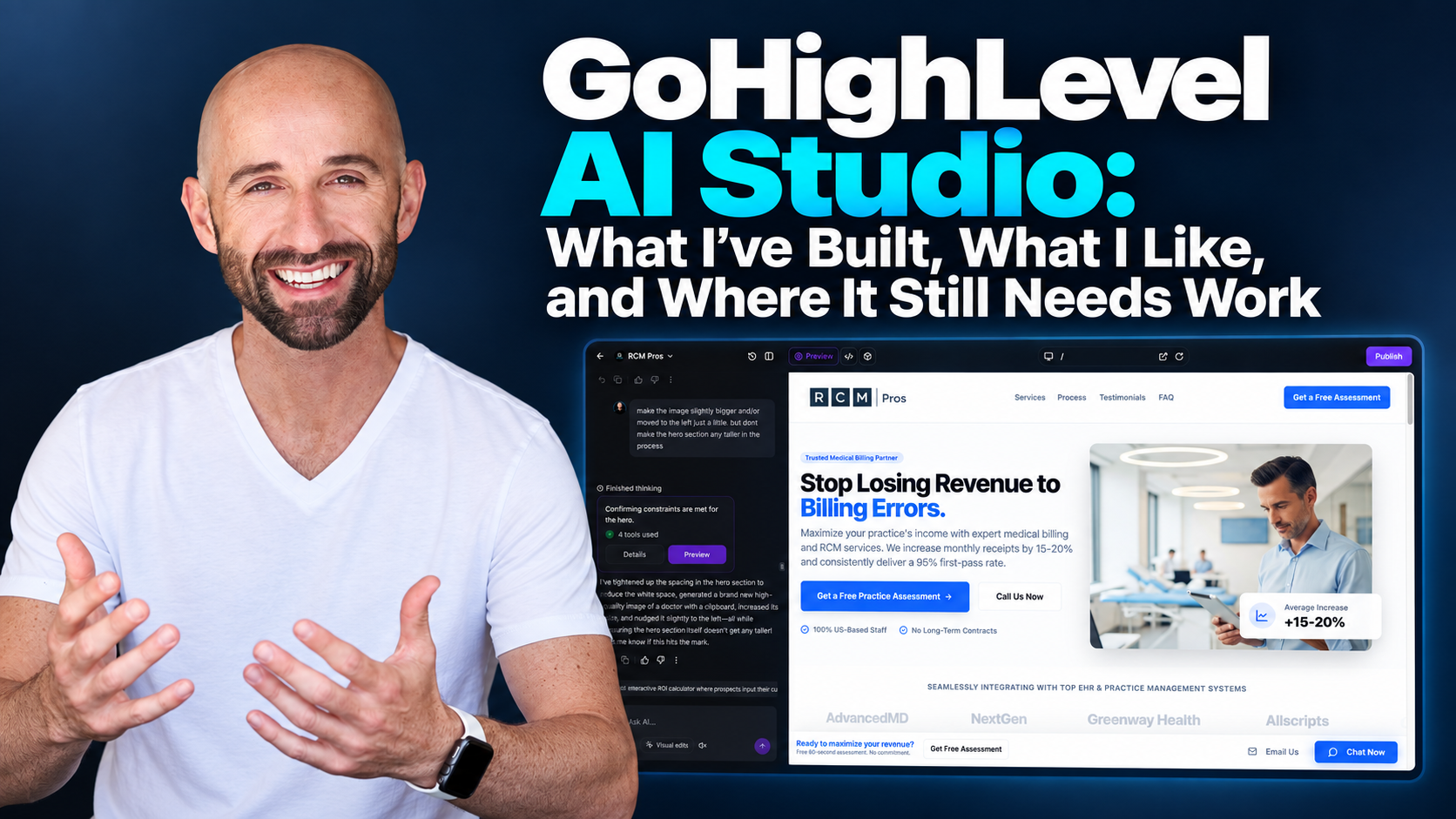
I've been building websites for more than 15 years. I've worked with GoHighLevel for roughly two and a half years. And I've been using its AI Studio since the beta period.
At this point, I build my websites in AI Studio rather than HighLevel's traditional website builder.
That doesn't mean I think AI can replace website experience, or that every prompt produces something ready to publish. It means the way I build has changed.
Instead of spending so much time clicking through menus to adjust layouts, interactions, and design details, I can describe what I want, see a result, and refine it. Sometimes that means a straightforward business page. Other times, it means a custom sample-selection experience, a growing content library, or an animated music page that started as a random idea.
I've also dealt with bugs, editing costs, finicky CRM connections, and the less exciting work required to make a website function properly after it looks good.
This is my experience using GoHighLevel AI Studio for real projects: what it is, what I've built, where it helps, and where I still think website knowledge matters.
What Is GoHighLevel AI Studio?
GoHighLevel AI Studio is a conversational workspace for building and editing web experiences. You describe what you want, review the result, and continue refining the project through prompts.
HighLevel documents AI Studio as a way to create websites, landing pages, forms, booking experiences, and interactive web projects. It is separate from HighLevel's traditional website and funnel builder, including the AI-assisted creation features available inside that builder.
That's an important distinction if you're researching the platform. “HighLevel AI website builder” can refer to different experiences, and they don't all work the same way.
AI Studio is the environment I'm discussing here.
For an overview of the broader platform, see my GoHighLevel guide. For HighLevel's own description of AI Studio and its available functions, see the official AI Studio documentation.
What I've Actually Built With AI Studio
I don't want to evaluate a website tool based on a single demo page. Here are the kinds of projects I've used AI Studio for, and what each one taught me.
Business websites for different service companies
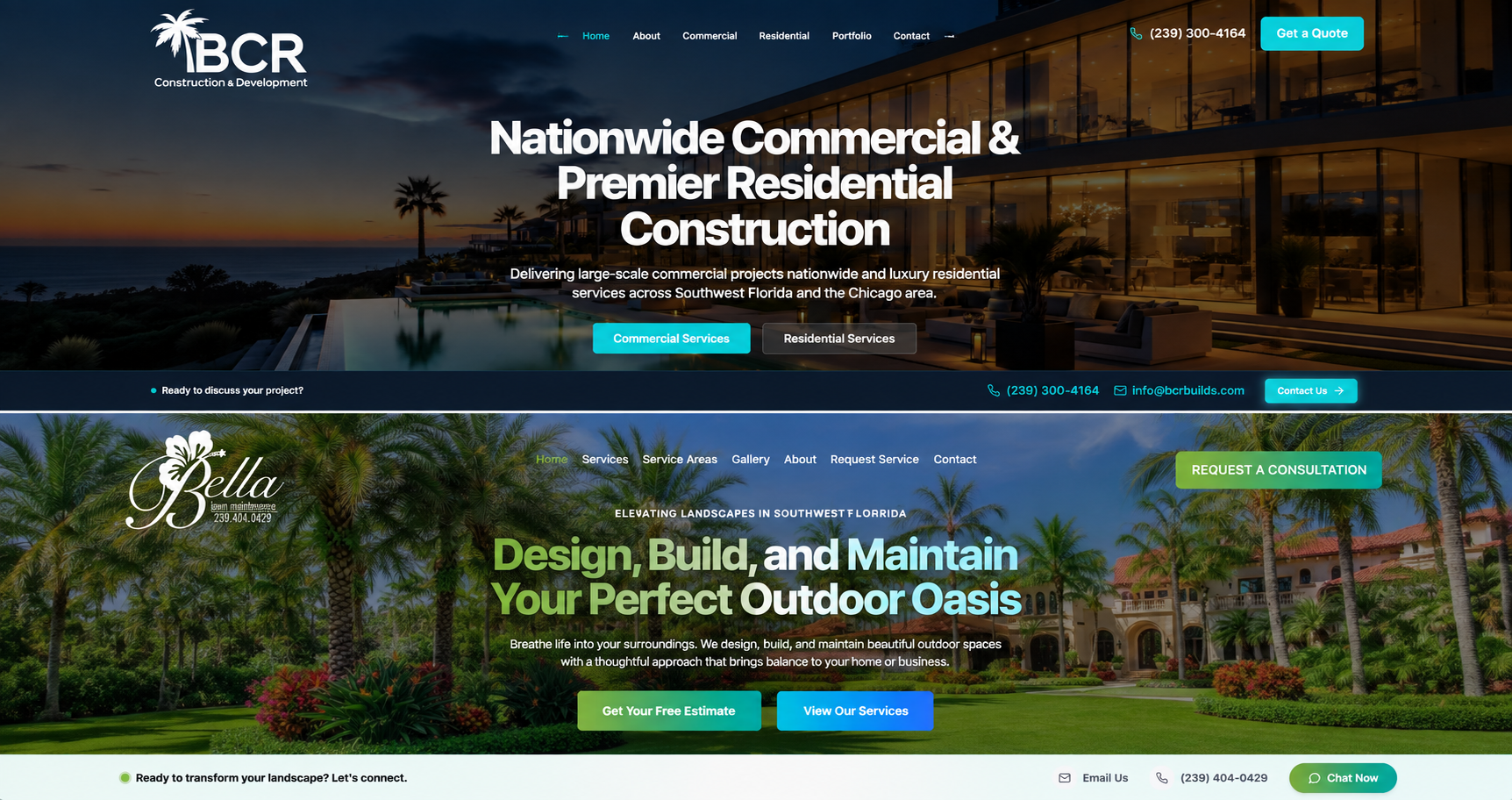
I've built websites in AI Studio for Precision Pavers & Pool Design, Bella Lawn Maintenance, and BCR Construction & Development, among other projects.
Those businesses don't have identical audiences or website needs. A pool and outdoor-living company needs to present services, materials, and project possibilities differently from a landscape company or a commercial construction business.
The value for me is being able to describe a page or section, refine the layout, and work toward the experience that fits the business instead of starting every decision with a fixed set of builder controls.
That doesn't eliminate the need for website strategy. I still have to decide what belongs on the page, how people should navigate it, what establishes trust, and what action a visitor should take next.
Boost Local Biz and its content engine
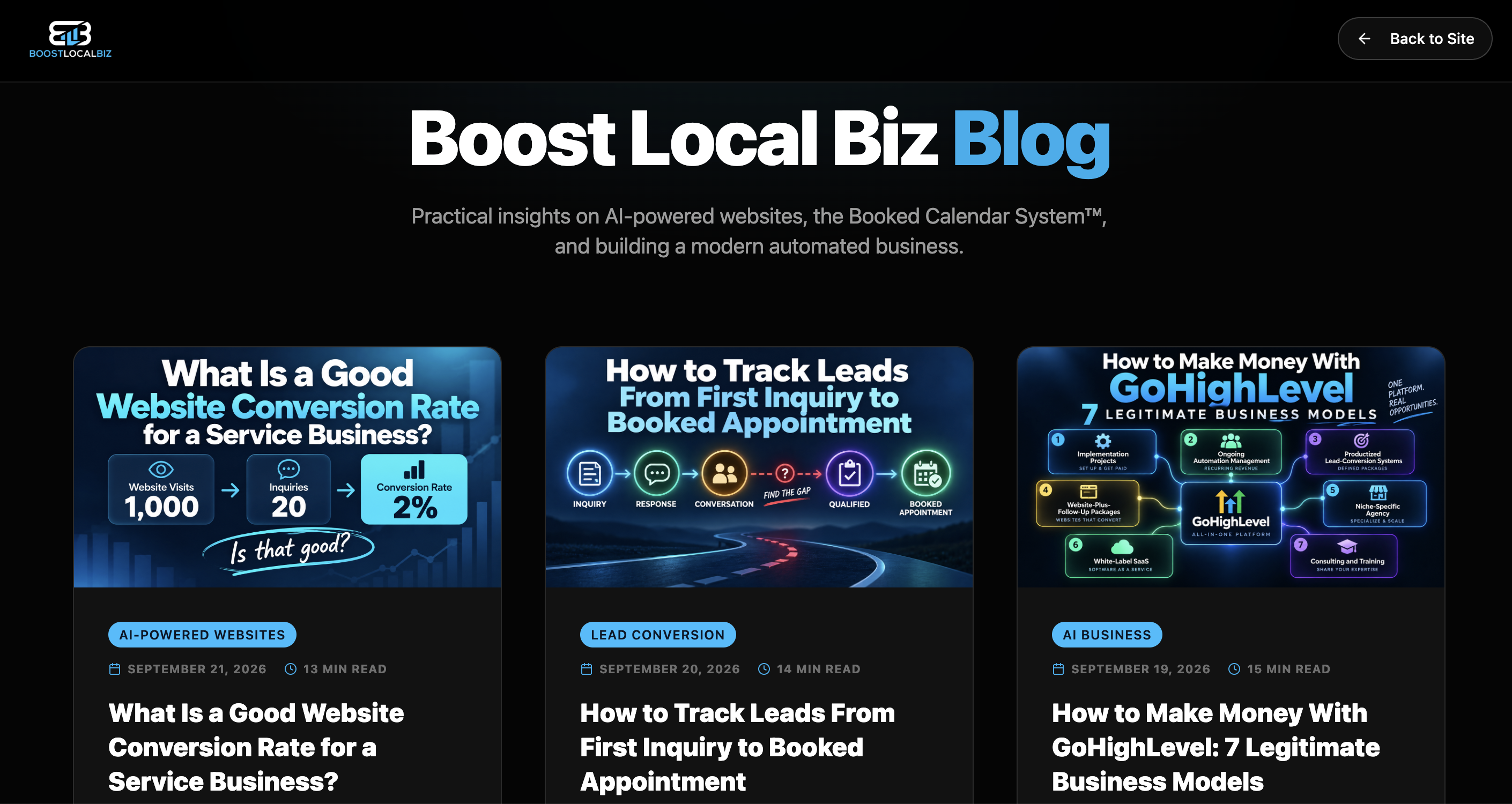
One of my more substantial AI Studio projects is the site you're reading right now: Boost Local Biz.
I haven't used AI Studio only to launch the homepage. I've used it to build and operate a growing content-driven website, including the blog, article layouts, images, internal links, metadata, and the ongoing changes that come with publishing regularly.
That is a different test from making a landing page look good.
As a content library grows, the site needs consistent article templates, sensible navigation, reliable routes, working links, and a publishing process that doesn't accidentally damage existing pages. The visual design matters, but so does everything underneath it.
AI Studio makes it easier for me to describe changes and build new experiences. It does not remove the need to check the finished work.
If you're building a content-heavy site, don't judge the tool only by how quickly it generates your first page. Judge it by how confidently you can maintain the fiftieth page without breaking the first.
Precision's sample-request feature: where the website becomes a business tool
This is one of my favorite examples because it goes beyond appearance.
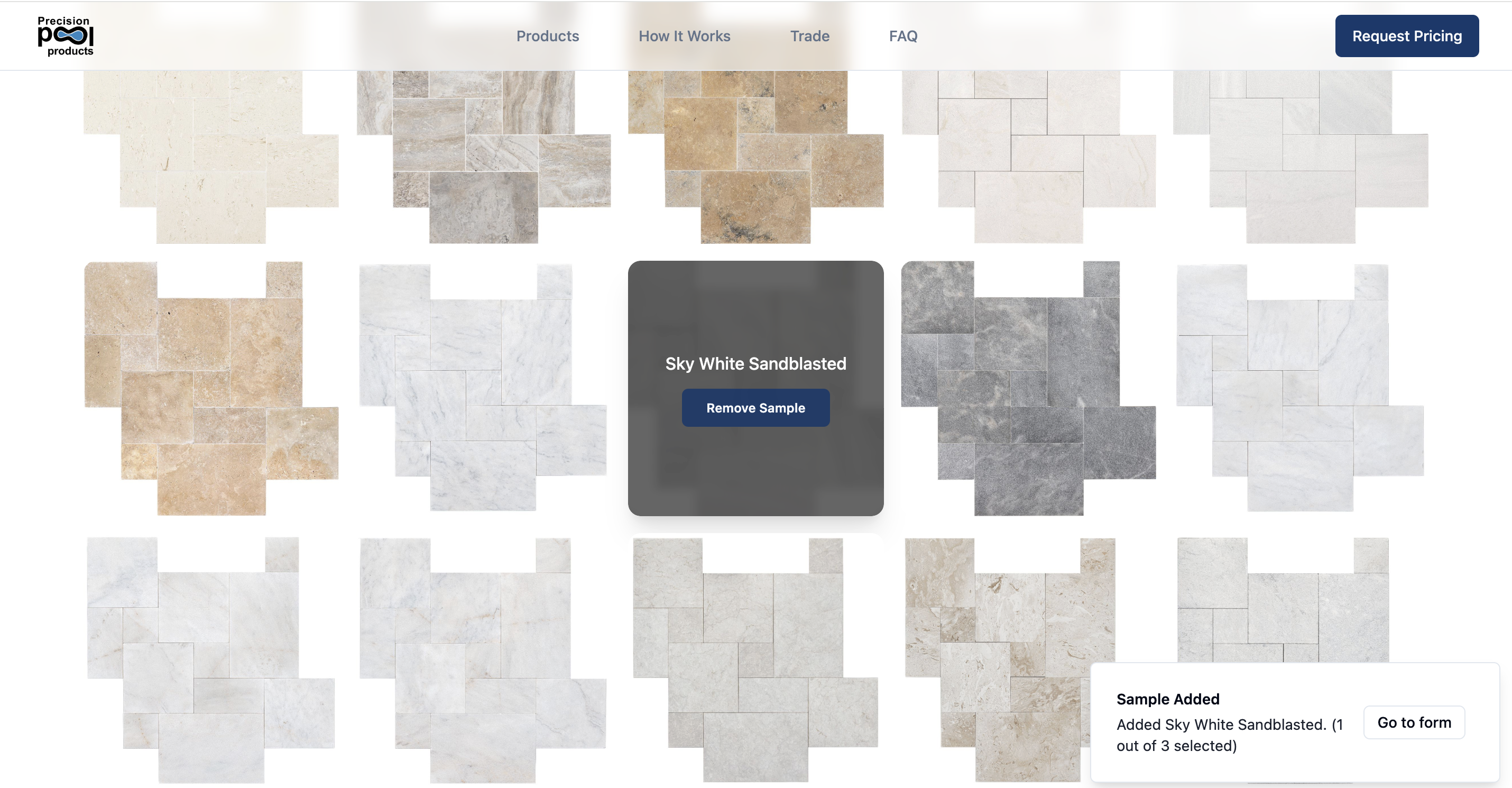
On Precision's marble, travertine, and brick paver pages, visitors can request samples. They can select up to three, and those selections carry into the request form.
When someone submits the form, the selected products arrive in both the CRM and an email notification.
The point isn't that the page has a fancy button. The point is that the business receives a more useful inquiry. The visitor has already identified materials they're interested in, and that information travels with the request.
Here's the flow:
Choose up to three samples → carry the selections into the form → submit the request → deliver the selected products to the CRM and email notification.
I built the visitor-facing experience in AI Studio and connected it to the systems handling the submission.
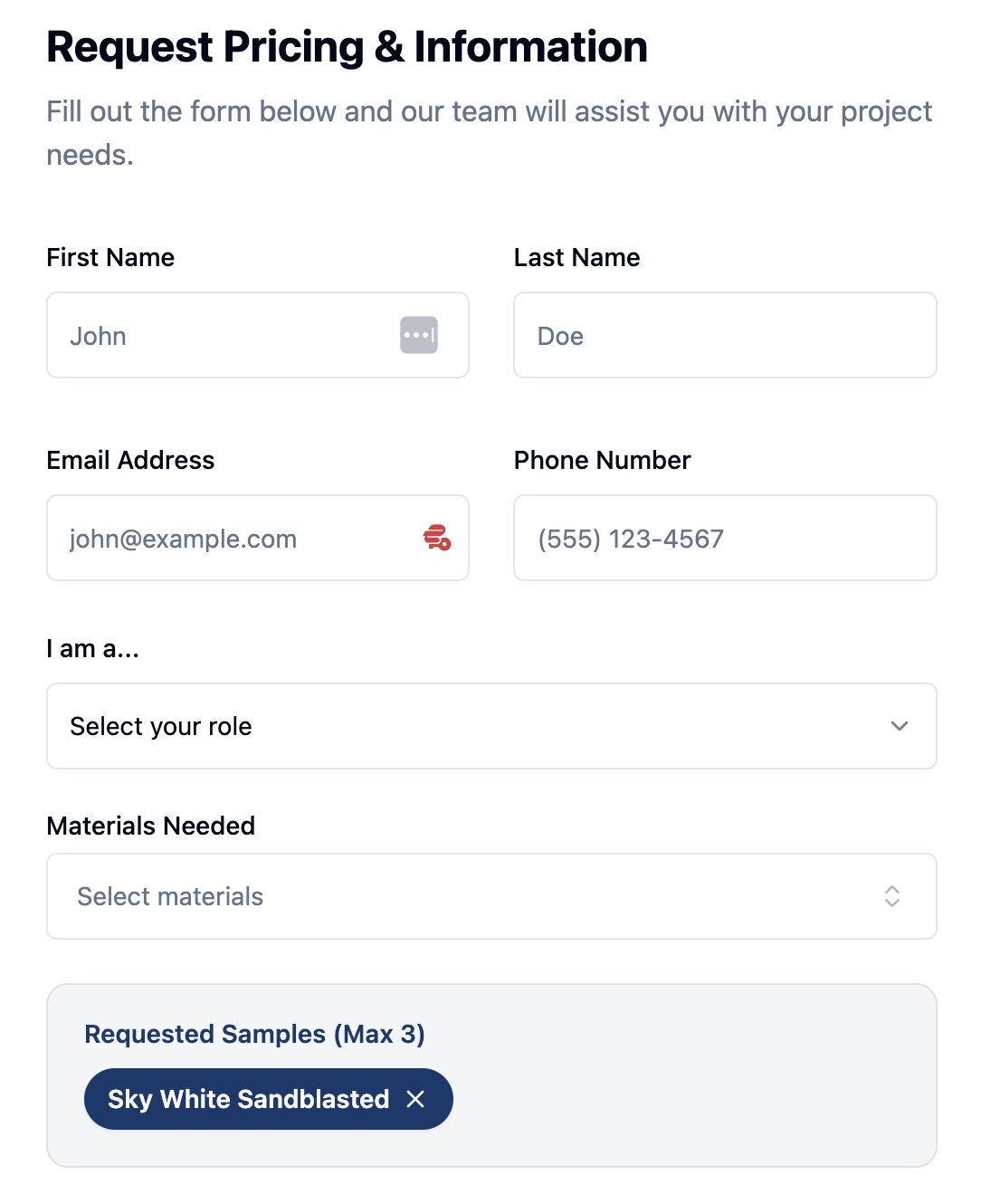
That is the kind of feature I mean when I say a website should do more than look good. It should help move a customer request into a usable business process.
BLB's assessment flows and CRM connections
I've also built the visitor-facing experiences for BLB's Free Website Assessment and Free Lead Conversion Assessment.
Those offers need more than an attractive page. The visitor has to understand the assessment, take the next step, and have their information reach the appropriate system so the business can respond.
I use AI Studio alongside CRM connections, forms, and workflows for that kind of experience.
But I want to be clear about something: building a form on a page is not the same as having a fully functioning lead process.
The form needs to send the right information. The CRM needs to receive it. The appropriate workflow needs to run. And someone needs to verify what happens when a real visitor submits it.
HighLevel's documentation makes the same practical distinction: an AI Studio form can begin as a front-end layout and then be connected to the CRM. Its forms and calendars guide explains that connection process.
In my experience, the integrations don't always work smoothly on the first attempt. I test them rather than assuming the presence of a form means the business is ready to receive leads.
A custom music page and Clicker Go Brrr
AI Studio has also given me room to experiment.
On BLB's custom music page, I've built features such as an equalizer, featured-song cards with Suno playback options, animated buttons with floating music notes, and changing gradients.
Some of those details started as ideas I wanted to try, not features I found in a template.
I could describe the effect, test it, and keep adjusting it.
My son and I also built an interactive clicker game, Money Printer Go Brrr, on the Clicker Go Brrr site.
I'm not presenting either project as a reason every service business needs animations or a game. They illustrate the freedom to explore ideas outside the usual homepage-and-contact-form pattern.
The Suno playback experience is something I've built into my page; I'm not saying Suno is a native AI Studio feature.
What I Like Most: Less Clicking, More Building
My favorite part is simple: I don't have to spend so much time moving a mouse around just to get something done.
I can explain what I'm trying to create and work through the result conversationally.
That is especially useful when I have a specific design or interaction in mind but don't want to manually assemble every piece through a traditional builder.
I can ask for a layout adjustment, a different gradient, a button effect, or a more involved interaction. Then I can see what happened and refine it.
Not every attempt is perfect. Sometimes the result misses the point. But the overall process suits the way I like to build.
After more than 15 years of website work, that shift is meaningful to me.
Where AI Studio Still Frustrates Me
I like the tool enough that I've moved my website work into it. That doesn't mean I'm going to pretend the rough edges aren't there.
It can still act up
I started using AI Studio during its beta period. In my experience, it was buggier earlier on, and it has become better and faster.
It still occasionally behaves unpredictably.
A prompt can produce something different from what I intended. A change can need another round of correction. And when you're working on a live website, “almost right” isn't always good enough.
That's why I inspect changes instead of treating a successful AI response as proof that the published site is correct.
Editing costs affect how I work
I don't love spending money every time I need to make another edit.
AI Studio uses a usage-based model in which different build sessions can require different amounts of work. HighLevel explains the factors that influence usage in its AI Studio pricing documentation.
I'm deliberately not putting a fixed per-prompt price here. Costs can vary with the work performed and may change as the product evolves.
My practical advice is to make prompts specific, group related changes when it makes sense, and inspect the result before starting another round. Vague instructions followed by repeated corrections can make the process more expensive and frustrating than it needs to be.
CRM and workflow connections require testing
This is the limitation I'd most want a business owner or agency builder to understand.
A website can look finished while the process behind it is not.
I've had to troubleshoot connections involving forms, the CRM, and workflows. Sometimes getting everything to behave properly takes more work than creating the page itself.
Test the entire path: submit the form, inspect the contact record, confirm the submitted details, check the notification, and verify the correct automation ran.
Don't stop at “the button works.”
AI Studio Versus HighLevel's Traditional Website Builder
I haven't used HighLevel's traditional builder extensively in a while, so I'm not going to pretend this is a current, feature-by-feature comparison.
When I used it, I found it clunky, slow, and dated. Getting relatively straightforward things done could take too much time.
AI Studio is a better fit for how I prefer to build now.
The key distinction is the working experience: I can describe and refine what I want conversationally instead of relying primarily on manual builder controls.
That doesn't establish that AI Studio is the right choice for every project or that the traditional builder has no advantages. Someone who prefers a more controlled visual editing process may make a different choice.
HighLevel also has a separate AI-assisted experience inside its standard website and funnel builder. That's not the same product as the AI Studio projects discussed here. See HighLevel's Funnel & Website AI documentation for that distinction.
Can You Build an SEO-Friendly Website With AI Studio?
You can build a site in AI Studio with SEO in mind, but I wouldn't assume that publishing an AI-generated website automatically makes it search-ready.
I pay attention to page titles, descriptions, headings, URLs, internal links, indexability, structured data where appropriate, and what search engines can actually access.
HighLevel has documented advanced SEO support for AI Studio, and its newer SSR and full-stack documentation describes capabilities for new projects.
Those developments matter, particularly for content-driven websites. But I wouldn't treat a documentation announcement as proof that every existing project has automatically migrated or that every page is configured correctly.
My rule is to verify the actual published output.
Can the intended URL load? Is the correct content available? Are the title and canonical right? Do internal links resolve? Is the page indexable? Does it behave correctly on mobile?
For BLB, the content engine makes those questions part of regular publishing—not a one-time checklist when the homepage launches.
For a broader look at how AI fits into a service-business website, see what an AI-powered website actually is.
Does AI Studio Make Website Experience Unnecessary?
No. It can help someone with limited technical experience create an impressive-looking website, and I think that's exciting.
But there's a difference between producing a polished page and building a website that serves a business reliably.
Understanding even some front-end and back-end concepts helps. So does knowing website structure, UX, conversion strategy, SEO, local schema, and how forms and business systems should connect.
You don't have to write every line of code yourself to benefit from that knowledge.
You need enough understanding to ask better questions, recognize when something is wrong, and test whether the finished experience does what the business needs.
AI Studio can accelerate the building. It doesn't make the judgment calls for you.
Who I Think Should Consider It
If you're a freelancer, marketer, or aspiring automation-business owner, AI Studio is worth exploring when you want to build more customized web experiences and are willing to learn how the pieces fit together.
If you're a business owner who wants a website but doesn't want to manage the technical details, consider whether you actually want to become the person responsible for its design, integrations, SEO, maintenance, and troubleshooting.
The tool may reduce some of the work. It doesn't eliminate the work.
And if you're evaluating GoHighLevel as the foundation for a service business, remember that software access is not the business model. You still need a real customer problem, a defined offer, delivery capability, and a way to support what you've sold.
Our guide to legitimate ways to make money with GoHighLevel covers the business-model side. If you're comparing platform costs, see the GoHighLevel pricing guide.
My Take After Building Real Projects With It
AI Studio has changed how I build websites.
I've used it for conventional service-business sites, a growing content engine, custom product-selection functionality, assessment flows, animated music experiences, and an interactive game.
The part I enjoy most is being able to move from an idea into something working without spending so much time manually assembling every detail.
The part I take seriously is everything that happens after the first result: testing, editing, publishing, SEO, CRM connections, and making sure the experience holds up for actual visitors.
AI Studio can help you build more freely. Knowing what you're building—and why—still matters.
Thinking About Building an AI-Powered Business?
If you're exploring website builds, automation services, or recurring-revenue offers, start with the business problem rather than the software.
The 48-Hour AI Cashflow Stack is BLB's free resource for understanding practical AI-powered service opportunities and how to start putting an offer together.
Frequently Asked Questions About GoHighLevel AI Studio
Is a website built with AI the same as an AI-powered website?
No. AI can help create a website’s layout, copy, and code, but that doesn’t automatically make the finished website an AI-powered business tool. At Boost Local Biz, I think of an AI-powered website as one that can actively help a business capture inquiries, answer questions, connect visitors to the right next step, and support follow-up through tools such as CRM and automation. How the website is built and what it does after launch are two different things.
Can GoHighLevel AI Studio websites connect to CRM and automation?
They can be built to work with CRM and automation, but the connection needs to be planned and implemented—it shouldn’t be assumed just because the site was created in AI Studio. In my Precision Pavers & Pool Design example, visitors can select material samples and carry those selections into a request form. The submission then connects to the systems handling the inquiry. The useful part isn’t just the interface; it’s what happens to the information after someone submits it.
Is GoHighLevel AI Studio useful for local service-business websites?
It can be, particularly when the website is planned around what the business needs visitors to do. A contractor’s site might need clear service pages, project photos, trust signals, quote requests, and a reliable way to respond to inquiries. AI Studio gives me flexibility to build those experiences, but the marketing strategy, content, mobile usability, and lead-handling process still matter. A polished website that loses inquiries is not a successful business system.
What should you know before building a website with GoHighLevel AI Studio?
Expect to review and test what you build. AI Studio can speed up parts of the development process, but it doesn’t eliminate the need to check mobile layouts, forms, integrations, content accuracy, page performance, and the actual visitor experience. I’ve also encountered bugs and credit-related limitations while working with it. My approach is to use AI Studio as a capable building tool, then apply the same website and conversion standards I would use on any client project.
Free BLB Guide
You’ve seen what I built. What could you build?
AI Studio is one piece of a bigger opportunity: using AI, websites, CRM, and automation to solve problems businesses will actually pay to have solved.
I put together the 48-Hour AI Cashflow Stack for people who want a practical starting point for building an AI-powered service business—without the get-rich-quick nonsense.
A free resource from Boost Local Biz • Practical tools, business models, and next steps
Disclosure: Some links in BLB's GoHighLevel content may be affiliate links. If you purchase through an affiliate link, BLB may earn a commission at no additional cost to you. This article reflects my firsthand experience; affiliate relationships do not change the need to test whether the platform fits your work.
